

 By
By  8 minutes read
UltConv Fansly video downloader is designed for users who want an easier way to save Fansly videos, private content, and creator media directly on their Windows or Mac computers. Instead of relying on unstable browser extensions or online tools, UltConv Fansly Downloader provides a built-in browser and high-speed downloading system that makes the process smoother and more reliable. Besides Fansly, the software also supports platforms like OnlyFans, Patreon, and JustForFans, making it a flexible all-in-one downloader for premium content websites.
- Download Fansly and OnlyFans videos to MP4 in up to 1080p or 4K quality
- Save private message videos and purchased content easily
- Bulk download multiple creator videos at once for faster saving
- Built-in browser support for direct login and secure downloading
This guide walks you through setup, activation, and your first download.
Part 1. How to Download and Install UltConv Fansly Downloader?
Before downloading Fansly videos, you need to install the UltConv Fansly Downloader on your Windows or Mac computer. The setup process is quick and beginner-friendly.
-
Open your browser and visit the official UltConv website to access the Fansly downloader tool.
-
Click the Free Download button for either Windows or macOS. The installer file will start downloading automatically.
FREE DOWNLOAD![secure download]() Secure Download
FREE DOWNLOAD
Secure Download
FREE DOWNLOAD![secure download]() Secure Download
Secure Download
-
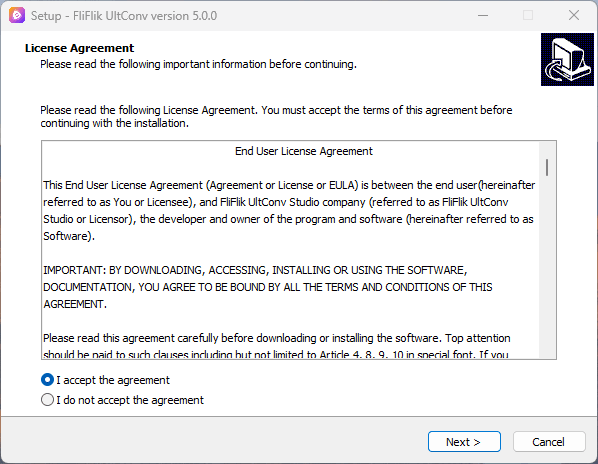
Install the software based on your operating system.
- Windows: Open the downloaded .exe file, accept the terms, and follow the installation instructions.
- Mac: Open the .dmg package and drag the UltConv app into the Applications folder.
-
After installation is complete, launch UltConv from the Start Menu on Windows or the Applications folder on Mac and wait for the main interface to load.


Part 2. How to Register and Activate UltConv?
After installing UltConv Fansly Downloader, you can activate the software to unlock unlimited downloads and all premium features.
-
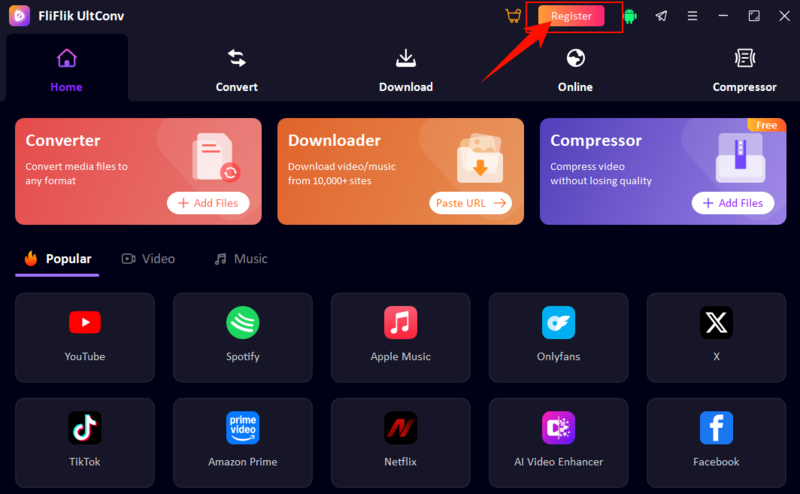
Step 1: Open UltConv on your computer and select the Register or Activate option from the main screen.
-
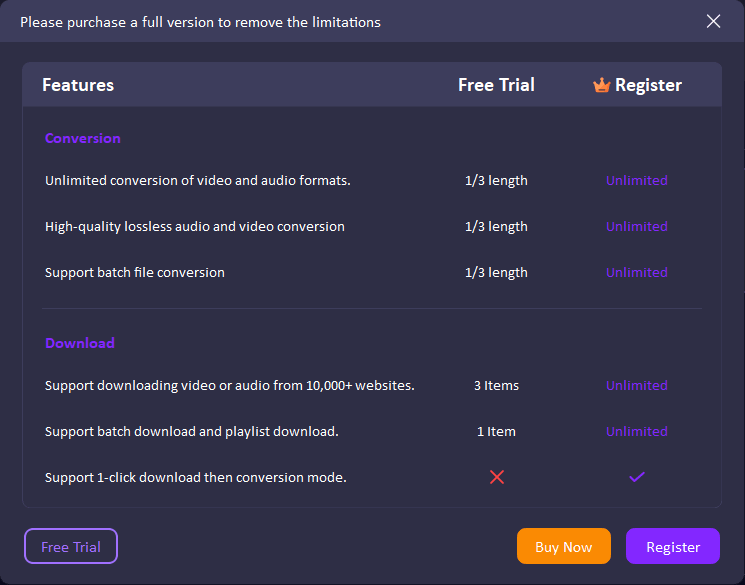
Step 2: A comparison window will appear showing the differences between the free trial and the full registered version, helping you understand which features are unlocked after activation.
-
Step 3: Click the Register button. If you already purchased a license, enter your activation details directly. Otherwise, use the Buy Now option to get a registration code first.
-
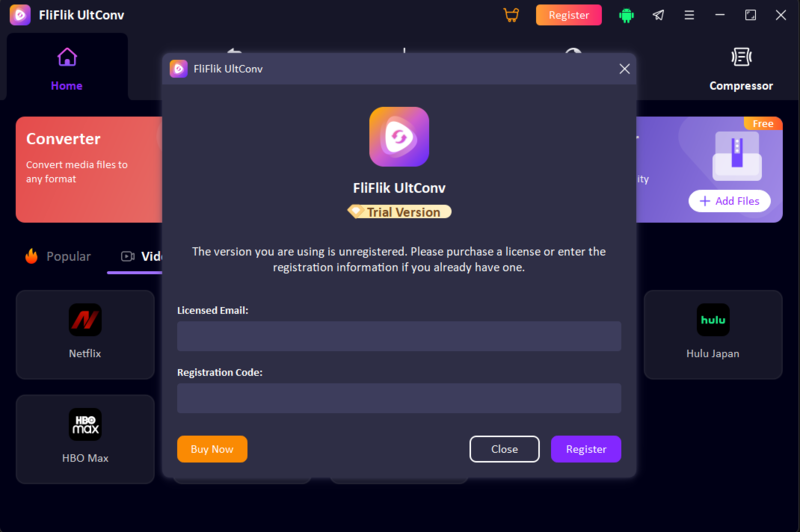
Step 4: Paste your license key and registered email address into the required fields, then click Register. The software will verify your information online and enable premium access automatically.
-
Step 5: If the software asks for a restart after activation, close and reopen UltConv so all premium features can be applied correctly.


How to Solve Registration or Activation Errors
If you face issues while activating UltConv Fansly Downloader, try these simple fixes before retrying the process:
- Incorrect Email or Code: Carefully recheck your email and license key for typing mistakes or extra spaces.
- Internet Connection: Make sure your device is connected to a stable internet connection during activation.
- Firewall/Antivirus Block: Some security tools may block activation requests. Temporarily disable them and try again.
- Expired or Used Code: Confirm that your license key is still valid and has not exceeded the allowed number of activations.
Part 3. How to Set Up Privacy Features in UltConv Fansly Downloader
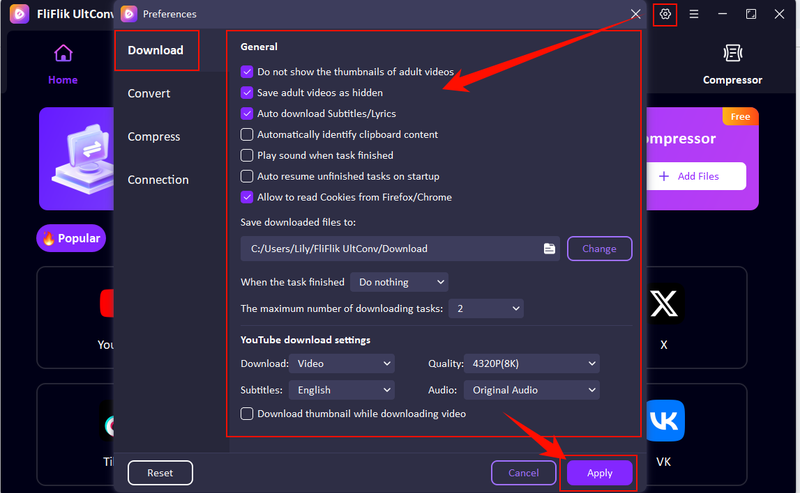
UltConv Fansly bulk downloader also includes built-in privacy controls, allowing users to manage how downloaded content is stored and displayed for better security and organization.
-
Step 1: Open UltConv and go to the Settings section from the main interface. Inside the settings menu, you can configure all privacy and download preferences in one place.
- Turn on “Do not show thumbnails of adult videos” to keep previews hidden.
- Enable “Save adult videos as hidden” to store files privately on your device.
- Choose a custom download folder to control where files are saved.
- Set the maximum number of download tasks for better performance control.
- Adjust video quality settings (e.g., 720p, 1080p, 4K) based on your preference.
- Enable or disable subtitle downloads if available for the content.

Part 4. How to Download Fansly Videos with UltConv
If you want to download from Fansly, UltConv Fansly Downloader makes the whole process simple by using its built-in browser, so you don’t need any external tools or extensions.
-
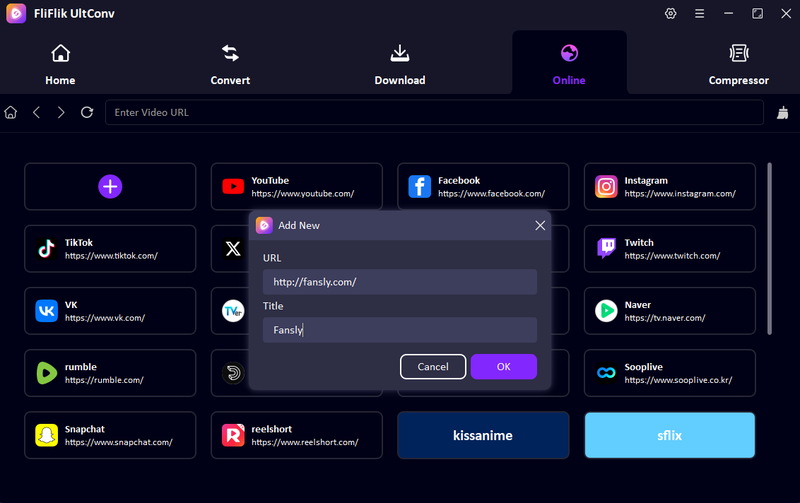
Step 1: Open UltConv after installation and go to the Online section from the main interface. This section works as a built-in browser where you can enter the official Fansly website link.
-
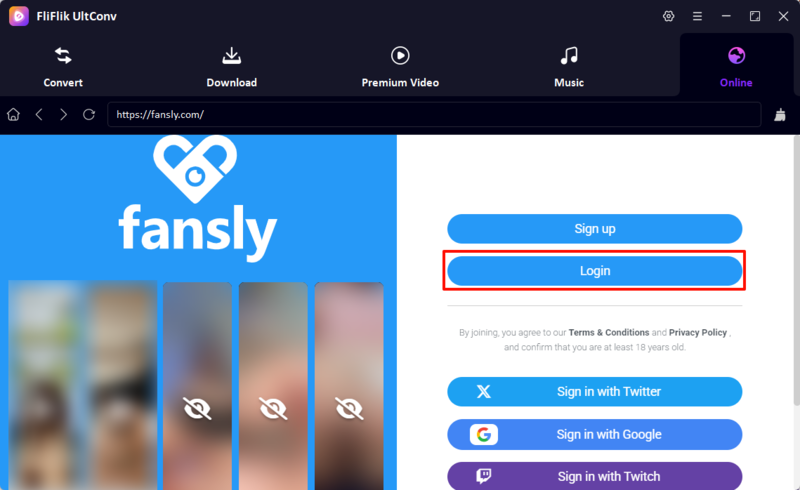
Step 2: Log in to your Fansly account inside the built-in browser so your subscribed or purchased content can be accessed safely within the app.
-
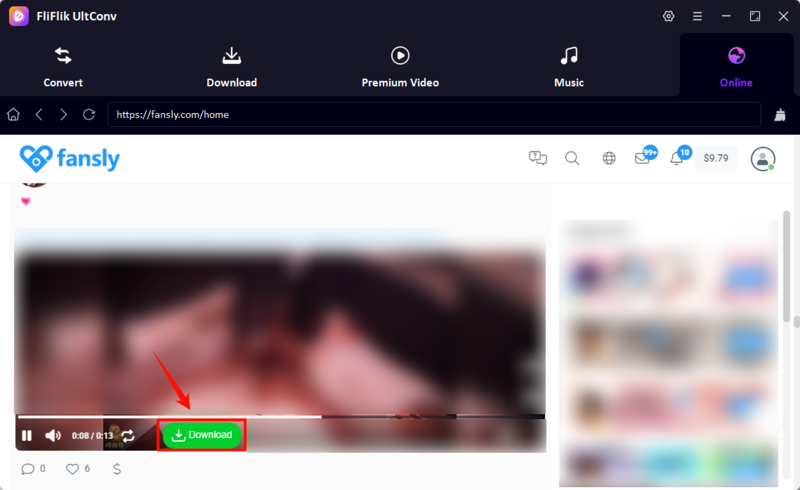
Step 3: Browse through the platform and find the video you want to download. Keep in mind that UltConv only supports downloading free content or videos you have already purchased.
-
Step 4: Click the Download button next to the video you want to save, then choose your preferred quality before starting the process.
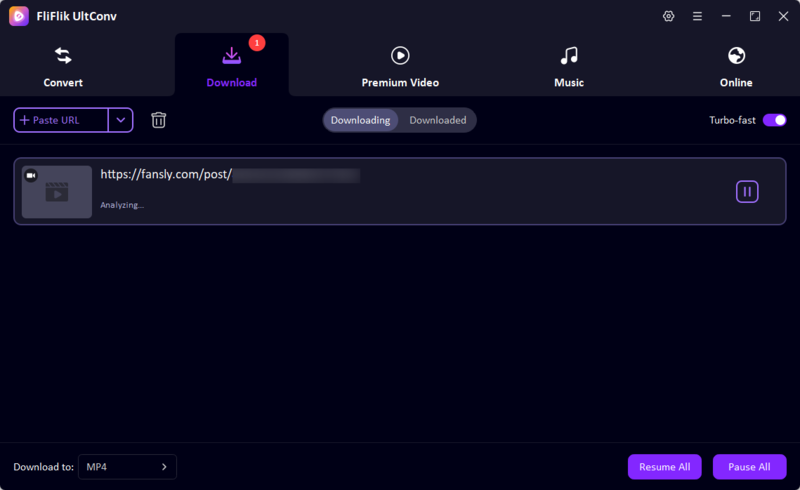
-
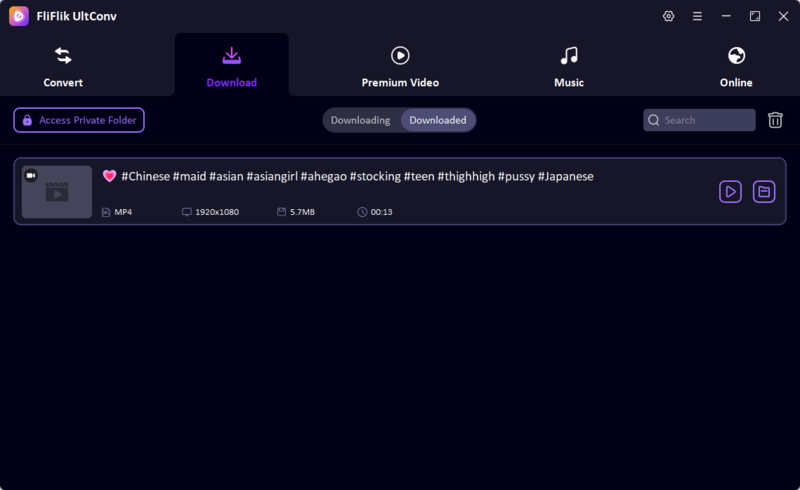
Step 5: Once the download is complete, you can go to the Downloaded section in UltConv and watch your Fansly videos offline anytime.


Tips to Avoid Fansly Login Issues
To avoid Fansly login issues, follow the tips.
- Make sure your Fansly username and password are entered correctly without spelling mistakes.
- Use a stable and strong internet connection while logging in through UltConv’s built-in browser.
- Turn off VPN or proxy services if Fansly fails to load or login does not complete.
- Update UltConv to the latest version to avoid compatibility problems with Fansly.
- Clear the browser cache inside the app if the login page keeps freezing or not responding.
- Restart the software and try again if the login session gets stuck or fails repeatedly.
FAQs
Q1. Is it possible to download videos from Fansly?
Yes, UltConv Fansly Downloader allows users to download Fansly videos that are free or already purchased within their account.
Q2. How to get Fansly content for free?
You can access and download free public content with UltConv Fansly Downloader. Paid or premium content requires a valid subscription or purchase.
Q3. Is it legal to download OnlyFans videos with UltConv?
It depends on how the content is used. You should only download content you have permission to access or own rights to view and only for personal use.
Q4. Can I download DRM-protected Fansly videos with UltConv?
UltConv Fansly Downloader supports downloading content available through your account, including DRM-protected videos, as long as you are authorized to view them.
Q5. Can I batch download Fansly videos using UltConv?
Yes, UltConv Fansly Downloader supports batch downloading, so you can save multiple videos at once instead of downloading them one by one.
Q6. For how long can I keep the downloaded Fansly videos?
Downloaded videos are saved locally on your device, and you can keep them as long as you want, unless you manually delete them.