

 6 minutes read


Amazon Prime Watch Party was once a popular way to watch movies and shows with friends and family online. But it was removed on April 2, 2024. If you depended on Watch Party to keep everyone’s streams in sync, it’s honestly just annoying.
The good news is that there are still ways to enjoy shared viewing experiences in 2026. Several alternatives offer similar or even better features, from synchronized playback to group chat and reaction tools. In this article, we’ll share the best options to replace Amazon Prime Watch Party, compare their features, and show you how to keep the fun of watching together no matter where your friends are.

Part 1. What is the Amazon Prime Watch Party?
Amazon Prime Watch Party was a feature that let Prime members watch movies and shows together online. You could sync your playback with friends, chat while streaming, and enjoy a shared viewing experience no matter where everyone was. Many users searched for how to do a watch party on Amazon Prime, and the process was simple: pick a title, start a Watch Party, share the link, and everyone could join in.
However, this feature was officially removed in 2024, leaving fans without an easy way to host group streaming sessions directly on Prime Video. While it’s no longer available, the idea of watching together remains popular, and several alternative tools and platforms have emerged to fill the gap.
Part 2: 3 Best Alternatives to Host Amazon Prime Watch Party
Since Amazon Prime Watch Party was removed in 2024, several tools let you create watch party Amazon Prime experiences with friends and family. Here are the top three alternatives:
1. Teleparty
Official Site: https://www.teleparty.com/
Teleparty is a browser extension that works with Amazon Prime Video, Netflix, Disney+, and more. It lets you sync playback with friends and chat while watching. Here is how it works:
-
Step 1:
Go to Teleparty’s official website and click Install Teleparty to add the extension to your browser.
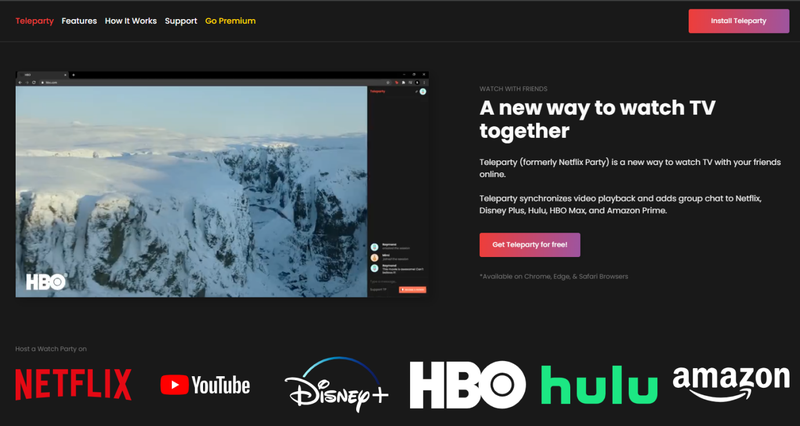
- Step 2: Visit primevideo.com and select the video you want to watch. On the playback screen, click the TP button to generate your party link.
- Step 3: Open the movie or show’s info menu and click the Watch Party icon.
- Step 4: Share the link with your friends. If they don’t have Teleparty installed, they’ll be prompted to do so. Once friends join, start playing the video.
-
Step 5:
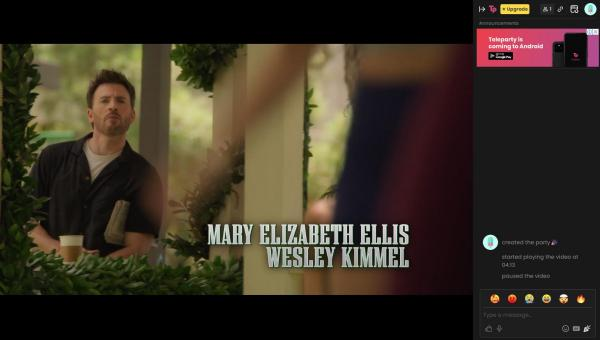
Use the chat feature next to the video to share your thoughts and reactions in real time.


2. Kast
Official Cast: https://www.kastapp.co/
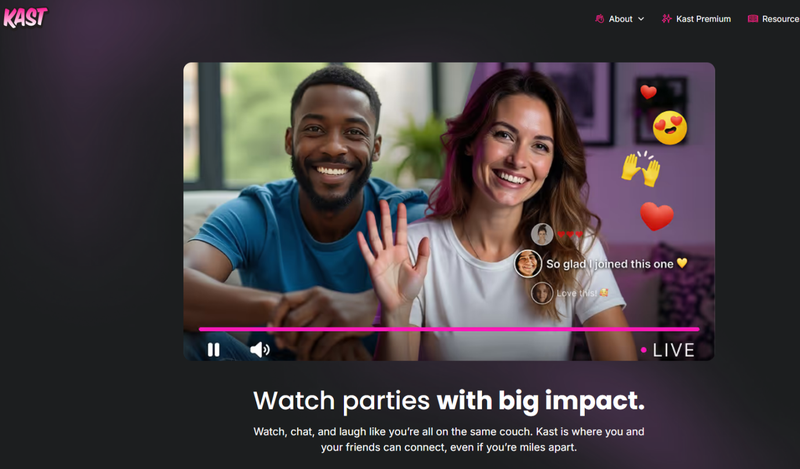
Kast is a versatile app that lets you host virtual viewing rooms for movies, shows, and personal video files. It supports Amazon Prime for Amazon Prime Video watch party sessions. Here is how it works:
-
Step 1:
Download and install Kast on your computer or mobile device.
- Step 2: Create a free account or log in.
- Step 3: Start a new party by selecting Watch Together and picking the browser or video you want to stream.
- Step 4: Invite friends via link or username.
- Step 5: Once everyone joins, playback controls are synced, and you can chat via text, voice, or video while watching.

3. Rave
Official Site: https://rave.io/
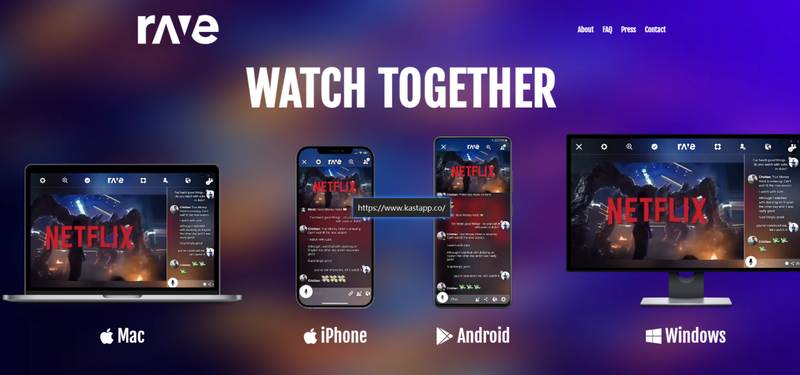
Rave is a mobile-friendly platform for watching content together on streaming services, including Amazon Prime, for a seamless amazon prime video watch party. Here is how it works:
-
Step 1:
Install and open Rave on your device.
-
Step 2:
Select Amazon Prime and log in to your Amazon Prime account.
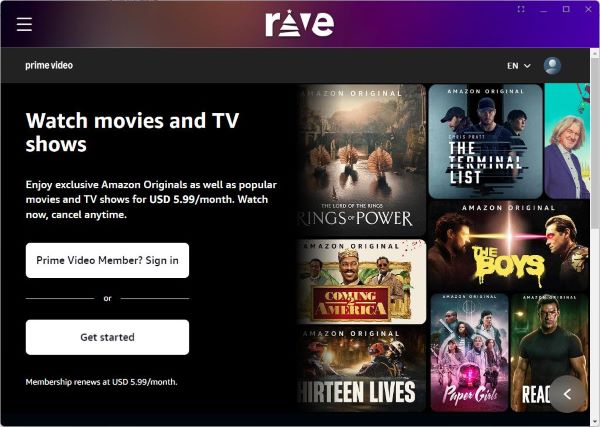
- Step 3: Find the movie or TV series you want to watch and click Play. You’ll enter the sharing interface automatically.
- Step 4: Invite friends by username or share the link with them.
- Step 5: Once friends join, use the chat box in the lower-right corner to chat in real time with text, emojis, GIFs, or pictures.
- Step 6: Adjust video quality, audio settings, and subtitles as needed for everyone.


Bonus Tips: How to Download Amazon Prime Movies for Offline Viewing
If you want to download Amazon Prime movies and shows with full control over quality and format, FliFlik UltConv Amazon Prime Downloader is a top choice. It lets you save videos in MP4 or MKV, supporting resolutions from 1080p up to 4K. You can batch download the entire series at 10X super speed, keep original audio tracks and subtitles in multiple languages, and remove DRM restrictions so your videos are permanently accessible on any device. UltConv also works across all Amazon regional websites, making it easy to grab purchased, rented, or region-specific content without restrictions.
Beyond Amazon Prime, UltConv supports over 10,000 streaming platforms, including Netflix, HBO, Hulu, Disney Plus, U-Next, and more. Its built-in browser allows you to stream and download directly, and you can preserve original metadata like titles, cover art, and release years. With advanced options for audio, subtitles, and video quality, it’s a complete solution for anyone who wants to build a permanent offline media library without the limitations of the official Prime Video downloader.

- Download Amazon Prime movies in 720p, 1080p, 2K, or 4K
- Also support Netflix, HBO, Hulu, Disney Plus, and more
- Preserve audio, subtitles, and multiple languages
- Batch download multiple episodes at once
- Remove DRM from Amazon Prime videos for permanent archive
- Built-in playback library to browse and select videos for download
▼ How to Download Amazon Prime Videos with UltConv Amazon Prime Downloader?
-
Visit the official FliFlik UltConv website and download the program on your computer. Install it.
FREE DOWNLOAD![secure download]() Secure Download
FREE DOWNLOAD
Secure Download
FREE DOWNLOAD![secure download]() Secure Download
Secure Download
-
Open UltConv and go to the Premium Video section. Select Amazon Prime Converter from the available options.
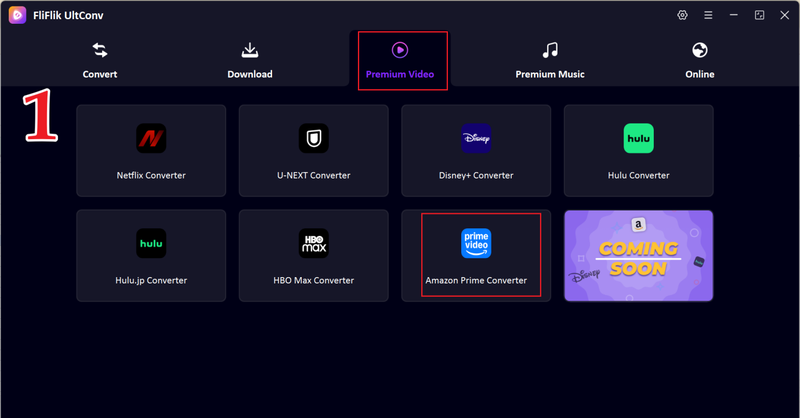
-
Sign in securely to your Amazon Prime Video account within UltConv using your regular credentials.
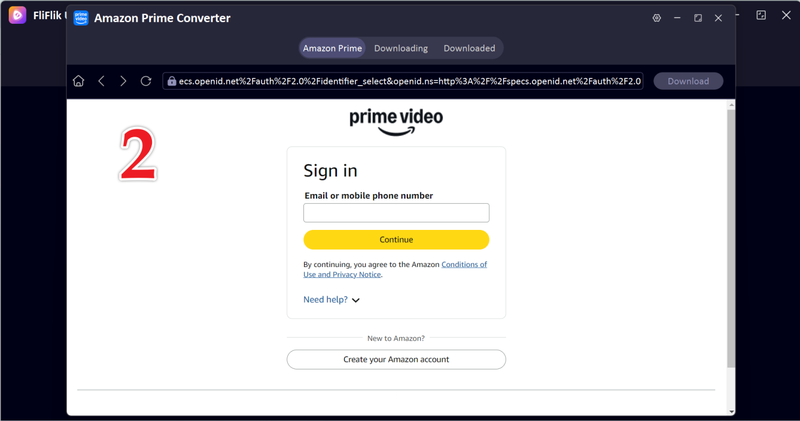
-
Browse the built-in Amazon Prime library inside UltConv and open the movie or show you want to save.
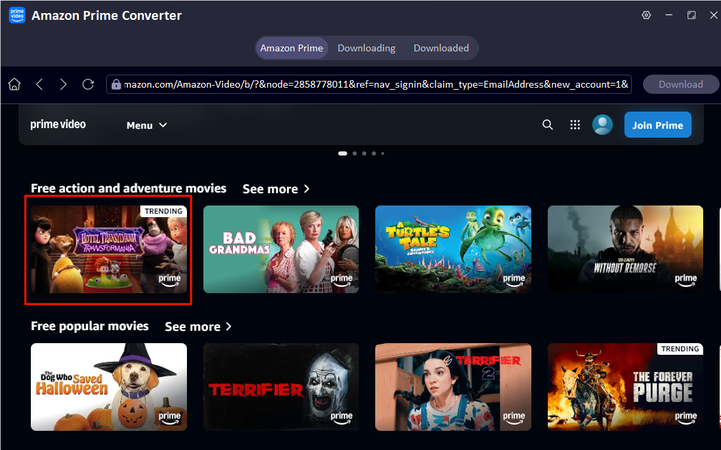
-
On the playback page, click the Download button in the upper-right corner.
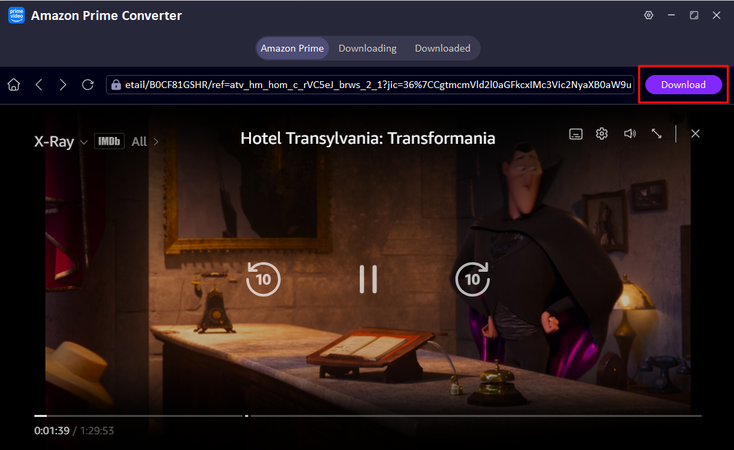
-
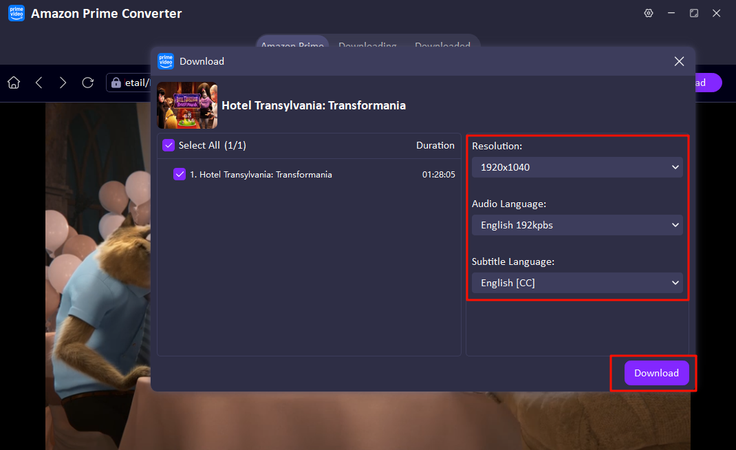
Choose resolution, subtitle language, and audio language, then click Download again to start.
-
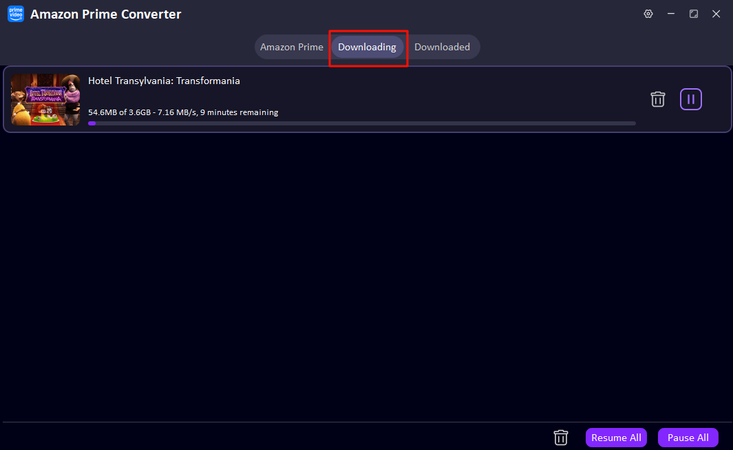
Monitor progress in the downloading queue. Once complete, your video will appear in the Downloaded section. You can now watch offline anytime or transfer it to other devices.


Final Words
Amazon Prime Watch Party was a great way to watch shows and movies together, but since it was removed, finding alternatives is essential. Tools like Teleparty, Kast, and Rave let you enjoy watching Amazon Prime experiences with friends and family in real time. For those who also want to download Amazon Prime videos for offline viewing, FliFlik UltConv Amazon Prime Downloader is the perfect choice. It lets you save movies and series in MP4 or MKV, keep original audio and subtitles, remove DRM, and even batch download at high speed. With UltConv, you’re not limited by region or Prime app restrictions; you can build a permanent library to watch anytime, anywhere.
 Secure Download
Secure Download
Secure Download
FAQs
Q1. Can you do a watch party on Amazon Prime?
Not anymore. The official feature was removed in 2024, but alternatives like Teleparty, Kast, and Rave let you watch together online.
Q2. Is the Prime Watch Party free?
When it existed, yes, but now you’ll need third-party tools, which may be free or have premium features.
Q3. Is there a way to watch Prime Video together online?
Yes. Using alternatives like Teleparty, Kast, or Rave, you can sync playback and chat with friends while watching.
Hey there! I am Maxwell Clark. I'm always looking for new tech tools that make a difference, from making visuals and audio better to making workflows better. I'm going to share tips and tricks for using AI tools for videos, audio, and images. I'm excited to help you navigate the digital world more efficiently and creatively!

