

 8 minutes read


If you wish to convert YouTube videos to MP3s, you might have heard of EzConv. It’s a free online tool that claims to convert YouTube videos to MP3s quickly and easily, with no software installation needed as well. With so many online converters, you might be wondering whether EzConv is safe and whether there are better choices out there.
In this article, we’ll walk you through what EzConv is, how to use it step by step, and share some of the best alternatives in 2026. By the end, you’ll know the safest and easiest ways to get your favorite YouTube audio offline.

Part 1. Is EzConv Legit and Safe?
EzConv is a widely used online tool for converting YouTube videos to MP3, and its popularity comes from how quick and simple it is to use. You don’t need to download or install any software, which makes it accessible on both desktop and mobile devices. Many casual users turn to EzConv when they want to save a favorite song or podcast for offline listening, and for small, personal downloads, it generally does the job well.

However, because it’s a free web-based service not officially affiliated with YouTube, there are some safety considerations. The website often contains ads and pop-ups that can redirect to unsafe pages, and it doesn’t provide advanced security features like antivirus checks or encrypted downloads. Its reliability can also vary; sometimes conversion may fail, links might not work, or the quality of the MP3 may be inconsistent. The bottom line is that while EzConv is convenient, users should proceed with caution, avoid clicking on ads, and ensure antivirus protection is active to reduce any potential risks.
Part 2. How to Use EzConv to Convert YouTube to MP3?
Using EzConv is simple, even if you’re not tech-savvy. Here’s a step-by-step guide to convert YouTube videos into MP3:
- Step 1: Copy the URL of the YouTube video you want to convert.
- Step 2: Open EzConv in your web browser.
-
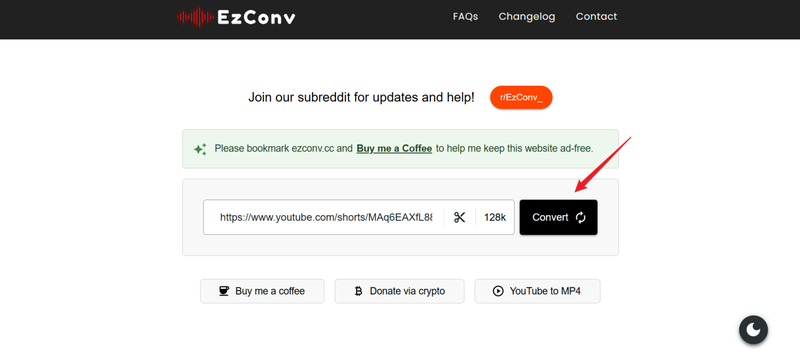
Step 3:
Paste the copied URL into the input field on EzConv’s homepage.
-
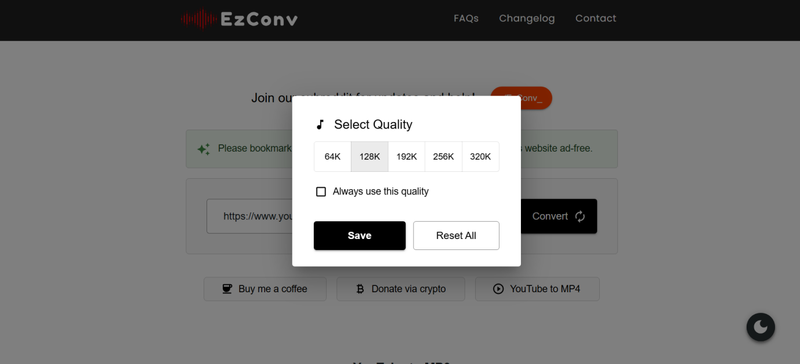
Step 4:
Here you can choose audio quality, like 128 kbps or 320 kbps and click Save.
- Step 5: Click the Convert or Start button to begin the process.
-
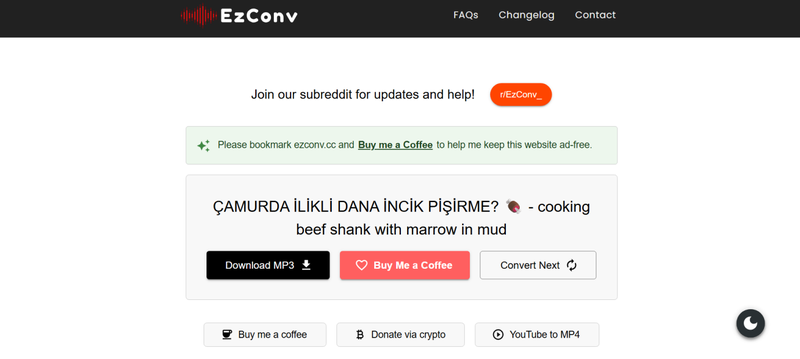
Step 6:
Once the conversion is finished, click
Download MP3
to save the MP3 file to your device.
- Step 7: Check your downloaded file to make sure it plays correctly.


Part 3. Top 3 Better EzConv Alternatives in 2026
If you’re looking for reliable tools to convert videos or audio in 2026, a few alternatives outperform EzConv in speed, format options, and safety. These platforms make it easy to convert files without dealing with intrusive ads or unstable websites.
1. FliFlik UltConv
If you want a reliable and safer way to download videos from YouTube and other sites, you can use FliFlik UltConv Video Downloader. This desktop software allows you to save videos and music from over 10,000 websites, including YouTube, TikTok, Twitch, Netflix, Spotify, and Apple Music. It offers multiple format options, allowing you to save content as MP4, MP3, WAV, FLAC, and more, while ensuring high-quality output. You can download videos in resolutions up to 4K and 8K, or audio at 320kbps, preserving the original quality.
UltConv also includes features like batch downloads, saving live streams, and DRM removal for music tracks, making it a complete, all-in-one solution for managing your media safely and efficiently without the risks associated with online converters.

- Download videos from 10,000 websites, including YouTube, TikTok, Twitch, Netflix, and more.
- Batch download multiple videos or music files at the same time.
- Save videos in 720p, 1080p, 2K, 4K, and 8K and audio in 320 kbps.
- Remove DRM from Spotify, Apple Music, and YouTube Music while preserving ID3 tags.
- Save live streams from YouTube, Twitch, and TikTok in real-time.
- Explore and download video and audio directly from supported websites using the built-in browser.
- Secure downloads with a private folder.
- Download videos and music up to 10 times faster than normal.
▼ Steps to Convert YouTube to MP4 with FliFlik UltConv Video Downloader
FliFlik UltConv Video Downloader is a reliable tool for Mac and Windows users that lets you download YouTube videos quickly and in high quality. After installing the program on your computer, follow these steps to save any YouTube video as an MP4 file.
 Secure Download
Secure Download
Secure Download
-
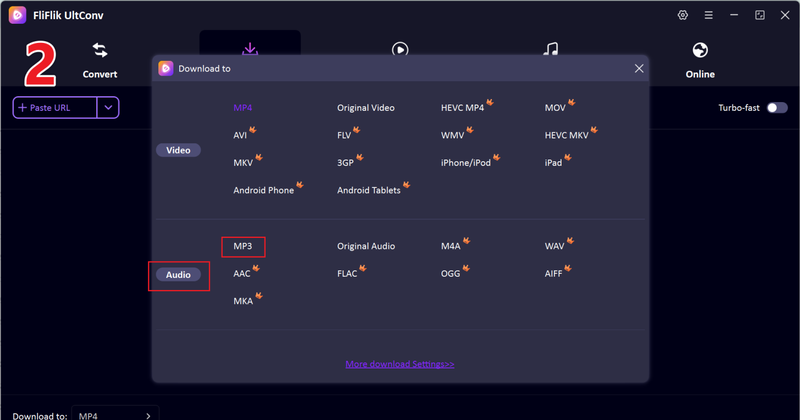
Open UltConv Video Downloader and navigate to the Download tab. Click the “Download to” button at the bottom to get started.

-
Select your preferred output format like MP3 or MP4.
-
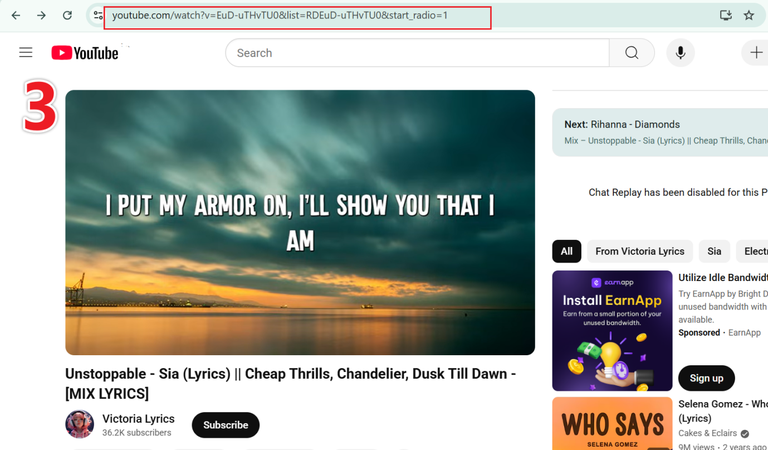
Open YouTube in your browser and copy the URL of the video you want to download.
-
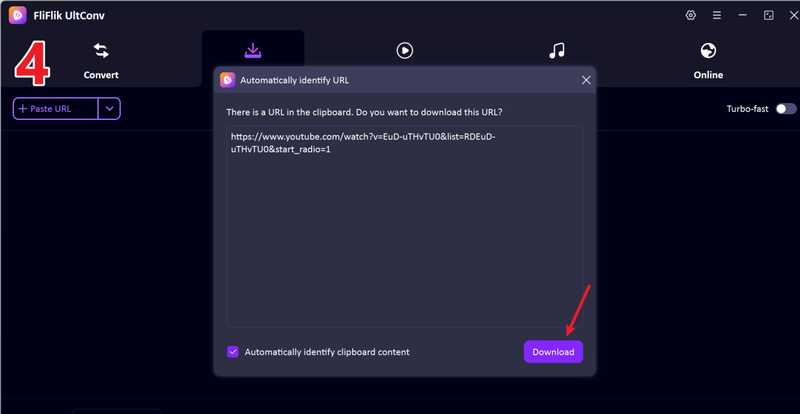
Go back to UltConv. If the program detects the link automatically, click Download to save the video.
-
If the link isn’t detected automatically, paste it manually into the search box and click Download.
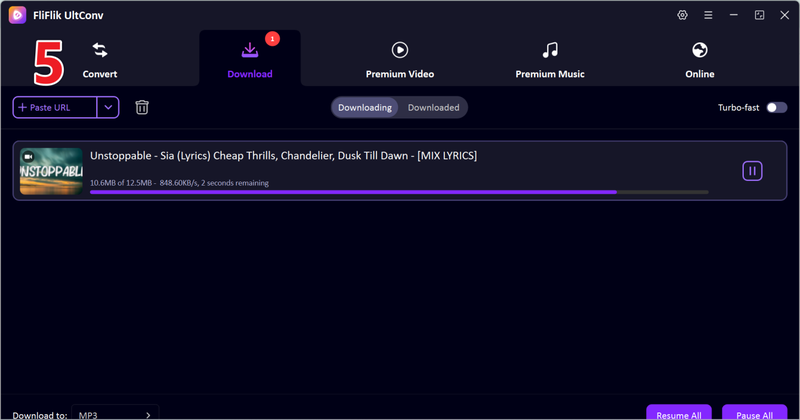


Once the download is finished, the video will be saved in your chosen format. You can now watch it offline anytime without buffering or interruptions.
2. YTMP3
The next option is YTMP3. It is a popular online YouTube to MP3 converter. It allows users to quickly extract audio from YouTube videos directly in their browser, without the need for any software installation. YTMP3 is popular for its straightforward, fast, and easy-to-use interface, making it ideal for casual downloads. However, it comes with some limitations, such as restricted audio quality options and the presence of ads during the conversion process. Despite these drawbacks, it remains a go-to choice for quick and simple YouTube-to-MP3 conversions.
- Converts YouTube videos to MP3 or MP4 quickly
- No software installation required
- Easy-to-use and straightforward interface
- Limited output quality options
- Contains ads and pop-ups
▼ Steps to Convert YouTube to MP3 with YTMP3
- Step 1: Open YTMP3 in your browser.
- Step 2: Copy the URL of the YouTube video you want to convert.
-
Step 3:
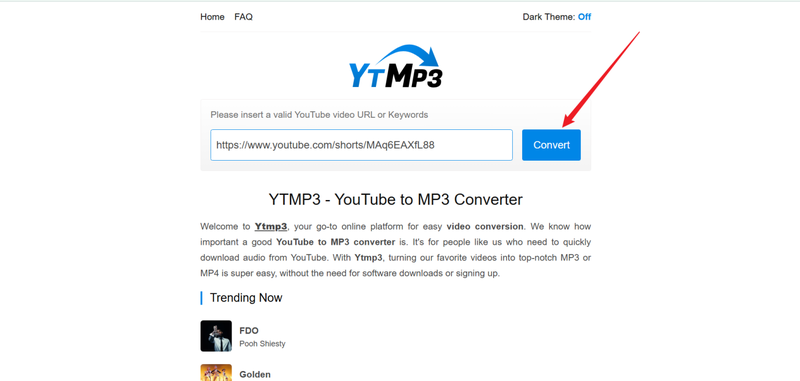
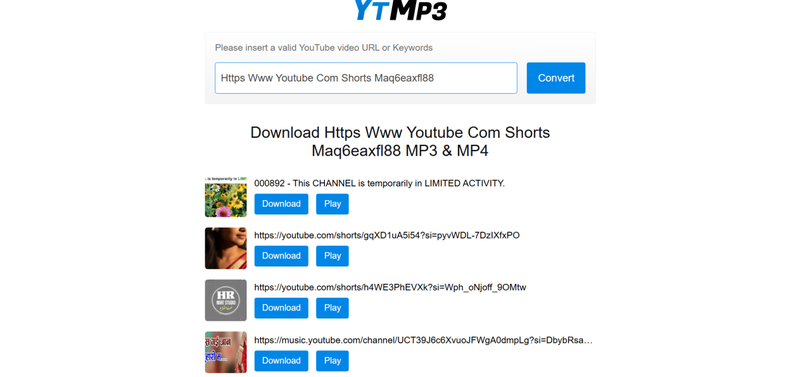
Paste the link into the input box on YTMP3 and click Convert.
-
Step 4:
Next click on the right file and click
Download.
- Step 5: Once the conversion is complete, you can find your audio file in your device folder.


3. MP3Juice
MP3Juice is another online converter that allows users to download audio from YouTube quickly. It is a well-known online converter that lets users quickly download audio from YouTube without the need to install any software. It supports multiple formats, including MP3 and MP4, and works smoothly on both desktops and mobile devices. The platform is designed with a simple interface, making it easy for anyone to convert videos to audio in just a few clicks. While it’s especially popular for casual, quick conversions, MP3Juice remains a convenient option for those who want to grab their favorite music or clips on the go.
- Free and easy to use
- Supports multiple formats
- Works on both desktop and mobile
- Contains ads that may be intrusive
- Limited control over audio quality
▼ Steps to Convert YouTube to MP3 with MP3Juice
- Step 1: Open MP3Juice in your browser.
- Step 2: Copy the URL of the YouTube video you want to download.
-
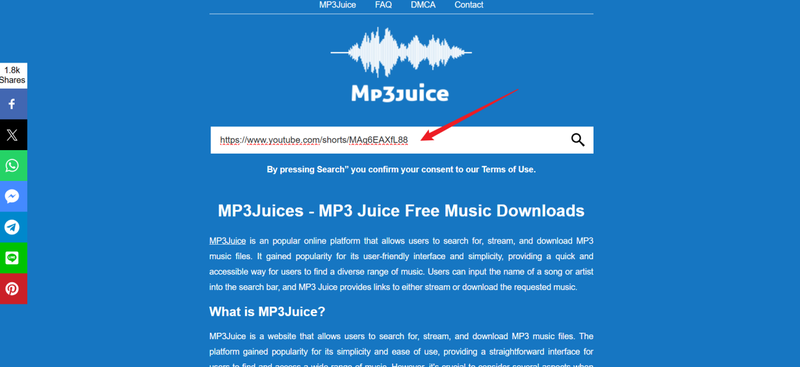
Step 3:
Paste the link into the search box on MP3Juice.
-
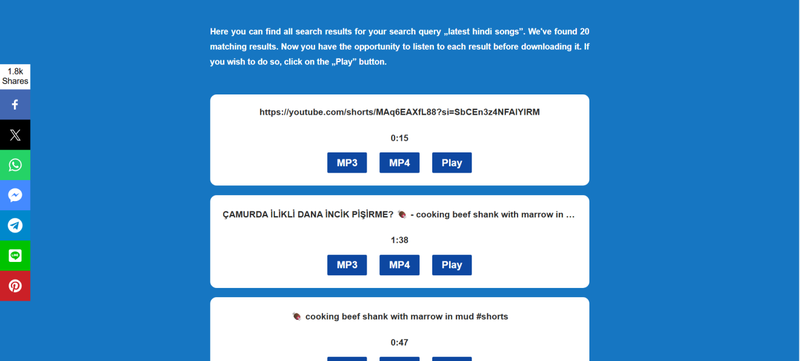
Step 4:
Select the desired format and click
Download.
- Step 5: Wait for the conversion to finish and save the audio file to your device.


Conclusion
Yes, EzConv is a convenient online tool for quickly converting YouTube videos to MP3, but it comes with some risks, like ads, pop-ups, and limited control over quality. For a safer and more reliable experience, desktop software like FliFlik UltConv Video Downloader is recommended.
It offers high-quality downloads, batch processing, live stream saving, and DRM removal, making it a complete solution for managing video and music downloads without the usual online risks.
Secure Download
Secure Download
FAQs
Q1. Is EzConv safe to use?
EzConv can be used for casual conversions, but it is a web-based tool with ads and pop-ups, so users should proceed with caution and have antivirus protection active.
Q2. Is EzConv free?
Yes, EzConv is free to use for converting YouTube videos to MP3 or MP4.
Q3. How can I use EzConv on my iPhone?
Open the EzConv website in your iPhone’s browser, paste the YouTube video link, select the output format, and download the file directly to your device.
Hello, I research and introduce useful solutions for AI videos, images, and audio tips in our daily life. If you learn these things, you can easily deal with the problems of the new era.

