

 7 minutes read


Short videos, exclusive clips, and private content—that’s the kind of material people usually visit Fansly for. But watching everything through the browser or app can get a little inconvenient. Slow connections, disappearing posts, or simply wanting to watch offline. So naturally, many users start looking for a Fansly downloader Android solution that actually works on their phones.
Plenty of Android downloader apps claim they support everything, but once you try them, half of them don’t detect the video at all. That’s why it helps to know which ones people actually use. In this article, we’ll go through four Android apps that can help you save Fansly videos more easily and what each one does well.

Part 1. Can I download Fansly Videos directly to my Android phone?
Short answer: No, without a straightforward way in official. Fansly does not provide a built-in download option for videos or photos. Everything on the platform is designed for streaming inside your account, whether you access it from a phone, tablet, or desktop. That means there’s no “Save” or “Download” button in the normal interface. Now think about why. The platform keeps downloads disabled to protect creators’ content and prevent unauthorized sharing. So even if you’ve purchased or subscribed to a creator, the media usually stays available only for online viewing.
That’s where things get interesting. Because of this limitation, many users start searching for a Fansly downloader app that can help save videos for offline viewing. These are usually third-party tools, such as downloader apps, browser extensions, or desktop software that detect and save the video stream.
Part 2. Quick Overview of 4 Fansly Downloader Android Apps
Before getting into detail of each tool we compiled today, it helps to compare them side by side. Different downloaders focus on different strengths. Some prioritize speed, others support more sites, and a few specialize in handling protected videos. Here’s a quick overview of the four tools we discussed: FliFlik UltConv Fansly Converter, YT Saver, StreamFork, and AhaSave Video Downloader.
| Tool | Support Sites | DRM Removal | Resolution Support | Speed | Batch Download | Stability |
|---|---|---|---|---|---|---|
| FliFlik UltConv | 10,000+ sites including Fansly, OnlyFans, Patreon | Yes | Up to 4K / 1080p | 10X faster | Yes | Very stable |
| YT Saver | Multiple streaming sites | Yes | Up to 1080p | Fast | Limited | Stable |
| StreamFork | Mainly Fansly & OnlyFans | Partial | Up to 1080p | Fast | Available in paid plan | Stable |
| AhaSave | General video sites | No | Up to 720p–1080p | Moderate | No | Medium |
Part 3. Top 4 Fansly Downloader Android Apps to Save Fansly Easily
Now, let’s look at the top 4 Fansly downloader Android apps that you can use to save Fansly videos easily.
Top 1: FliFlik UltConv Fansly Downloader for Android
FliFlik UltConv Fansly Converter is our top recommendation, and this tool is designed for users who want a straightforward way to save videos from subscription platforms. Many online downloaders struggle with protected content, but UltConv Fansly Converter focuses specifically on handling those platforms more reliably. It allows users to download DRM-protected videos in common formats such as MP4/MKV while preserving the original quality. That means you can watch the content later without buffering, login issues, or disappearing posts.
Instead of downloading videos one by one, UltConv Fansly Converter supports batch downloads of creators’ videos and even profile image downloads. It also works with multiple platforms, including OnlyFans, JustForFans, MyFans, and Patreon. So rather than juggling several different download tools, you can handle everything in one place and keep your saved videos organized for offline viewing.

- Tailored for Windows, MacOS, and Android users
- Download Fansly videos to MP4 in 1080p or higher quality
- Save Fansly DM videos with a single click
- Bulk download videos from a creator profile
- Remove DRM protection so videos play on any device
- Download creator profile images without limits
- Supports 10,000+ platforms, including OnlyFans, JustForFans, ManyFans, and Patreon
▼ Steps for Downloading from Fansly with UltConv Fansly Converter for Android
Saving videos is fairly straightforward once you have FliFlik UltConv Fansly Converter installed. The built-in browser lets you access the site directly, so the whole downloading from Fansly process only takes a few steps.
-
Download and Install UltConv Fansly Converter for Android
FREE DOWNLOAD![secure download]() Secure Download
FREE DOWNLOAD
Secure Download
FREE DOWNLOAD![secure download]() Secure Download
Secure Download
-
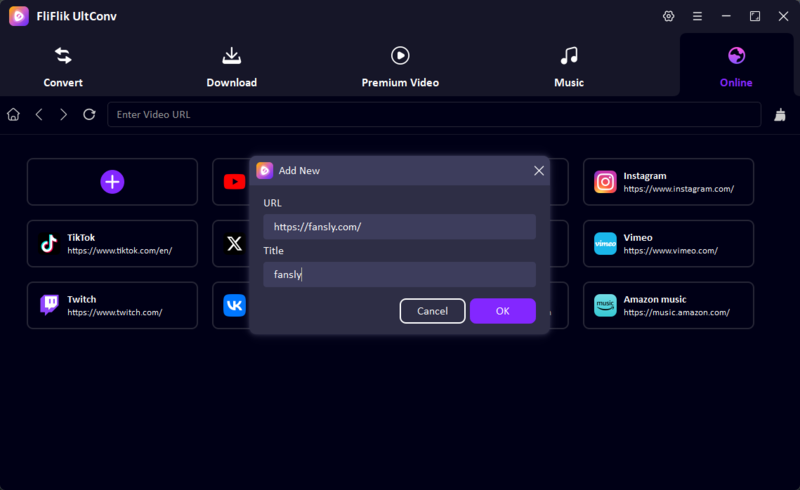
Go to the Online section, which works as a built-in browser. Enter the Fansly website link and log in to your account.
-
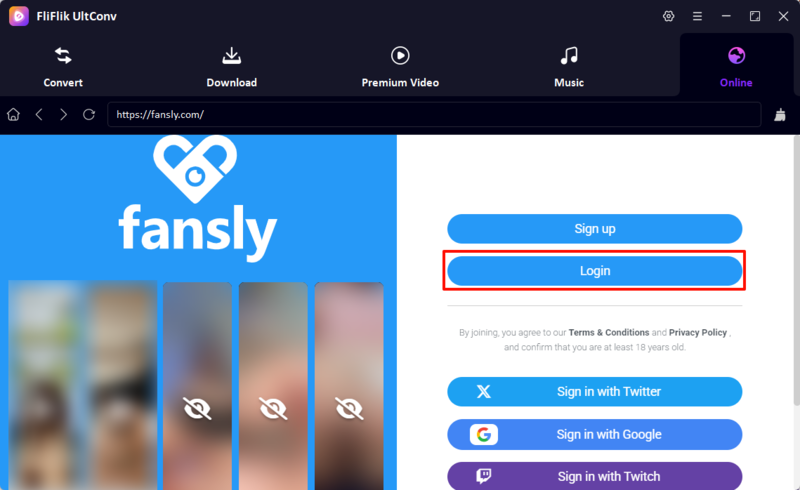
Log in to your Fansly account and browse the creator page and find the video you want to save. UltConv can download free videos or content you have already purchased.
-
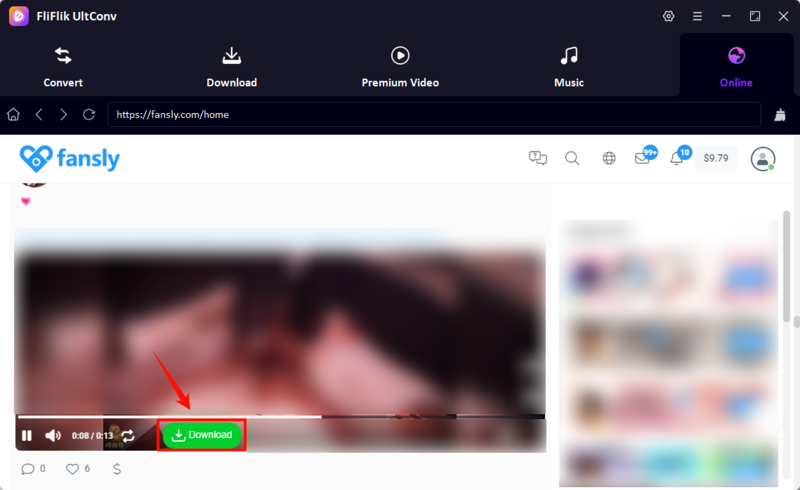
Play the video and click the Download button. The software will detect the stream and begin saving the video automatically.
-
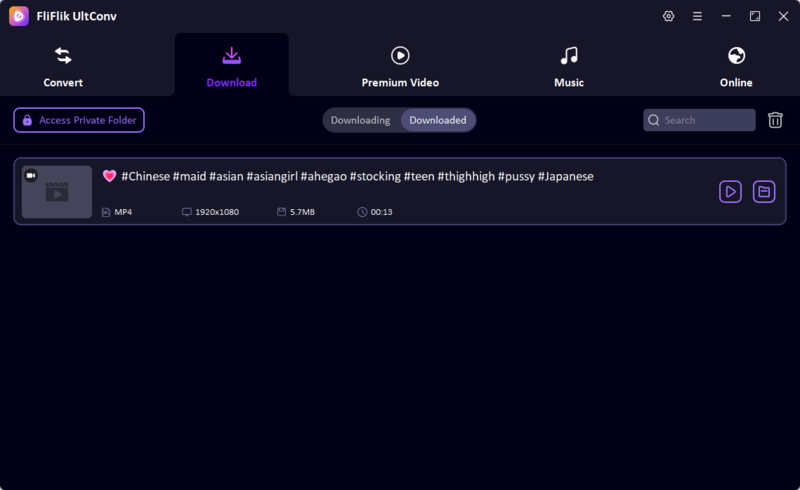
Once the download finishes, open the Downloaded section in UltConv to watch the video offline anytime.


Top 2: YT Saver App
Now, let’s look at another option people often try when saving videos from Fansly. YT Saver is a professional downloader designed for grabbing videos and audio from various streaming sites. If you’ve ever tried saving online videos, you know the usual problems. Some tools miss the video entirely, while others limit the quality. YT Saver aims to simplify that process. What makes it appealing is the straightforward workflow. You open the built-in browser, log into the site, choose the format you want, and download the video. No complicated setup. For users who want a simple way to save content and watch it later offline, the tool can be a practical option.
- Supports multiple formats such as MP4, MP3, and other popular outputs
- Lets users choose different video resolutions
- Includes a built-in browser for accessing sites directly
- Simple interface that’s easy for beginners
- Some features require the paid version
- Limited features in Android version
▼ Steps to Download Fansly Videos with YT Saver
- Step 1: Download and install YT Saver on your computer, then launch the program.
-
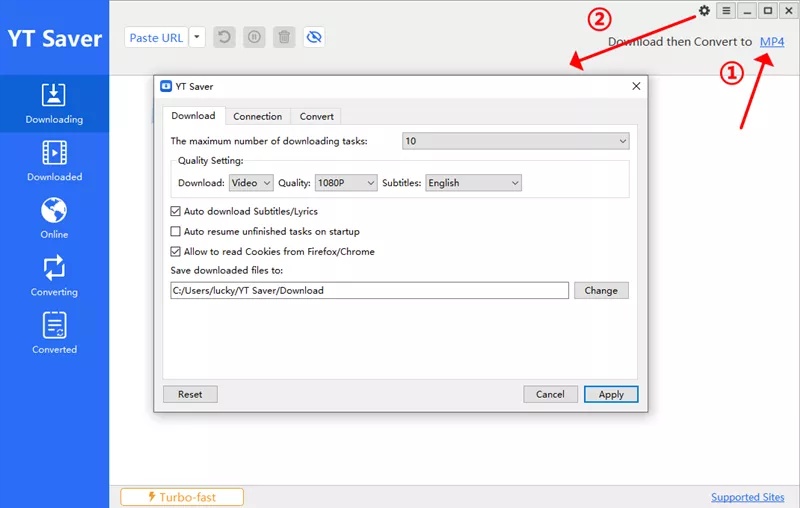
Step 2:
Open
Preferences
and select the video
format and quality
you want, such as MP4 and 1080p.
-
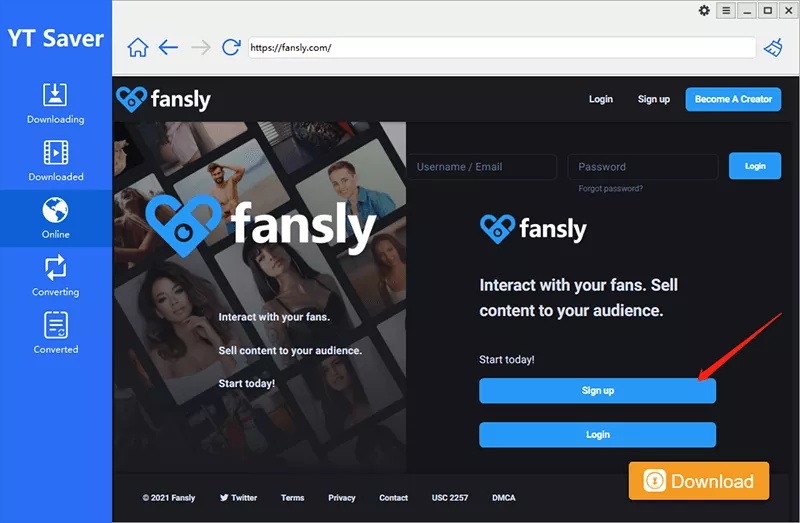
Step 3:
Click the
Online
tab and open the Fansly website inside the built-in browser. Log in to your account.
-
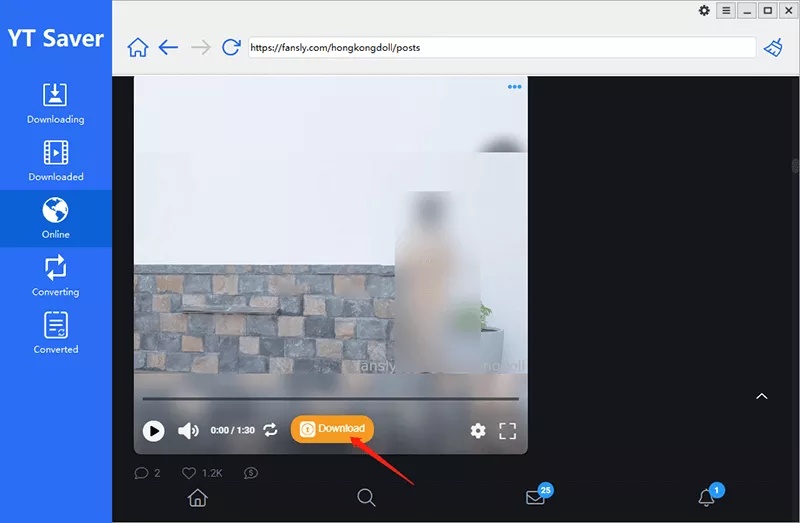
Step 4:
Find the video you want and press the
Download
button to start saving it.
-
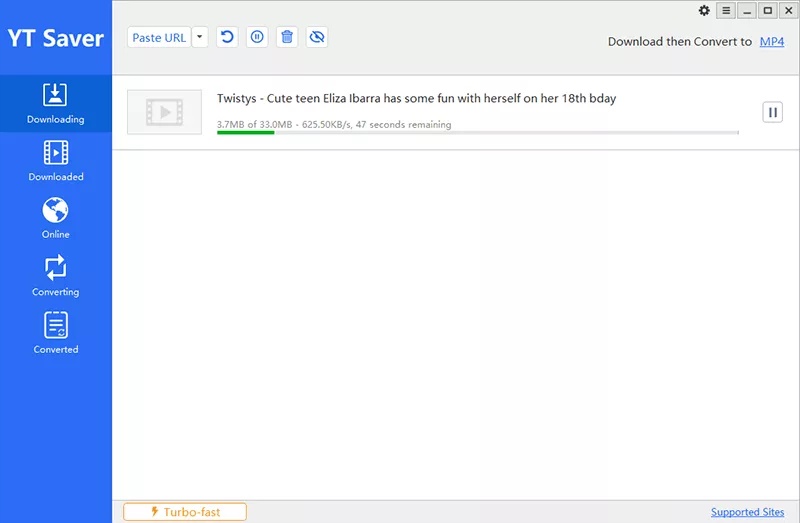
Step 5:
When the download finishes, go to the
Downloaded
section and watch the video offline.


Top 3: StreamFork
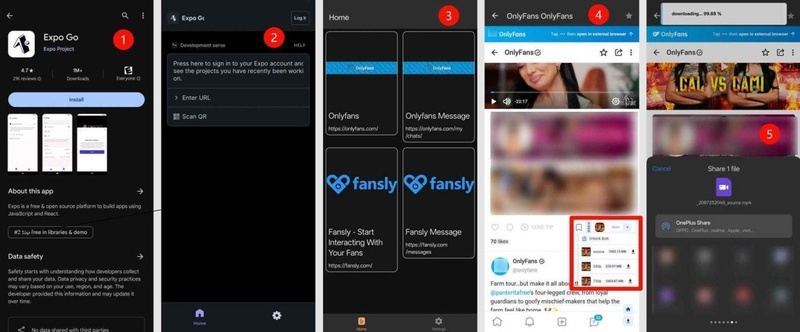
If you want to download Fansly videos on your iPhone or Android device, StreamFork is another option worth considering. It not only supports you download Fansly on its App, but also works as a Chrome-based browser extension that detects videos directly on the page while you browse Fansly. Therefore, StreamFork provides more choice for your Fansly download.
- Works directly in the browser
- Supports downloading videos and images from posts
- Can also download content from direct messages
- Lets you choose different video quality options (360p–1080p)
- Displays download progress panel during downloads
- Requires a browser extension installation
- Some advanced features require a paid plan
- Downloaded videos may be saved in TS format, which sometimes needs conversion to MP4
- The steps to download Fansly on mobile would be little complex
▼ Steps to Download Fansly Videos on Phone with StreamFork
- Step 1: Install the Expo app, which acts as the platform for launching StreamFork on both iOS and Android.
- Step 2: After installing Expo, open the StreamFork app by either clicking the StreamFork App link (exps://app.streamfork.com). This lets you start downloading content from Fansly directly to your mobile device.
-
Step 3: Log in to your Fansly account within StreamFork. Find the video or image you want to download, and click the download button.

Top 4: AhaSave
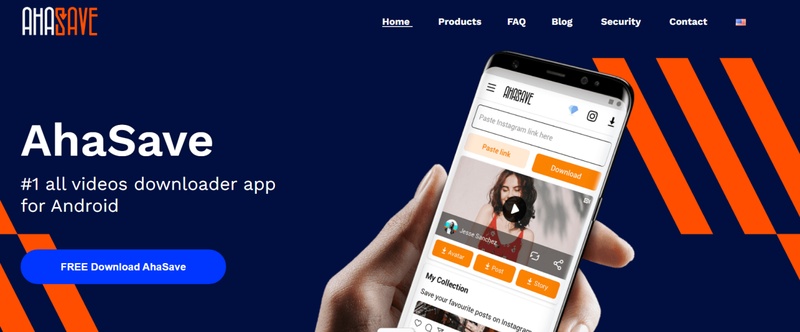
Another tool often mentioned for mobile users is AhaSave Video Downloader. Unlike browser extensions or desktop tools, this one is designed primarily for Android devices. The idea is simple. You copy the video link, open AhaSave, and the app detects the media automatically. While it works best with common video sites, some users also use it as a lightweight Fansly video downloader for saving accessible clips.
- Simple copy-and-download workflow
- Works directly on Android phones
- Supports multiple formats like MP4
- Built-in browser for quick video detection
- Not specifically designed for Fansly
- Video detection may fail on some protected posts
- Free version contains ads
▼ Steps to Download Fansly Videos with AhaSave
-
Step 1:
Install
AhaSave Video Downloader
from the Google Play Store and open the app.
- Step 2: Copy the Fansly video link from your browser or open the site inside AhaSave’s built-in browser.
- Step 3: Paste the link into the app. AhaSave will detect the available video automatically.
- Step 4: Tap Download, choose the resolution, and the video will start saving to your phone.

Conclusion
Saving videos for offline viewing is something many users want, especially when streaming isn’t always convenient. As we’ve seen, several tools can help with this, like YT Saver, StreamFork, and AhaSave each offers its own approach. But if you’re searching for a reliable Fansly Downloader Android app, it really comes down to what matters most to you. Speed, stability, download quality, or the ability to handle protected content. That’s where FliFlik UltConv OnlyFans Converter stands out. With support for multiple platforms, high‑resolution downloads, and batch saving features, it gives you more control over how you store and watch your videos. If you want a smoother and more reliable way to save your favorite content, trying FliFlik UltConv OnlyFans Converter is a smart place to start.
 Secure Download
Secure Download
Secure Download
Hey there! I am Maxwell Clark. I'm always looking for new tech tools that make a difference, from making visuals and audio better to making workflows better. I'm going to share tips and tricks for using AI tools for videos, audio, and images. I'm excited to help you navigate the digital world more efficiently and creatively!

