

 6 minutes read


FansOne lets creators post videos, and sometimes you just want to keep those clips for yourself, watch offline, save your favorites, or whatever works for you. The right FansOne video downloader makes this easy. You will get fast download speed and solid quality, and you can even pick the format that suits you best. Some tools go further; they’ll grab a bunch of videos at once or even snag entire playlists. By 2026, a few options really stand out: they are simple to use, and you can count on them. Downloading videos from FansOne doesn’t have to be a hassle. With the tools, you can save what you love and watch it whenever you want, no Wi-Fi needed.

Part 1. Quick Overview of the 3 Best FansOne Video Downloaders
Here’s a clear comparison of the top three ways to save FansOne videos that we recommended. We break them down by type, batch support, download speed, video quality, and DRM removal so you can pick the right tool fast.
| Downloader | Type | Batch Downloads | Download Speed | Max Quality | Format Options | DRM Removal | Platforms |
|---|---|---|---|---|---|---|---|
| FliFlik UltConv | Desktop app | Yes | 10X Faster | Up to 4K | 100+ formats: MP4, AVI, MKV, MP3, etc. | Yes | Windows & macOS |
| iViGo.cc | Online tool | No | 1X | Up to 720p | MP4 | No | Any browser |
| Video Downloader Extension | Browser add‑on | No | 1X | Up to 720p | MP4 | No | Chrome/Edge Android browsers |
Part 2. Best FansOne Video Downloader for Windows & macOS
The first tool we recommend for a smooth FansOne video download is FliFlik UltConv FansOne Downloader. It makes saving videos simple and fast, whether you want a single clip or an entire playlist. You can download in high-quality 720p, 1080p, or even 4K, so every detail stays sharp. The tool supports multiple formats like MP4, making it compatible with any device. Batch downloading is a breeze; you can grab multiple videos at once without having to repeat steps. It also handles private or message videos and even extracts profile images. With a clean interface, fast downloads, and support for other platforms like JustforFans, Fansly, and Patreon, it’s a complete, hassle-free solution for FansOne users.

- Download FansOne videos to MP4 in 720p, 1080p, or 4K
- Supports JustforFans, Fansly, ManyFans, Patreon, etc.
- Bulk download multiple FansOne videos at once
- Save private or message videos without losing quality
- Remove DRM to watch offline anywhere
- Extract profile images and media content easily
▼ Steps to Download FansOne Videos with FliFlik UltConv Fanson Downloader
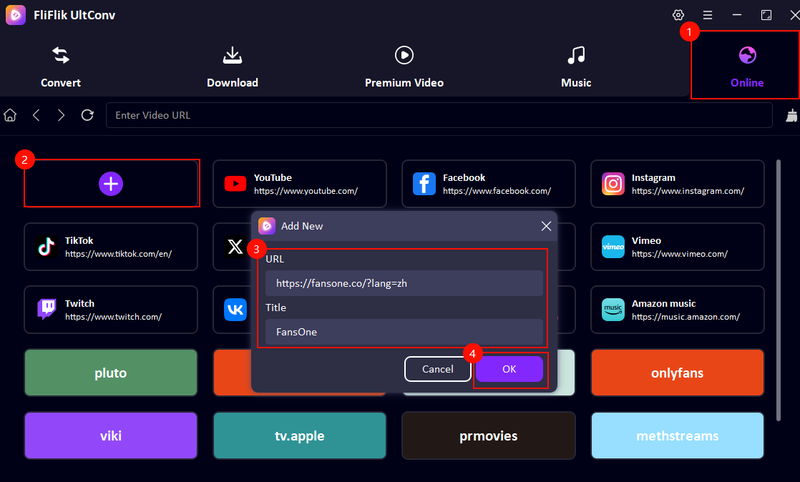
Download and install FliFlik UltConv FansOne Downloader from the official website. Once installed, open the app and go to the “Online” section. Click on + and paste the Fanson link and title.
FREE DOWNLOAD![secure download]() Secure Download
FREE DOWNLOAD
Secure Download
FREE DOWNLOAD![secure download]() Secure Download
Secure Download
Log in to your Fanson account directly within UltConv. This gives the program access to all you have subscribed to or purchased, so you can download your favorite videos quickly.
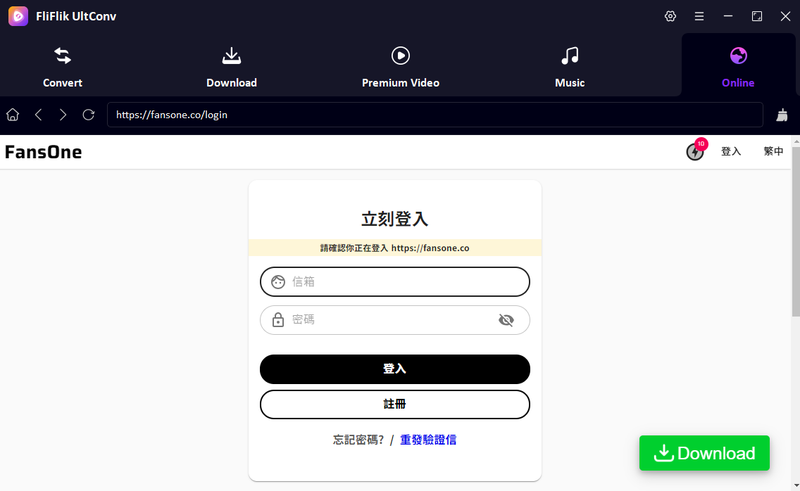
Browse your feed or use the search option to locate the video you want. When you find it, click the Download button and choose your preferred resolution and format.

UltConv will process the download and save the video to your computer. Once done, you can watch it offline anytime, in high quality, without restrictions.
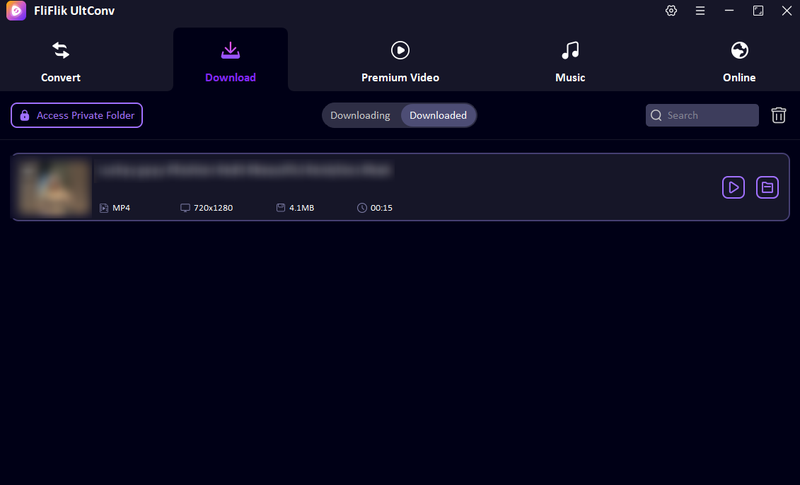


That’s it! Your downloaded Fanson videos are now stored locally and ready to watch whenever you like.
Part 3. Best FansOne Video Downloader Online Tool
iViGo.cc is another simple online tool for FansOne download without installing software. You just open the site in your browser, paste the video link, and save it directly. It works on Windows, macOS, and mobile browsers too. If you need a quick way to grab a FansOne video without extra apps, try iViGo.cc to get the job done cleanly. It doesn’t have a lot of advanced options, but it’s fast and easy for basic downloads and lets you save directly to MP4.
- No installation needed
- Works on Windows, Mac, and mobile
- Simple copy‑paste interface
- Fast fansOne download for single videos
- Free to use
- Limited format options (mostly MP4)
- No batch download
- No quality control beyond default options
- Fails to download sometimes
- Fewer advanced features than desktop tools
▼ Steps to Use iViGo.cc to Download Fanson Videos:
- Step 1: Open your browser and go to iViGo.cc FansOne Downloader.
- Step 2: Switch to FansOne and copy the link of the video you want to save.
-
Step 3:
Paste the link into the box on iViGo.cc.
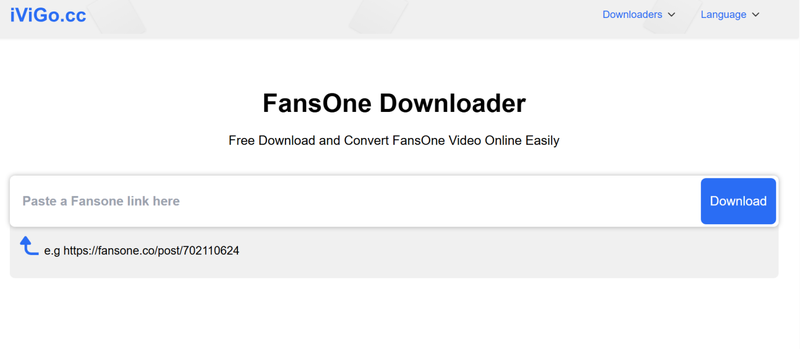
- Step 4: Click Download and wait for the tool to generate your MP4.
- Step 5: Once ready, click the download button again to save the file to your device.

Part 4. Best FansOne Video Downloader Extension
Another way is this simple Video Downloader Extension that can save videos straight from your browser without extra tools. Extension is a simple way to download videos without installing any software. This extension will add a download button to your browser controls so you can grab videos while you watch them. It’s straightforward to use and works well for basic downloads without needing to switch apps.
- Adds a direct download button to your browser
- Easy to use while watching videos
- Works on most popular browsers
- No separate software installation needed
- Good for quick FansOne video saves
- Limited format options (usually only MP4)
- Doesn’t always work on every video page
- No batch download feature
- Quality choices are basic
- Some sites block extensions from grabbing videos
▼ Steps to Use the Video Downloader Extension:
-
Step 1:
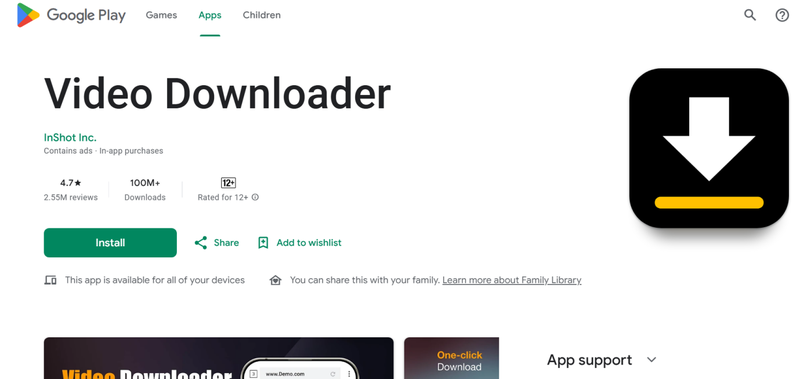
Install the Video Downloader extension from the Google Play Store.
- Step 2: Open your browser and make sure the extension icon appears near the address bar.
- Step 3: Next, go to FansOne and play the video you want to save.
- Step 4: Click the extension icon while the video is playing.
- Step 5: Select the available download option (usually MP4) and choose what resolution you want.
- Step 6: Click Download, and your video will save to your device.

This extension makes FansOne video saving quick and hands‑on, especially if you grab videos while browsing without switching windows or tools.
Final Words
Downloading FansOne videos can be simple if you have the right FansOne Video Downloader. While online sites and browser extensions work for quick grabs, desktop software gives you full control, high quality, and batch downloading. For anyone serious about saving content, FliFlik UltConv FansOne Downloader is the most reliable choice. It handles downloading Fanson on Mac and Windows, supports multiple formats, lets you save private and message videos, and even extracts profile images. With fast speeds and clean output, you can build your library without hassle. If you want a smooth, safe, and good solution for FansOne and other platforms, FliFlik UltConv makes it easy.
 Secure Download
Secure Download
Secure Download
Hey there! I am Maxwell Clark. I'm always looking for new tech tools that make a difference, from making visuals and audio better to making workflows better. I'm going to share tips and tricks for using AI tools for videos, audio, and images. I'm excited to help you navigate the digital world more efficiently and creatively!

