

 6 minutes read


Fanspicy’s taken off quickly, and people really want to watch its videos even when they’re offline. Creators keep adding exclusive stuff, but let’s be real, streaming doesn’t always cut it. Maybe your internet crawls, maybe you’re on the go, or maybe the platform just makes things tricky. So, more and more users are hunting for solid ways to save Fanspicy videos and watch them whenever they want.
Here are three practical ways to download Fanspicy videos that actually work in 2026. Each method has its own mix of quality, speed, and how easy it is to use. No fluff, no empty promises. Just real solutions for saving Fanspicy videos, so you’re always in charge of what you watch.

Part 1. Does Fanspicy Have a Download Feature?
Fanspicy does not have a built-in download button for saving videos to your device. You can stream everything on the platform, but there isn’t an official way to export files for offline use outside of the app itself.
Fanspicy is a social video platform where creators share short-form and long-form content. It’s focused on engagement, trends, and community, similar to other popular video apps. People browse, like, share, and comment, but the content stays inside the platform unless you use another method to save it. Because there’s no native download feature, users who want offline access need to rely on external tools or recording methods.
Part 2. Quick Overview of the 3 Best Fanspicy Downloaders
Here’s a quick overview of the top 3 Fanspicy downloaders you’ll find in this guide. Each tool works differently and fits a specific need, whether you want high-quality files with batch support, a no-install online option, or one-click downloads directly from your browser. The table below highlights how they compare in key areas, including speed, quality, and ease of use.
| Tool | Type | Supported Platforms | Batch Download | Download Speed | Video Quality | DRM Removal | Best For |
|---|---|---|---|---|---|---|---|
| FliFlik UltConv | Desktop software | Windows, Mac | ✅Yes | Fast (10X) | Up to 4K | ✅ Yes | High-quality fanspicy downloads & bulk saving |
| Locoloader | Browser online tool | Web (any browser) | ❌ No | Medium (1X) | Up to 1080p | ❌ No | Quick single video downloads |
| Video Downloader PLUS | Browser extension | Chrome, Edge, Firefox | ❌ No | Medium (1X) | Up to 720p | ❌ No | One-click browser downloads |
Part 3. 3 Best Ways to Download Fanspicy Video
If you want to save Fanspicy videos, you have a few practical options. None are built into the platform, so the method you choose depends on speed, quality, and how often you download. Let’s break down the three approaches that actually work in 2026.
1. FliFlik UltConv Fanspicy Downloader
FliFlik UltConv Fanspicy Downloader is a desktop downloader designed for users who care about video quality, file formats, and long-term access. It lets you download Fanspicy videos as standard MP4 files, so they play smoothly on phones, laptops, TVs, and media players without conversion. You can choose the resolution before downloading, from 720p to full HD and even 4K when available. That means no forced compression and no quality loss.
FliFlik UltConv Fanspicy Downloader also focuses on speed and control. Downloads run up to 10x faster, and batch mode lets you save multiple videos in one go. Message videos, locked posts, and premium content are handled the same way as public clips. Everything is stored locally, clean and organized, and ready for offline viewing.

- Download Fanspicy videos in standard MP4 format
- Supports 720p, 1080p, and 4K quality downloads
- One-click download for DM and message videos
- Bulk download multiple Fanspicy videos at once
- Removes DRM for offline playback on any device
- Supports OnlyFans, Fansly, JustForFans, and 10,000+ sites
▼ Steps to Download Fanspicy Videos with FliFlik UltConv Fanspicy Downloader
-
Download and install FliFlik UltConv from the official site.
FREE DOWNLOAD![secure download]() Secure Download
FREE DOWNLOAD
Secure Download
FREE DOWNLOAD![secure download]() Secure Download
Secure Download
-
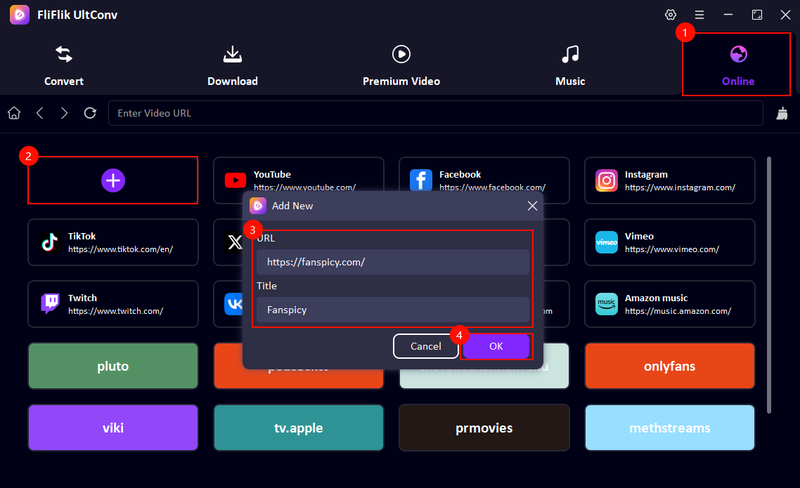
Open the program, switch to the Online section, click the + sign, paste the Fanspicy official site URL, add the title Fanspicy, and click OK.
-
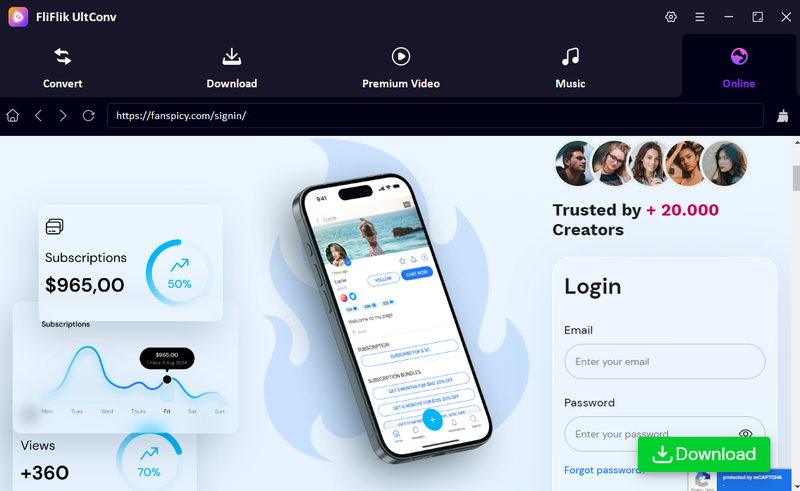
Sign in to your Fanspicy account inside UltConv. This allows the tool to access videos you can already view, including followed creators and unlocked content.
-
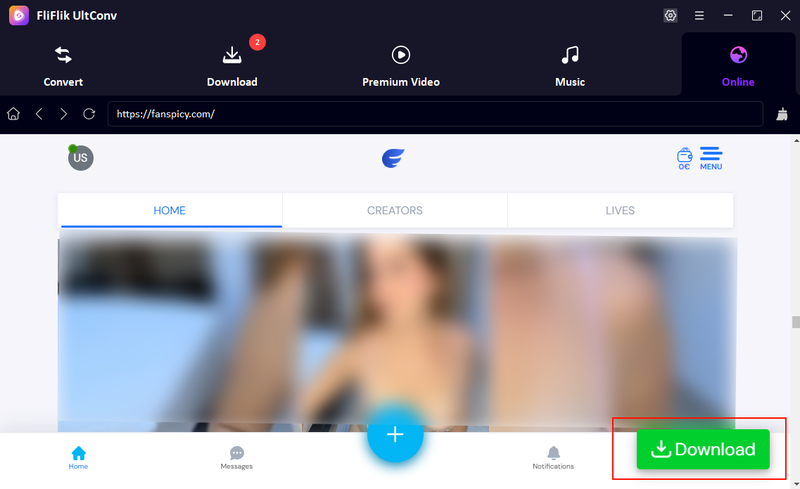
Browse the feed or use search to find the video you want. Click Download, then choose your preferred resolution and output format.
-
UltConv will fetch the video and store it on your device. When it’s done, you can play it anytime without internet or platform limits.
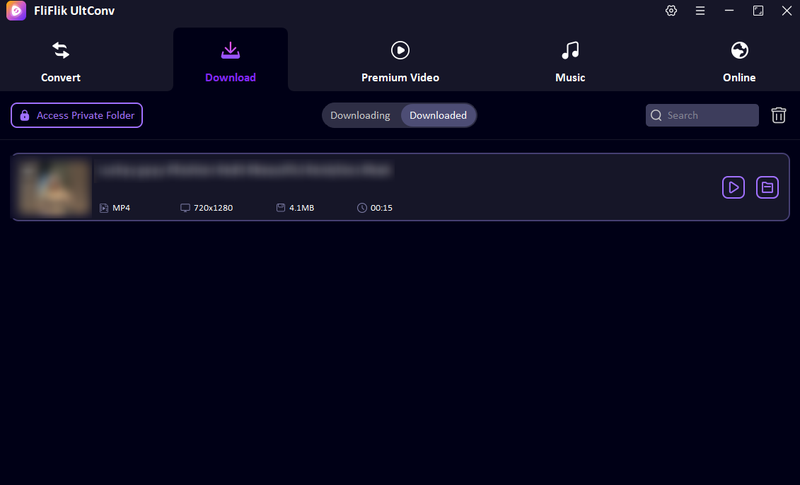


That’s it. Your Fanspicy video is now saved locally and ready to play whenever you want.
2. LocoLoader
Locoloader is a simple online video downloader that works directly in your browser. You don’t need to install software or create an account. It’s often used for quick saves when you just want a single Fanspicy video in standard quality. Format options are limited, but the process is fast and beginner-friendly.
- No installation required
- Works on desktop and mobile browsers
- Simple copy and paste workflow
- Limited video quality options
- No batch downloads
- Ads can be distracting
- Fails to download sometimes
▼ How to Download Fanspicy Videos with Locoloader?
-
Step 1: Open Fanspicy and copy the video link you want to save.
-
Step 2: Go to Locoloader, paste the link into the input box, and click Download.
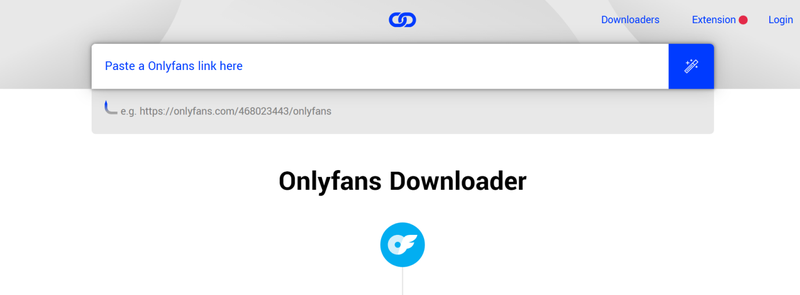
-
Step 3: Choose the available quality and save the video to your device.

3. Video Downloader PLUS
Video Downloader PLUS is a browser extension designed to detect and grab videos while they play. It works across many websites, including Fanspicy, and is useful if you prefer downloading directly from your browser instead of visiting third-party sites. It supports common formats but focuses more on convenience than advanced control.
- Easy browser extension setup
- Detects videos automatically
- No external websites needed
- Limited control over output format
- Quality depends on the source stream
- Some sites may block detection
- Only works on a few browsers
▼ How to Download Fanspicy Videos with Video Downloader PLUS?
-
Step 1: Install Video Downloader PLUS from your browser’s extension store.
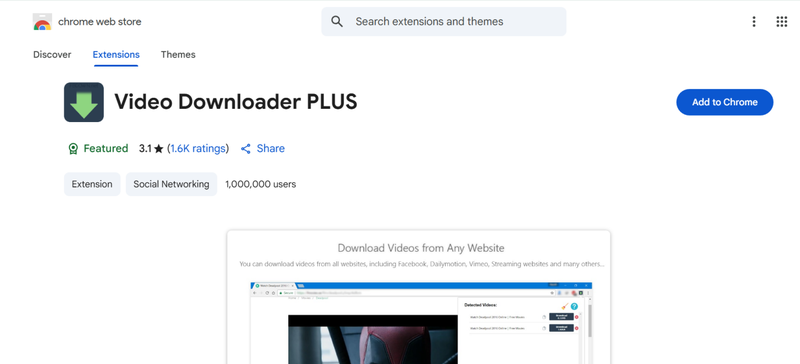
-
Step 2: Open Fanspicy and play the video you want to download.
-
Step 3: Click the extension icon, select the detected video, and save it to your device.

Final Words
Fanspicy has a lot of great videos, but you can’t download them directly. Watching offline isn’t possible without a tool. FliFlik UltConv Fanspicy Downloader makes it easy. You can save Fanspicy videos in MP4, pick the quality you want, and download multiple videos at once. It even removes DRM so you can watch anywhere. If you want to keep your favorite Fanspicy clips and watch them anytime, get FliFlik UltConv Fanspicy Downloader and start downloading today.
 Secure Download
Secure Download
Secure Download
Hey there! I am Maxwell Clark. I'm always looking for new tech tools that make a difference, from making visuals and audio better to making workflows better. I'm going to share tips and tricks for using AI tools for videos, audio, and images. I'm excited to help you navigate the digital world more efficiently and creatively!

