

 8 minutes read


If you enjoy watching movies on Plex, there may be times when you want to save them for offline viewing. Maybe your internet connection is slow, or you are traveling and won’t have Wi‑Fi. That is why many users search for how to download Plex movies so they can watch their favorite content anytime without buffering.
The good news is that there are several ways to do this. Some methods work directly inside Plex, while others use helpful tools that allow you to save movies more easily. In this article, we will walk through four ways to download Plex movies in 2026. Each method is explained in a simple way so you can quickly choose the one that works best for you.

Part 1. Download Plex Movies in The Official Way
Plex is a popular media platform that lets people organize and stream movies, TV shows, music, and personal videos from one place. Many users run their own Plex Media Server at home and then watch that content on phones, tablets, or computers. One useful feature is the ability to download content so you can watch it without internet. If you are wondering how to download movies for Plex, the official app already includes a built‑in download option for supported accounts.
Essentials to Download Movies on Plex Officially
Before downloading movies from Plex, make sure these things are ready:
- Install Plex Media Server v1.41.2 or newer.
- Sign in to the same Plex account on both the server and the Plex app.
- Have an active Plex Pass subscription, or be part of a Plex Home with Plex Pass enabled.
- Use the latest Plex mobile app on iOS or Android.
- Make sure your device has enough storage space for the download.
Steps to Download Plex Movies Officially
Follow these simple steps if you want to learn how to download movies for Plex using the official method:
- Step 1: Open the Plex app on your mobile device and go to your Library or the Recommended tab.
- Step 2: Tap the movie or episode you want to download.
- Step 3: Tap the three dots (···) and choose Download Settings to select the video quality. For phones, Medium or 720p usually works well.
- Step 4: Tap the Download icon (downward arrow) to start downloading the movie.
-
Step 5:
Tap your Profile icon in the top right corner and open Downloads to check the download progress.
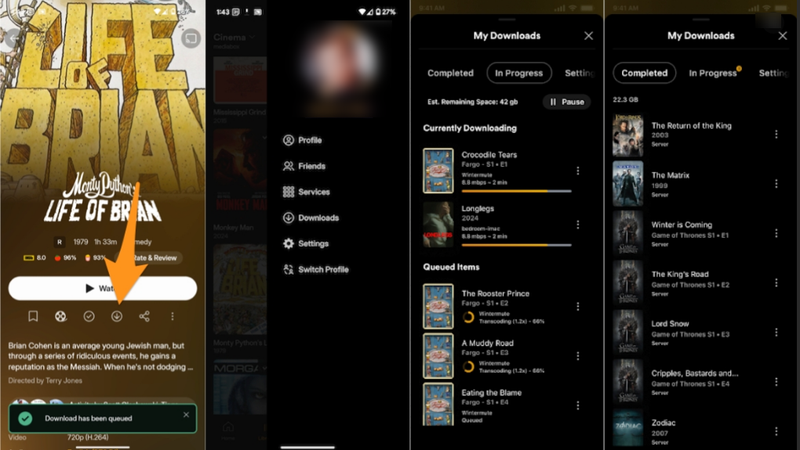

Once the download is finished, you can watch the movie anytime without needing an internet connection.
Part 2. Best Way to Download Movies from Plex
If you want a simpler and more flexible way to save movies, you can use FliFlik UltConv Plex Downloader. This tool will help users download videos from streaming websites and save them directly to their computer. It supports 10,000+ websites, so you can download movies, shows, and online videos from many different platforms in one place.
For users searching for how to download Plex movies, the UltConv Plex downloader provides strong downloading features. It supports multiple video formats like MP4 and audio formats like MP3, along with 100+ output formats. You can also download videos in HD, 1080p, 2K, 4K, and even 8K quality. UltConv Plex Downloader also allows batch downloading, meaning you can download multiple movies or episodes at the same time, which saves a lot of time.

- Download videos from 10,000+ websites, Plex, Tubi, Netflix, Disney+, etc
- Save movies in MP4, MP3, and 100+ formats
- Download videos in 720p, 1080p, 2K, 4K, and 8K quality
- Batch download multiple videos or playlists
- Convert video to audio without quality loss
- Remove DRM from Spotify and Apple Music and save as MP3
▼ Steps to Download Movies From Plex with UltConv Plex Downloader
If you want an easier way to download Plex movies, the process with UltConv is simple and only takes a few steps.
-
Download and install UltConv on your Windows or Mac computer. After the installation finishes, open the program.
FREE DOWNLOAD![secure download]() Secure Download
FREE DOWNLOAD
Secure Download
FREE DOWNLOAD![secure download]() Secure Download
Secure Download
-
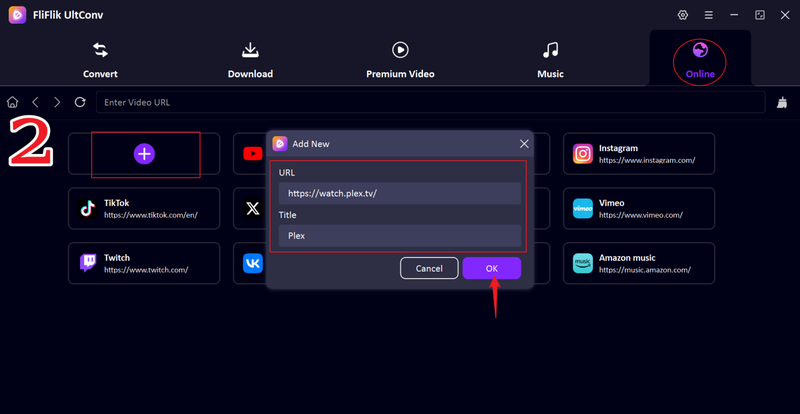
Open UltConv and launch the Online section, click the + tab . Paste the Plex website link into the pop‑up window, add a title too, and click OK.
-
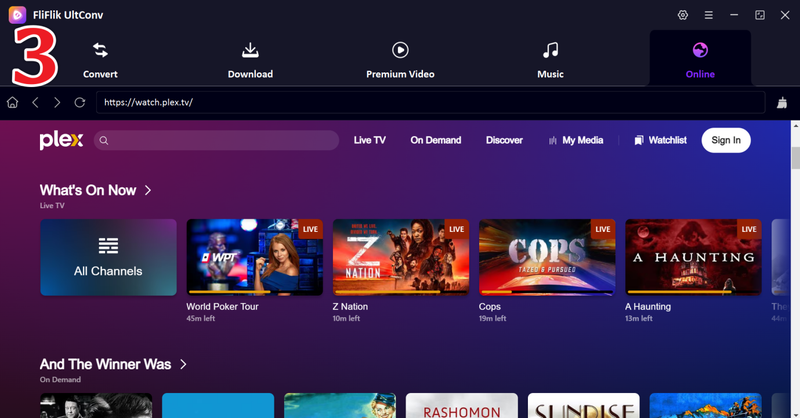
Click, and the Plex official website will open inside UltConv’s built-in browser so that you can browse the platform directly within the software.
-
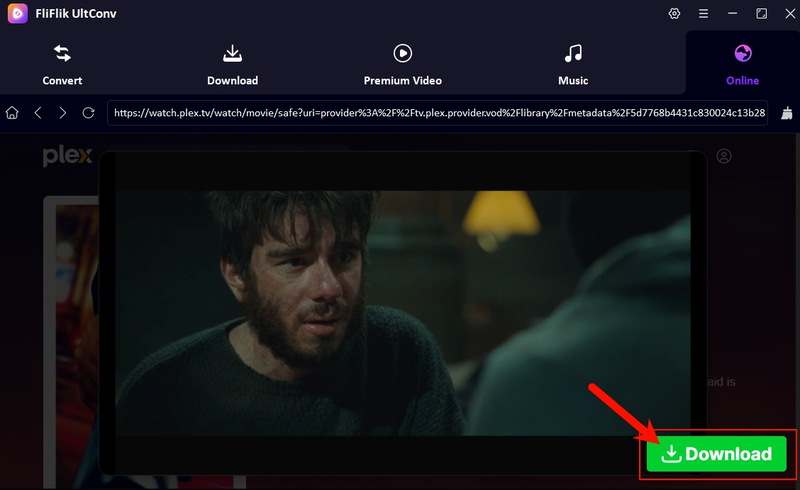
Find and play the Plex movie or episode you want to save, then click the Download button.
-
UltConv will begin downloading the movie immediately. Once it finishes, go to the Downloaded section and watch your Plex movie offline anytime.
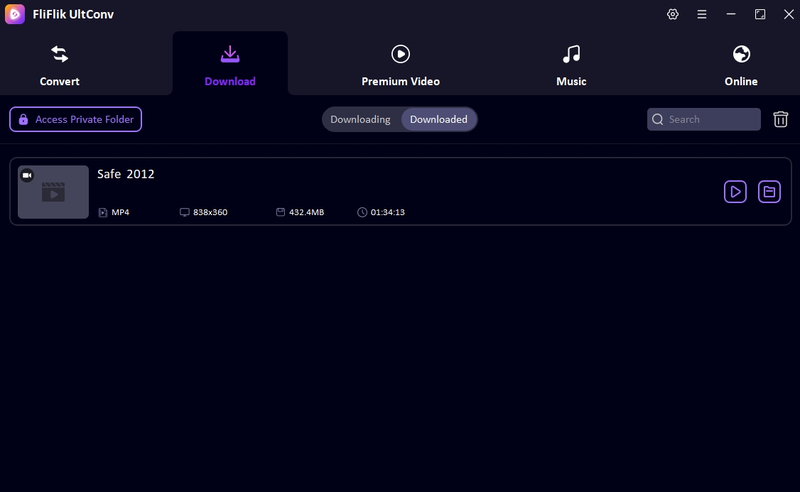


UltConv Plex Downloader vs Plex Official Download Method
Both methods allow you to save Plex movies for offline watching, but they work in different ways. The official Plex download feature keeps the video inside the Plex app and mainly works for temporary offline viewing. Tools like UltConv Plex Downloader download the movie as a normal file, which means you can keep it, transfer it, and play it on different devices. The table below shows the main differences between these two options.
| Feature | UltConv Plex Downloader | Plex Official Download |
|---|---|---|
| File Format | MP4, MP3, and 100+ formats | Encrypted file inside the Plex app |
| Batch Downloading | Yes, download multiple movies at once | Limited downloads |
| GPU Acceleration | Yes, 10X faster download speed | Not supported |
| Transferability | Files can be moved to any device | Files stay inside the Plex app |
| Expiration Date | No expiration | Will expire in 48 hours or 30 days |
| Max Quality | Up to 4K, 8K | Depends on server settings |
| Ad Removal | Videos saved without ads | Not supported |
| Subtitle Extraction | Subtitles can be saved separately | Not supported |
Part 3. Download Movies from Plex with Extension Tool
Another way to save Plex videos is by using a browser extension. These tools work directly inside your browser and detect videos playing on a webpage. If you are searching for a simple Plex video downloader, browser extensions can sometimes help. Below are 2 options that you can use.
1. CocoCut Extension
Cococut is a popular video downloader extension available for Chrome‑based browsers. It detects streaming videos from many websites and allows users to save them directly from the browser. When a video starts playing, the extension usually shows a download option if the stream can be captured.
- Easy to install and use
- Supports many streaming websites
- Works directly inside the browser
- May not detect all Plex streams
- Some downloads may be limited in quality
▼ Steps to Download Plex Movies with Cococut Extension
-
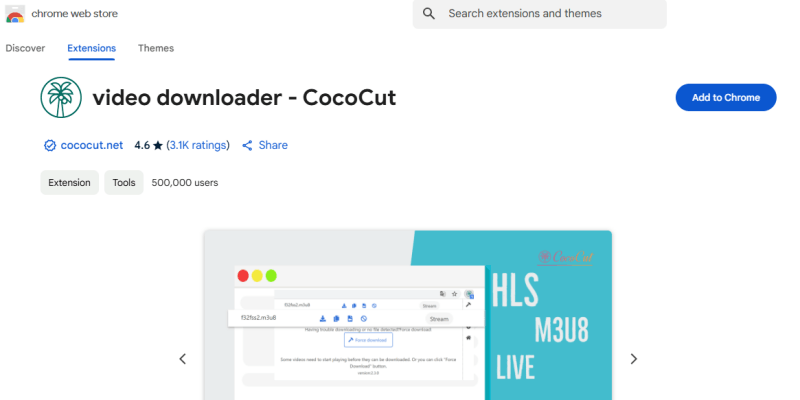
Step 1: Install the Cococut Video Downloader extension from the Chrome Web Store.
-
Step 2: Open Plex in your browser and play the movie or episode you want to save.
-
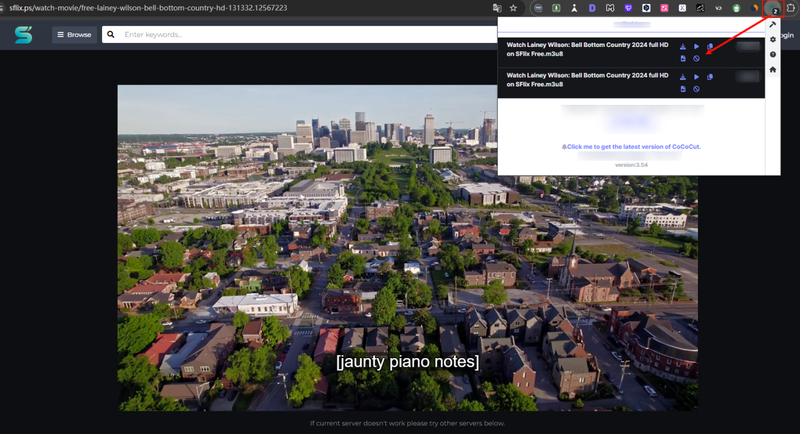
Step 3: Click the Cococut extension icon in the browser toolbar.
-
Step 4: If the video is detected, choose the available format or quality and click Download.


2. Plex Download Extension
Plex Download Extension is another browser tool designed to help users save Plex videos directly from the web player. It works by detecting the video stream while the movie is playing and then provides a download option. For users who want a quick Plex video downloader, this extension can be a simple solution.
- Designed specifically for the Plex web player
- Simple and lightweight extension
- Easy download process
- Only works in supported browsers
- May not work on all Plex servers
▼ Steps to Download Plex Movies with Plex Download Extension
-
Step 1:
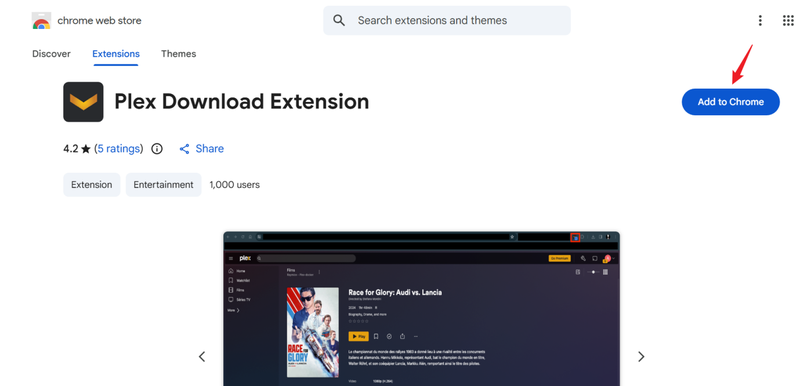
Install the Plex Download Extension from the Chrome Web Store.
- Step 2: Open Plex in your browser and sign in to your account.
- Step 3: Play the movie or episode you want to download.
-
Step 4:
Click the extension icon in your browser and choose the download option. And the extension will capture the video stream and save the file to your computer.



Part 4. Download Plex Movies with an Open-Source Tool
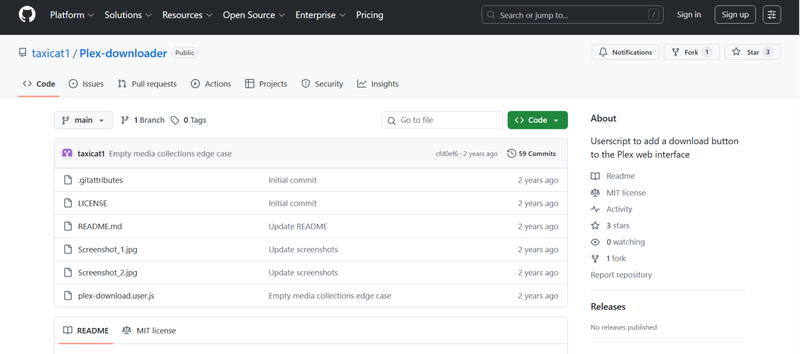
If you are looking for an open-source tool, then Plex‑downloader is an open‑source tool available on GitHub that helps users download movies and episodes directly from the Plex web interface. It works by adding a download option inside the Plex player, allowing users to save media files from a server to their computer. Because it is open source, many developers and advanced users like it as a customizable Plex movie downloader. However, this tool usually requires a bit of technical setup compared with normal software. It is more suitable for users who are comfortable installing scripts or browser extensions.
- Free and open‑source tool
- Adds a download button inside the Plex web interface
- Can download movies, episodes, seasons, or entire shows
- Works directly with the Plex web player
- Setup can be technical for beginners
- Require browser script manager or manual installation
- Some servers may block downloading
▼ Steps to Download Plex Movies with Plex‑downloader
- Step 1: Go to the GitHub page and download the Plex‑downloader script.
-
Step 2:
Install a browser script manager such as Tampermonkey or a similar extension that allows user scripts.
- Step 3: Add the Plex‑downloader script to the extension and enable it.
- Step 4: Open the Plex web player in your browser and sign in to your account.
- Step 5: When you open a movie or episode, the script will add a Download button to the interface.
- Step 6: Click the download button to save the movie or episode directly to your computer.

Final Words
Downloading movies from Plex can be helpful when you want to watch content without the internet or avoid buffering during travel. In this guide, we explored several ways how to download Plex movies, including the official Plex download feature, browser extensions, open‑source tools, and a dedicated downloader. Each method works differently, so the best option depends on how flexible and convenient you want the process to be. If you prefer a simple and powerful solution, FliFlik UltConv Plex Downloader is a great choice. It allows you to download videos from thousands of websites, save them in formats like MP4 or MP3, and keep them permanently on your device in high quality. Try UltConv Plex Downloader to download your favorite Plex movies easily and enjoy offline viewing anytime.
 Secure Download
Secure Download
Secure Download
Hey there! I am Maxwell Clark. I'm always looking for new tech tools that make a difference, from making visuals and audio better to making workflows better. I'm going to share tips and tricks for using AI tools for videos, audio, and images. I'm excited to help you navigate the digital world more efficiently and creatively!

