

 8 minutes read


Sometimes you search for a video on YouTube and realize it’s age-restricted or marked as sensitive. That’s where the term “NSFW YouTube” usually comes in. It simply refers to content that may not be suitable for work or younger viewers.
The challenge? These NSFW YouTube videos often come with viewing limits, sign-in requirements, or playback restrictions. And downloading them can feel even more confusing. In this article, we’ll break it all down in a clear, practical way. We will show you different ways of accessing age-restricted videos on YouTube safely and how to download them for offline viewing. Let’s begin.
Part 1. What is NSFW YouTube Video?
NSFW stands for Not Safe For Work. On YouTube, it usually refers to content that may include adult themes, strong language, violence, or sensitive visuals. These videos are often age-restricted, which means you need to sign in and confirm your age before watching.
NSFW YouTube videos are not always explicit. Sometimes they simply cover mature topics, reaction content, or adult-oriented animation. For example, searches like 18 animations from YouTube reaction NSFW often lead to age-gated videos that require verification before playback.
Because this type of content can come from different creators and third-party sources, you should always be careful. Some services or download tools may include links or redirects to unknown destinations. Make sure your device is protected, avoid suspicious websites, and only use trusted platforms to keep your data and system secure.
Part 2. How to Watch NSFW YouTube Videos?
Some videos get age-gated because of adult themes, strong language, or sensitive visuals. Here’s how people usually access them on YouTube.
1. Disable Restricted Mode
Restricted Mode hides videos that may contain mature content. If it’s on, you won’t see many NSFW YouTube results at all.
- Step 1: Open YouTube in your browser and make sure you are signed in. Age-restricted videos require a login.
- Step 2: Scroll to the bottom of the homepage. On mobile, tap your profile icon instead.
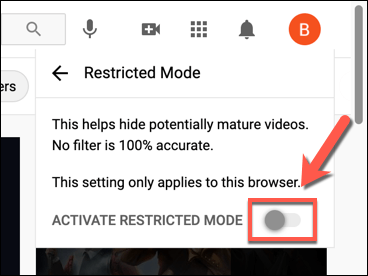
- Step 3: Click on “Restricted Mode.”
-
Step 4:
Toggle Restricted Mode to Off.
- Step 5: Refresh the page or reopen the video.

On the YouTube app:
- Step 1: Open the YouTube app and tap your profile picture.
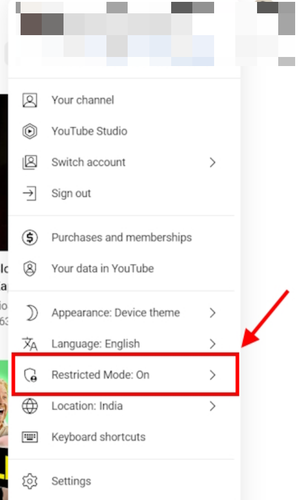
- Step 2: Tap Settings and select General.
-
Step 3:
Turn off Restricted Mode.

If the video is still blocked, it likely requires age verification. In that case, you must confirm your age through your account settings.
2. Via NSFW YouTube
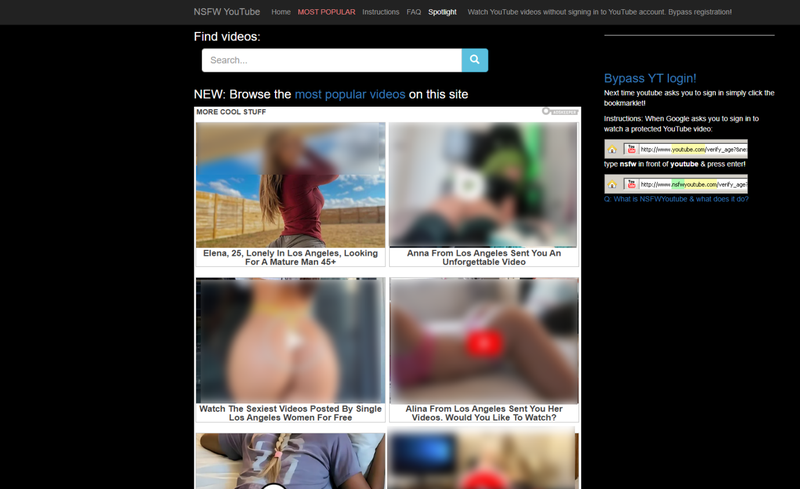
NSFW YouTube is a web-based service that streams restricted videos directly from YouTube inside your browser. It allows users to watch age-restricted videos without logging in. Many people prefer this method because it feels quick and simple. Here’s exactly how to use it:
- Step 1: Open the age-restricted YouTube video you want to watch.
- Step 2: Go to the address bar at the top of your browser.
- Step 3: Add the word “NSFW” directly before the word “youtube” in the URL.
- Step 4: Press Enter on your keyboard, and you will be redirected to the NSFW YouTube website.
-
Step 5:
Click the play button to start watching the video.
For example:
Change ” https://www.youtube.com/watch?v=xxxxx ” to ” https://www.nsfwyoutube.com/watch?v=xxxxx “

This method is commonly used when trying to access videos from NSFW YouTube channels without an account login.
3. Via YouTube Repeat
Listen on Repeat works in a similar way. It modifies the link and loads the video on a different site. While the platform is mainly built for looping music, some users use it to bypass age restrictions. Here’s how:
- Step 1: Open the age-restricted YouTube video in your browser.
- Step 2: Click the address bar to edit the URL.
- Step 3: Type the word “repeat” immediately after “youtube” in the link.
- Step 4: Press Enter and wait for the Listen on Repeat website to load.
- Step 5: Click the play icon to watch the video.
For example:
Change ” youtube.com/watch?v=xxxxx ” to ” youtuberepeat.com/watch?v=xxxxx “
This can sometimes work for certain youtuber nsfw uploads, though it does not guarantee full bypass in every case.
4. Via Reddit Hub
Another method people use is finding links through Reddit communities. Some subreddits collect and share links or videos related to NSFW YouTube channels and adult-themed creators. For example, communities like r/ytnsfw often discuss or share links connected to mature YouTube content. Here’s how users typically approach it:
- Step 1: Go to Reddit in your browser.
- Step 2: Use the search bar and type keywords like “NSFW YouTube channels” or visit communities such as r/ytnsfw.
- Step 3: Browse posts and look for YouTube links shared by users.
- Step 4: Click on a shared link to open the video on YouTube.
- Step 5: Log in if required and verify age if prompted.
Part 3. How to Download NSFW YouTube Videos for Offline Viewing
Watching online always comes with limits. Age prompts. Sign-in walls. Sudden playback errors. And if the video gets removed, it’s gone. If you want full control over an NSFW YouTube video, downloading it for offline viewing makes more sense.
That’s where FliFlik UltConv YouTube Downloader comes in. It’s built for people who don’t want complicated tools or risky websites. You copy a link, choose your format, and download. Simple. It supports videos from 10,000+ sites, lets you save content in MP4, MP3, and 100+ formats, and even downloads full playlists or channels in one click. You can grab videos in 720p, 1080p, 2K, 4K, even 8K. Audio goes up to 320kbps. No quality loss. It also converts video to audio, removes DRM from Spotify and Apple Music, and keeps metadata intact. Everything stays organized.

- Download videos from 10,000+ websites, YouTube, TikTok, Instagram, etc.
- Save in MP4, MP3, and 100+ formats
- Batch download playlists and channels
- Convert video to high-quality audio
- Download live streams directly to MP4
- Built-in browser for direct access
- Private folder with password protection
- 10x faster download speed
▼ How to Download NSFW YouTube Videos with UltConv?
If you want to download an NSFW YouTube video with UltConv, the process is simple. Once you’ve installed UltConv on your computer, follow these steps.
 Secure Download
Secure Download
Secure Download
-
Launch UltConv and click on the “Download to” option to set your format.

-
Choose your preferred output format, such as MP4 for video or MP3 if you only need the audio.

-
Open the NSFW YouTube video you want to download in your browser and copy the full video URL from the address bar.

-
Paste the video link into UltConv. The software will automatically analyze and load the video details. Then click Download.

-
Wait for the download to complete. UltConv will save the video to your selected format, ready for offline viewing anytime.



Bonus: Download NSFW OnlyFans Video for Permanent Saving
Watching NSFW subscription content online isn’t always convenient. That’s why many users prefer downloading their favorite OnlyFans videos for offline access. FliFlik UltConv OnlyFans Downloader helps solve this by supporting downloads from OnlyFans, Fansly, Fanvue, JustforFans, ManyFans, Patreon, and other similar fan platforms. The tool lets you save videos in MP4 format with quality options up to 4K, plus audio and image downloads without quality loss.
This downloader supports content from thousands of websites and offers flexible formats like MP4, MP3, and more. You can also download DM videos, profile images, and bulk video collections with one click. Everything is designed to make saving NSFW content faster, simpler, and more organized.
▼ How to Download OnlyFans Videos with UltConv?
-
Step 1: Download and install UltConv from the official website.
FREE DOWNLOAD![secure download]() Secure Download
FREE DOWNLOAD
Secure Download
FREE DOWNLOAD![secure download]() Secure Download
Secure Download
-
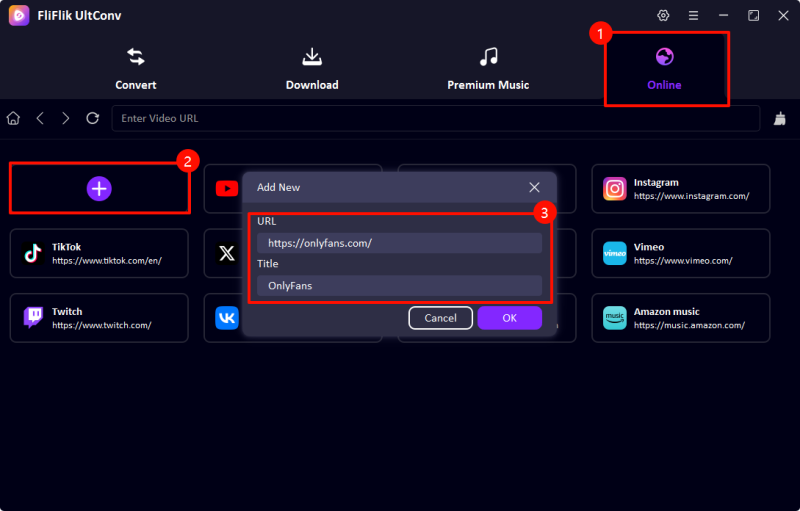
Step 2: Open the software and go to the Online section, then paste the OnlyFans video link into the search bar.
-
Step 3:
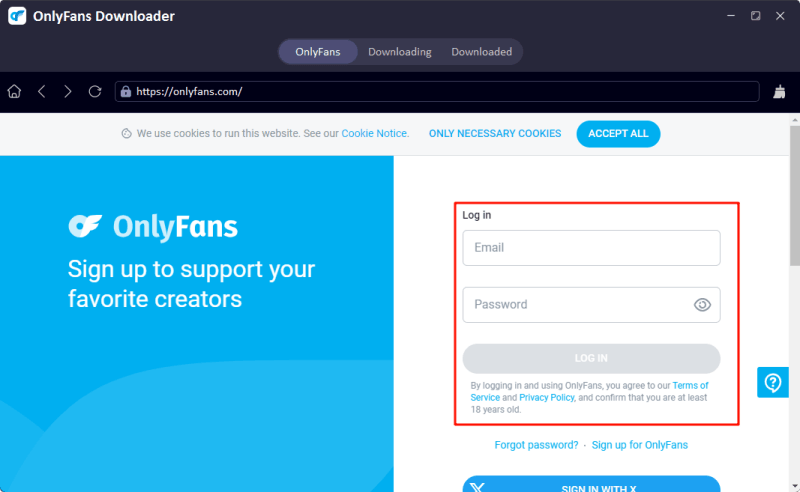
Log in to your OnlyFans account inside the built-in browser to access your subscribed content.x
-
Step 4:
Browse your feed, select the video you want, then click the
Download
button, and choose resolution and format like MP4 1080p.

-
Step 5:
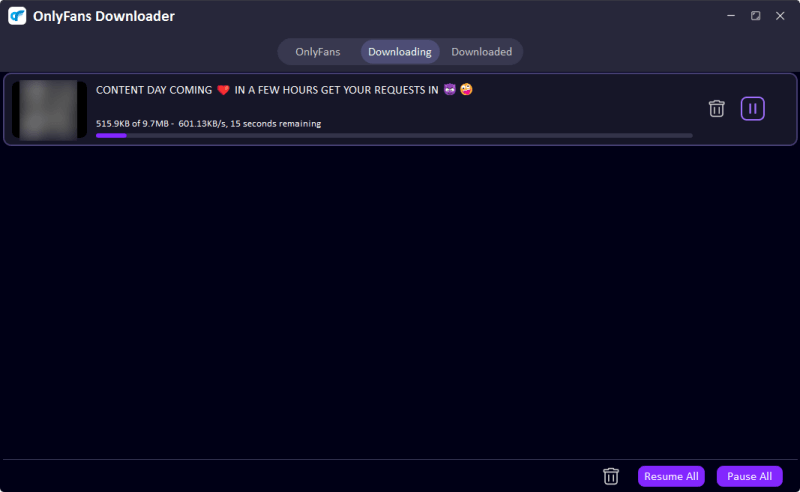
Wait for the download to complete. The file will be saved to your local folder for offline viewing anytime.


Final Words
In the end, accessing or saving NSFW YouTube content is all about convenience, control, and safety. Whether you want to watch restricted videos or keep your favorite content stored offline, using a reliable tool makes a big difference. FliFlik UltConv All-in-One Downloader helps you download NSFW videos from YouTube, fan platforms, and thousands of other sites with high quality, fast speed, and flexible formats like MP4 and MP3.
Secure Download
Secure Download
Hey there! I am Maxwell Clark. I'm always looking for new tech tools that make a difference, from making visuals and audio better to making workflows better. I'm going to share tips and tricks for using AI tools for videos, audio, and images. I'm excited to help you navigate the digital world more efficiently and creatively!

