

 8 minutes read


If you enjoy listening to music online, chances are you’ve tried SoundCloud. It’s a huge place where artists share songs, remixes, podcasts, and all kinds of audio. You can discover new music easily, and many tracks are free to play. But after listening for a while, many users start asking the same question: Does SoundCloud have ads?
The short answer is yes. Like many streaming platforms, SoundCloud sometimes plays ads between songs to support the service and the artists who upload music. For some people, that’s fine. For others, those interruptions can break the mood when you just want to enjoy your playlist. So what can you do if you want a smoother listening experience? In this article, we will share how SoundCloud ads work and share a few simple ways to enjoy music with fewer interruptions or even completely ad‑free.

Does SoundCloud Have Ads?
Yes, SoundCloud does have ads, and many users notice them popping up between tracks. So if you’ve been wondering, does SoundCloud have ads between songs? The answer is yes, especially for those using the free version of the platform.
SoundCloud operates on a freemium model. That means you can listen to millions of tracks for free, but in exchange, the platform inserts ads between songs or occasionally shows banners while you browse. These ads help pay the artists who upload music and keep SoundCloud running. The type of ads you hear can vary; sometimes it’s a short audio clip, and other times it’s a brief sponsored message. Paid subscribers, through SoundCloud Go or Go+, get an ad-free experience, higher audio quality, and offline listening. So essentially, SoundCloud ads are SoundCloud’s way of balancing free access for listeners while supporting the platform and artists.
Permanent Fix: Download SoundCloud for No-Bother Listening
If ads keep interrupting your music, a more permanent solution is to download the tracks and listen offline. Instead of searching for temporary tricks or wondering how to block SoundCloud ads, many users simply save the music to their computer and play it anytime without interruptions. A tool like FliFlik UltConv SoundCloud Converter makes this process simple and reliable. This software lets you download songs, playlists, and albums directly from SoundCloud and convert them into common formats like MP3. It supports multiple formats like MP3, AAC, WAV, FLAC, M4A, etc. Once the tracks are saved on your device, you can listen whenever you want without ads, buffering, or internet limits. Not only can it download music from SoundCloud, but it also supports 10,000+ streaming music sites. It keeps the original sound quality and music information, so your downloaded songs stay organized and easy to play on any device.

- Download music from 10,000+ streaming sites
- Save songs in MP3, WAV, AAC, FLAC, and 100+ formats
- Batch download playlists and albums in one click
- Support audio quality up to 320kbps
- 10× faster download speed for large playlists
- Built‑in browser to search and download music easily
▼ How to Download SoundCloud Music with UltConv SoundCloud Converter?
-
Download and install the software on your computer, then open the program.
FREE DOWNLOAD![secure download]() Secure Download
FREE DOWNLOAD
Secure Download
FREE DOWNLOAD![secure download]() Secure Download
Secure Download
-
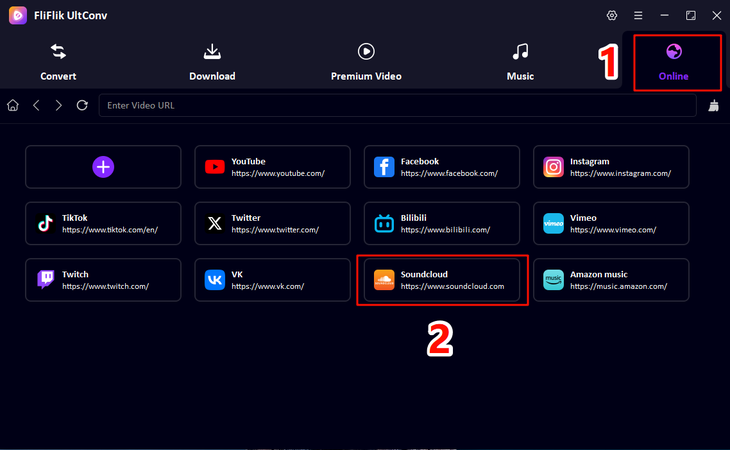
Launch UltConv and go to the Music section. From the list of supported platforms, select the SoundCloud tab.
-
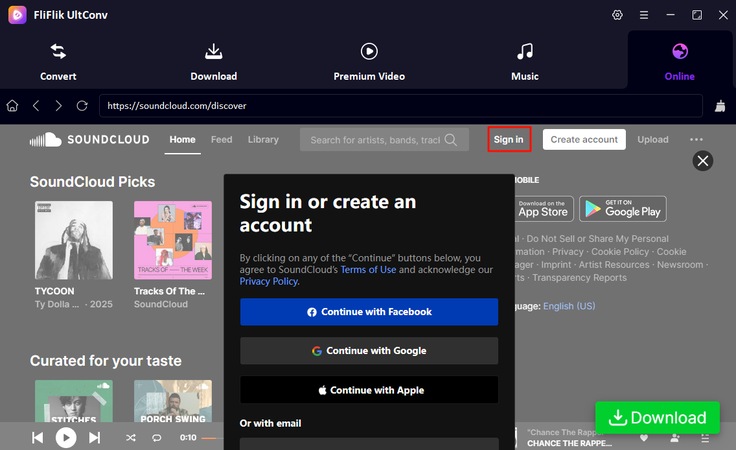
Sign in to your SoundCloud account so you can access your liked songs and playlists.
-
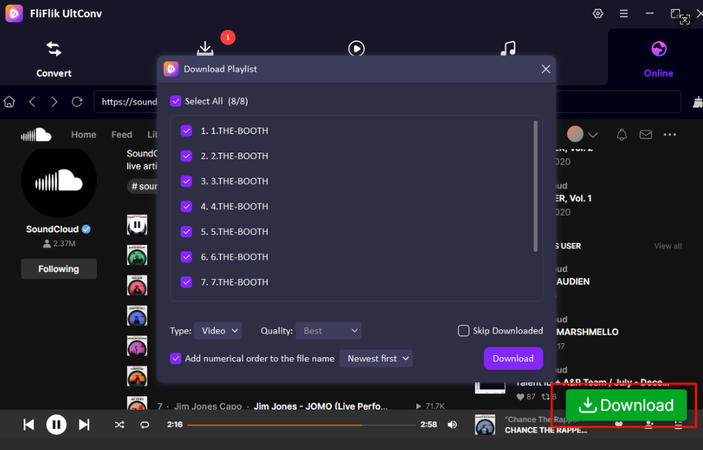
Browse the playlist or songs you want, then click the green Download button.
-
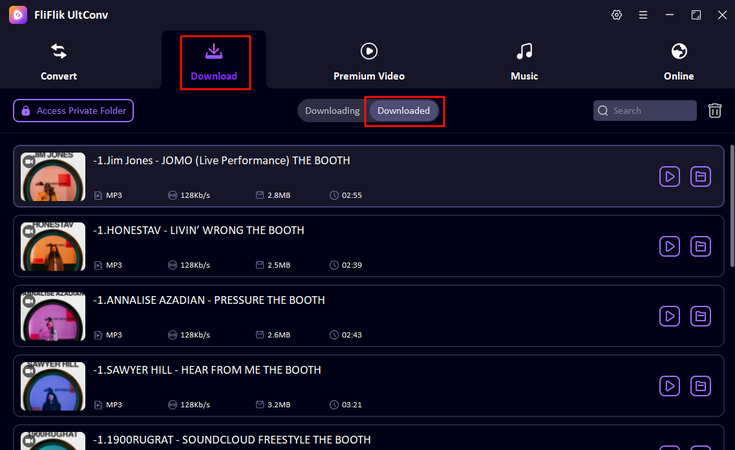
Once the download is complete, open the Download section to find your saved songs for offline listening.


Way 1: Official Way to Close SoundCloud Ads
The most straightforward way to stop ads is by subscribing to SoundCloud Go+. This is the premium plan offered by SoundCloud that removes ads and unlocks extra listening features. Once you subscribe, songs play without interruptions, so you don’t hear those ad breaks between tracks anymore. Besides removing ads, SoundCloud Go+ also allows offline listening and access to a larger music catalog. That means you can save tracks and playlists within the SoundCloud App and enjoy them even without an internet connection. For many listeners, this is the simplest and most official way to get an ad‑free SoundCloud experience.

- Completely removes ads from SoundCloud
- Official and safe solution
- Allows offline listening
- Access to a larger music library
- Higher audio quality options
- Requires a monthly subscription fee
- Only works inside the SoundCloud app
- Downloaded music cannot be used outside the app
Way 2: Using Ad‑Blocker to Block Ads
Another common way to reduce interruptions is to use a SoundCloud ad blocker. Tools like AdLock can block many ads that appear while listening to SoundCloud. These tools work by filtering advertising scripts before they load, so music can play without many of the usual ad breaks. AdLock works across different platforms. It can run on Android devices, inside browsers like Chrome or Firefox, or as a desktop program on Windows and macOS. Because it works in the background, it blocks ads not only on SoundCloud but also on many other websites and streaming platforms.
▼ How to Set Up AdLock on Android & iOS?
-
Step 1:
Download the Android & iOS versions of the app.
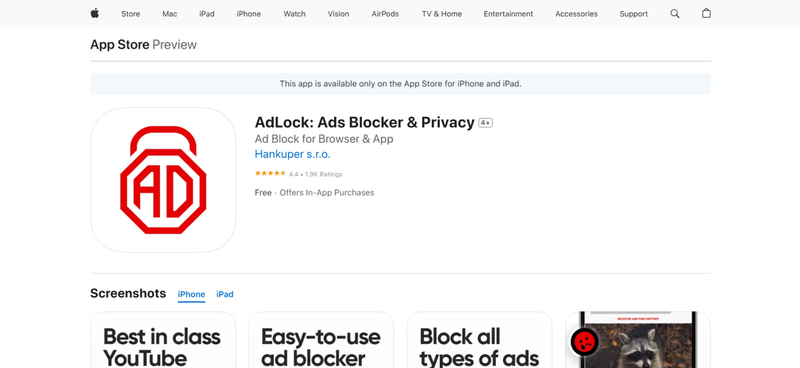
- Step 2: Install the app and open it on your device. Tap Turn AdLock On to activate the ad‑blocking service.
- Step 3: Enable HTTPS filtering by tapping Enable HTTPS filtration, then confirm using your device PIN.

Once enabled, the app starts filtering ads in the background, acting as an ad blocker for SoundCloud and other apps.
▼ How to Use AdLock in Chrome or Firefox
- Step 1: Install the AdLock browser extension from the extension store.
- Step 2: Enable all available ad-blocking filters.
- Step 3: Reload SoundCloud in your browser. The extension will start filtering ads automatically.
▼ How to Use AdLock on Desktop (Windows or macOS)
-
Step 1:
Download and install the AdLock desktop application.
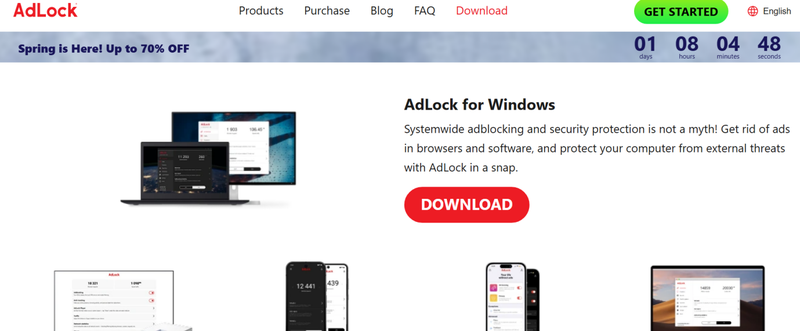
- Step 2: Open the app and activate your license or trial.
- Step 3: Start listening to SoundCloud. The software blocks ads across supported apps and browsers.

- Blocks many ads across websites and apps
- Works on Android, browsers, and desktop systems
- Helps block tracking scripts and harmful banners
- Runs quietly in the background
- Some ads may still appear if filters fail
- Requires installation and permissions on the device
- Certain streaming sites may detect ad blockers
- Full features may require a paid license
Way 3: Using a Specialized Open-Source Tool to Intercept Ads
Another option is using an open‑source script such as AdFree SoundCloud from GitHub. These tools are created by developers who want to filter advertising elements directly inside the SoundCloud web player. Instead of relying on a typical extension, the script works by blocking or hiding certain ad requests and interface elements. Because it runs inside the browser environment, many people use it together with a SoundCloud ad blocker Chrome extension or a script manager to apply the custom code.
▼ How to Set Up the Open‑Source SoundCloud Ad Blocker?
-
Step 1:
Install a browser extension that allows custom scripts (such as a JavaScript injector or userscript manager).
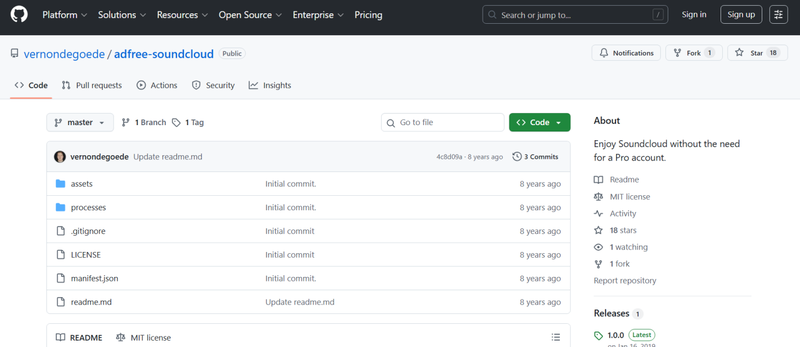
- Step 2: Visit the GitHub page and copy the SoundCloud ad‑blocker script.
- Step 3: Paste the script into the extension or userscript manager and enable it.
- Step 4: Reload the SoundCloud website in your browser. The script will run automatically and filter ad elements.
- Step 5: Start playing music normally. If the script works properly, ads should be skipped or hidden while listening.

- Free and open‑source
- Customizable for advanced users
- Works directly in the browser
- No subscription required
- Requires manual setup
- May break when SoundCloud updates its system
- Not beginner‑friendly
Way 4: Change VPN Location to Reduce Ads
Another trick some listeners try is changing their location with a VPN. In certain regions, SoundCloud may show fewer ads because the advertising network there is smaller. By switching your virtual location, you might reduce how often ads appear while streaming. While this method does not completely block SoundCloud ads, it can sometimes lower the number of interruptions. Here is how to use this method
- Step 1: Install a reliable VPN application like Nord VPN on your device.
-
Step 2:
Open the VPN and connect to a country where SoundCloud advertising is less common.
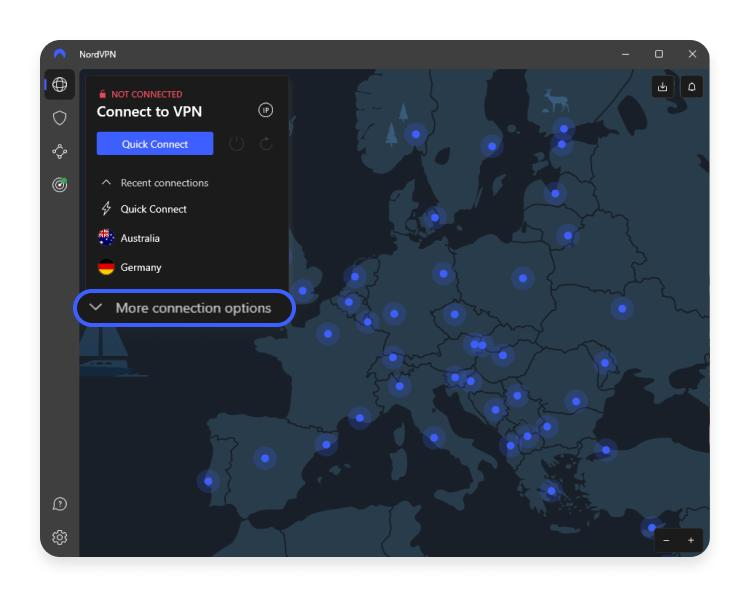
- Step 3: Once connected, open SoundCloud in your browser or app.
- Step 4: Start playing music and see if the number of ads decreases.

- Easy to try with many VPN apps
- May reduce the number of ads in some regions
- Also adds privacy when browsing
- Does not completely remove ads
- Some VPNs slow down streaming speed
- SoundCloud may still show ads depending on location
- Quality VPN services usually require payment
Conclusion
So, does SoundCloud have ads? Yes. The free version of SoundCloud includes ads to support the platform and artists. If those interruptions bother you, there are a few ways to improve your listening experience. You can subscribe to the official premium plan, try ad‑blocking tools, or experiment with VPN locations. Another practical option is downloading your favorite tracks for offline listening. With FliFlik UltConv SoundCloud Converter, you can save SoundCloud music as MP3 files and enjoy your playlists anytime without ads or buffering. It’s a simple way to build your own music library and listen without interruptions.
 Secure Download
Secure Download
Secure Download
FAQs
Q1. Why does SoundCloud have ads now?
Platforms like SoundCloud use ads to support their service and pay artists who upload music. Ads help keep the free version available for millions of listeners while still funding the platform.
Q2. How many ads does SoundCloud have?
The number of ads varies depending on your region and listening habits. Free users usually hear short ads between songs or after a few tracks in a playlist.
Q3. Does SoundCloud have fewer ads than Spotify?
It depends on the region and account type. Generally, both platforms include ads for free users. However, the frequency may feel different becauseSpotifyoften places ads between several songs in a playlist, while SoundCloud may show them less predictably.
Hey there! I am Maxwell Clark. I'm always looking for new tech tools that make a difference, from making visuals and audio better to making workflows better. I'm going to share tips and tricks for using AI tools for videos, audio, and images. I'm excited to help you navigate the digital world more efficiently and creatively!

