

 8 minutes read


Have you ever stumbled upon a rare gem on AllMusic, only to wish you could download it and keep it forever? In an age where streaming dominates, the desire for a personal, offline music library is stronger than ever. AllMusic, with its vast database and insightful reviews, is a treasure trove for music lovers. But how do you bridge the gap between discovery and ownership? That leads many users to search for ways to download music from AllMusic for offline listening. In this article, we will show you practical methods that can help you save music you discover on AllMusic quickly and safely.

Part 1. Can Music Be Downloaded from AllMusic Directly?
Many users ask the same question: Can I download music from AllMusic directly? The short answer is no. AllMusic is mainly a music discovery and information platform, not a music hosting or downloading service. It provides detailed artist biographies, album reviews, genre classifications, and track listings, helping listeners explore new music and learn more about their favorite artists.
Instead of offering direct downloads, AllMusic usually links users to streaming platforms where the music is officially available. When you click a song or album on AllMusic, you may see links to services like Spotify, Apple Music, or online stores where the music can be streamed or purchased. Because of copyright and licensing rules, the website itself does not host downloadable audio files.
So if you want to download music from AllMusic, you normally need to use third-party tools or download the tracks from the streaming services that AllMusic links to. In the next sections, we’ll look at several practical methods that can help you save music for offline listening.
Part 2. Best Way to Download from AllMusic to MP3
If you discover a song on AllMusic and want to save it for offline listening, a practical method is downloading the track from the streaming platform to which AllMusic links. A tool like FliFlik UltConv AllMusic Downloader makes this process much easier. Instead of trying to extract audio directly from AllMusic, UltConv allows you to download music from major streaming services such as Spotify, Apple Music, Amazon Music, and many others. Once you find a track on AllMusic, you can simply open the same song on one of these platforms and download it as an MP3 file.
UltConv AllMusic Converter supports converting songs into multiple audio formats while preserving original sound quality up to 320 kbps. It can download entire playlists, albums, podcasts, or audiobooks at high speed, which saves time when building an offline music library. Another useful feature is that it keeps the original ID3 tags, including the song title, artist name, album artwork, and other metadata, helping you keep your downloaded music organized across devices.

- Download songs, albums, artists, podcasts, and playlists from Spotify
- Convert music to MP3, AAC, WAV, FLAC, M4A, and 100+ formats
- Support high-quality audio downloads up to 320 kbps MP3
- Batch download playlists, albums, or artist libraries
- Preserve ID3 tags and metadata, including artwork and track information
- Compatible with 10,000+ streaming platforms, like Spotify, Apple Music, Deezer, SoundCloud, and more
▼ Steps to Download AllMusic Songs to MP3 with FliFlik UltConv
Downloading music you discover on AllMusic is simple with UltConv. The built-in browser lets you open supported streaming platforms directly inside the software and download the songs as MP3 files in just a few steps.
-
Download and install FliFlik UltConv on your Windows or Mac computer. After the installation finishes, open the program.
FREE DOWNLOAD![secure download]() Secure Download
FREE DOWNLOAD
Secure Download
FREE DOWNLOAD![secure download]() Secure Download
Secure Download
-
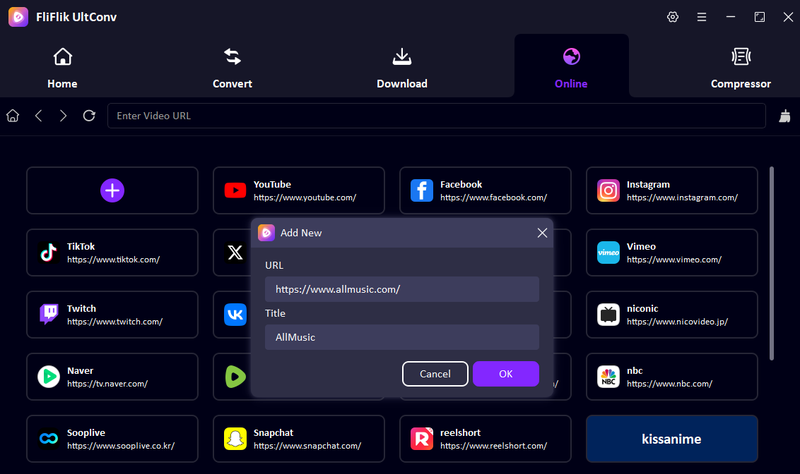
Launch UltConv and open the Online tab and click the + tab. In the pop-up paste the AllMusic link and website title and click OK.
-
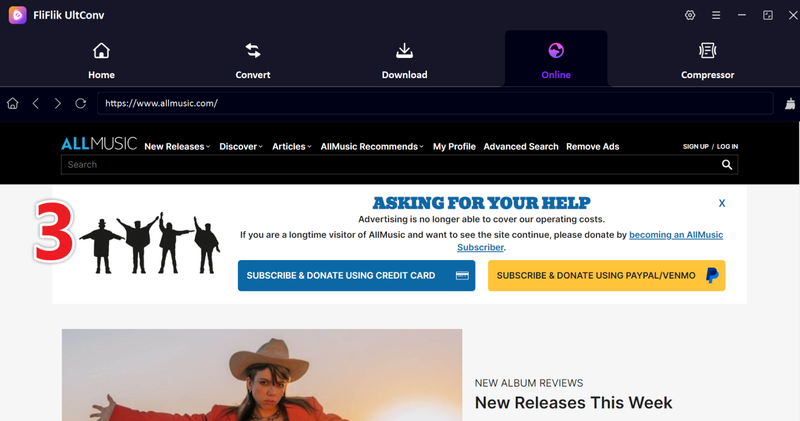
The website will open inside UltConv’s built-in browser. You can browse the music platform directly within the software.
-
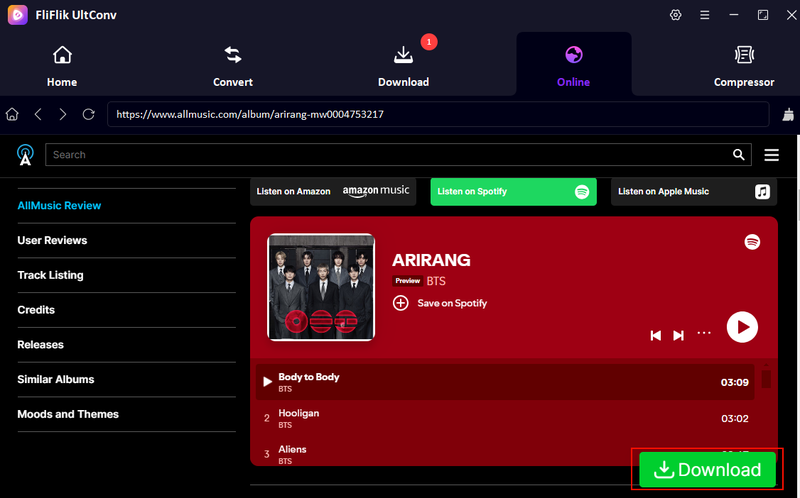
Find the song or album you want to save and start playing it. Then click the Download button that appears near the playback window.
-
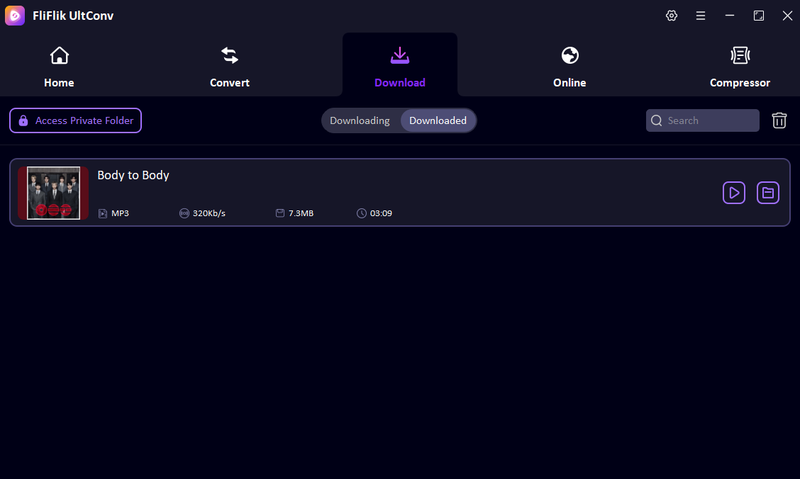
UltConv will begin downloading the track immediately. After the process finishes, go to the Downloaded section to access your MP3 music files and listen offline anytime.


Part 3. How to Download Music from AllMusic with Extension
Another way to save music discovered on AllMusic is by using a browser extension like Cococut Video Downloader. Cococut is designed to detect media streams on web pages and allows users to capture those streams directly from the browser. When a song is playing on a supported site, the extension identifies the media source and gives you the option to download it. However, it’s important to note that Cococut usually downloads streaming media in .m3u8 format, which is a playlist file used for segmented streaming. This means the file may not be directly playable like an MP3 and may require additional conversion before you can listen offline on most devices.
▼ Steps to Use Cococut to Download Music from AllMusic
-
Step 1:
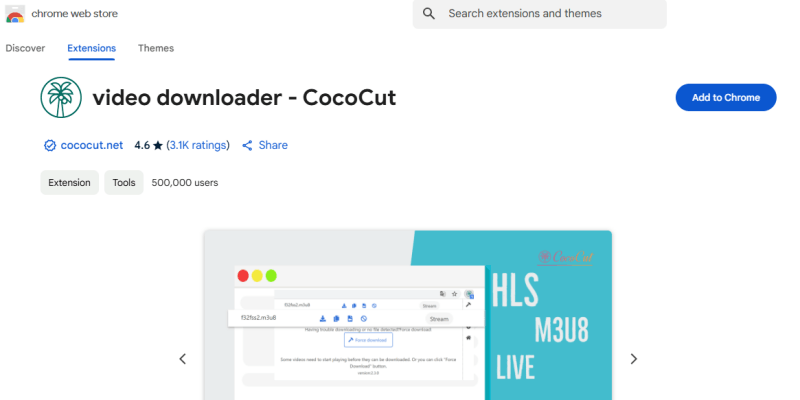
Install the Cococut Video Downloader extension from the Chrome Web Store and add it to your browser.
- Step 2: Open the song or album page you discovered through AllMusic and play the track on the linked streaming platform.
- Step 3: Click the Cococut extension icon in your browser toolbar. The extension will scan the page for available media streams.
-
Step 4:
Once the stream is detected, select the available download option shown by the extension.
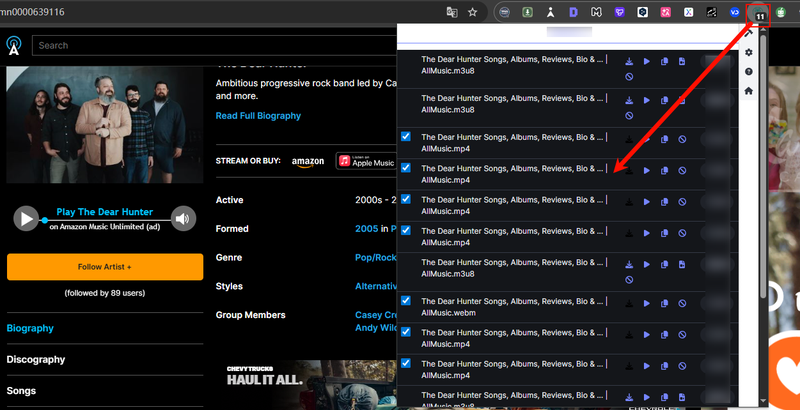
- Step 5: The file will be downloaded to your computer, typically as a .m3u8 file, which may need to be converted to MP3 for easier playback.


- Easy to install and use in the browser
- Automatically detects streaming media
- Works with multiple websites
- Usually downloads only .m3u8 streaming files
- Files may require additional conversion
- Download success can vary depending on the website
Part 4. Comparison Between UltConv and Cococut
Both tools can help you save media discovered through AllMusic, but they work in very different ways. UltConv AllMusic Converter is a standalone downloader with built-in conversion features, while Cococut is a browser extension that captures streaming media directly from web pages. The comparison below highlights their main differences.
| Feature | FliFlik UltConv | Cococut Video Downloader |
|---|---|---|
| Type | Desktop software (Windows/Mac) | Browser extension (Chrome/Edge) |
| Supported Sites | 10,000+ streaming sites, including Spotify, Apple Music, SoundCloud | Detects media streams on many websites |
| Download Speed | Very fast (up to 10× faster batch downloads) | Medium, depends on browser and stream buffering |
| Output Format | MP3, AAC, WAV, FLAC, M4A, and100+ more | Usually streaming formats like M3U8 or original stream |
| Output Quality | Up to 320 Kbps audio quality | Depends on detected stream quality |
| Batch Download | Yes, supports playlists, albums, and multiple files | No batch downloading |
| Reliability | High success rate and stable downloads | Varies depending on site and stream detection |
| Rate | ⭐⭐⭐⭐⭐ | ⭐⭐⭐ |
Conclusion
AllMusic is a great place to discover artists, albums, and new tracks, but it doesn’t offer direct downloads. If you want to download music from AllMusic, the usual approach is to find the song on a streaming platform linked on the site and then save it using a reliable downloader. Browser extensions like Cococut can capture streaming files, but they often save them in formats like M3U8 that require extra steps.
If you want a simpler solution, FliFlik UltConv AllMusic Converter offers a more complete experience. It can download songs from platforms like Spotify and Apple Music, convert them to MP3, and keep the original metadata and artwork. With faster downloads and batch support, it’s a practical option for building your offline music collection. Try UltConv if you want an easier way to save music you discover on AllMusic.
 Secure Download
Secure Download
Secure Download
FAQs about AllMusic
Q1. Is there an alternative to AllMusic?
Yes. Popular alternatives to AllMusic include Discogs, Last.fm, and MusicBrainz. These platforms also provide artist information, album details, and music discovery features.
Q2. Is AllMusic free to use?
Yes. AllMusic is completely free to browse. Users can search for artists, albums, and genres without creating an account. However, the site mainly provides music information and links to streaming services rather than downloadable audio.
Hey there! I am Maxwell Clark. I'm always looking for new tech tools that make a difference, from making visuals and audio better to making workflows better. I'm going to share tips and tricks for using AI tools for videos, audio, and images. I'm excited to help you navigate the digital world more efficiently and creatively!

