

 8 minutes read


Instagram is overflowing with catchy sounds, trending Reels, and audio clips that go viral in no time. But if you’ve ever tried saving one as an MP3, you know Instagram doesn’t exactly make it easy. That’s why so many people look for an Instagram audio downloader to grab their favorite sounds for offline listening, remixes, or content creation.
This guide will show you how to safely convert Instagram audio to MP3 format using professional computer tools or a convenient mobile solution. Whether you’re a creator saving popular Reels sound effects or a fan collecting hit songs, these step-by-step methods ensure you get high-quality conversion results on any device.

Part 1. Best Instagram Audio Downloader on PC (Safe and Fast)
If you’re tired of slow, glitchy online tools, FliFlik UltConv Video Downloader is the professional solution you need. It bypasses unreliable websites, letting you directly download Instagram audio as high-quality MP3s—ad-free, with no fake buttons, and zero loss in audio quality. Just paste the link, and your audio will be ready in seconds.
UltConv’s power lies in its versatility. It supports over 10,000 platforms, including TikTok, YouTube, and Spotify, offering features like 320kbps conversion and bulk downloads of entire playlists. If you want to save Instagram audio quickly, privately, and reliably on your computer, FliFlik UltConv is your ideal choice.

- Download Instagram audio to MP3 in up to 320kbps
- Supports 10,000+ video and music websites, YouTube, TikTok, Instagram, etc
- Convert video and audio to 100+ formats
- Batch download multiple files in one go
- 10x faster speed with hardware acceleration
- Built-in browser for quick link detection
- Keeps original metadata and artwork
▼ How to Download Instagram Audio to MP3 with UltConv Video Downloader?
-
Download and install FliFlik UltConv Video Downloader on your Windows PC. Launch the program after installation.
FREE DOWNLOAD![secure download]() Secure Download
FREE DOWNLOAD
Secure Download
FREE DOWNLOAD![secure download]() Secure Download
Secure Download
-
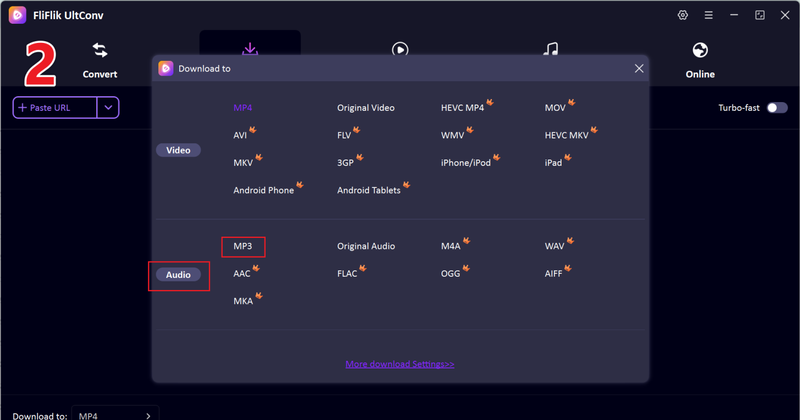
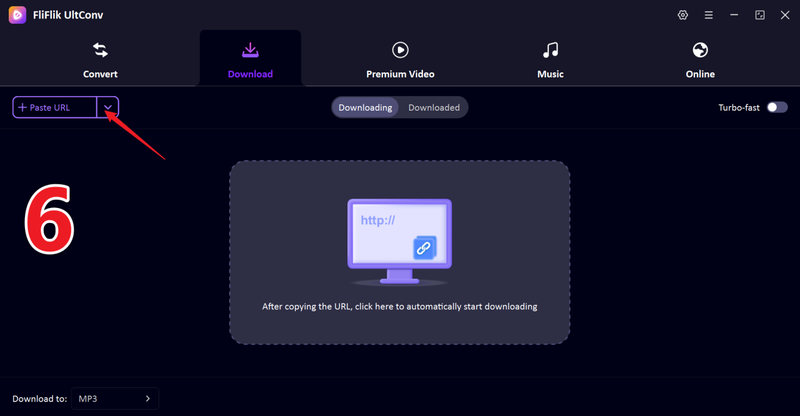
In UltConv’s main interface, open the Download tab and click Download to at the bottom to prepare your output settings.

-
Choose your output format. Select MP3 to extract Instagram audio, or MP4 if you want the full video.
-
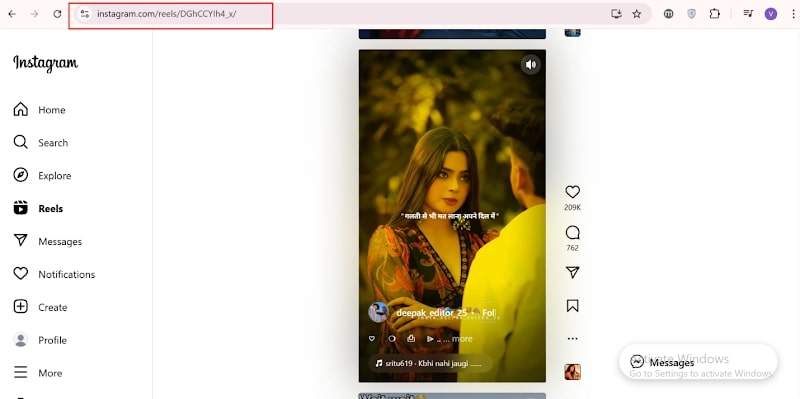
Open Instagram in your browser or app, copy the Reel or video link, then return to UltConv.
-
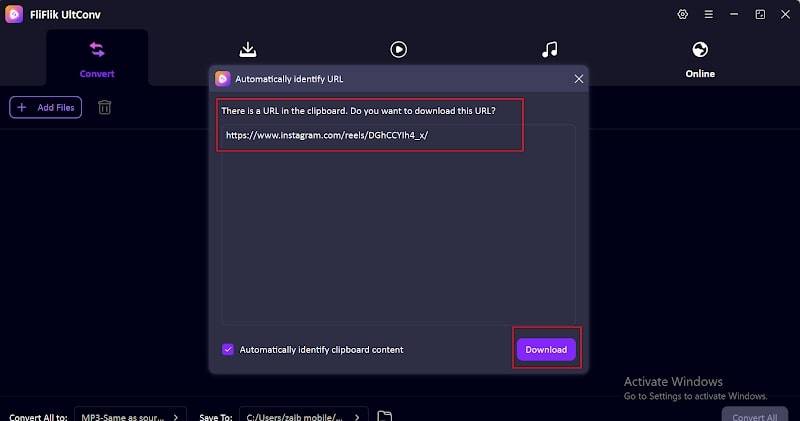
UltConv usually detects the link automatically. When the pop-up appears, click Download to start saving the audio.
-
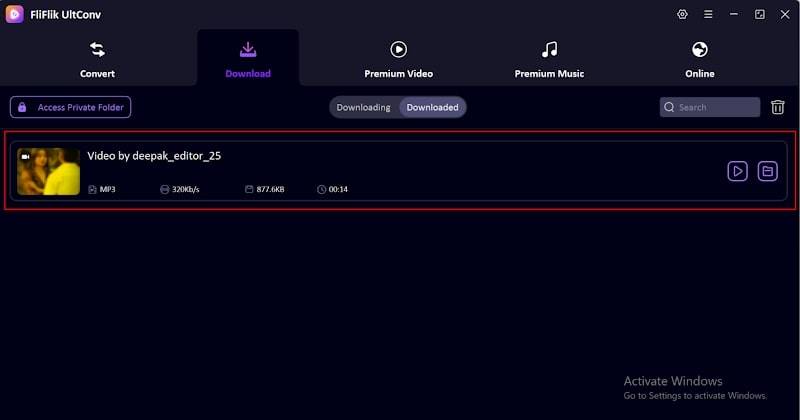
Next, you will see the downloading of your video begin immediately.
-
If no pop-up appears, paste the copied link manually into UltConv’s URL bar and click Download to save the MP3 file.


Part 2. Top 4 IG Audio Downloaders on Mobile (No Install)
These online tools work directly in your mobile browser. No apps. No signup. Just paste your Instagram link and download the audio. Here are the 4 best options to try.
1. ReelSave.App
ReelSave.App is a lightweight web-based tool designed for mobile users to instantly extract audio from Instagram Reels. It runs directly in your browser without installing any software—simply paste the Reels link to generate an MP3 file in seconds. It’s perfect for capturing trending audio clips and voice samples while preserving original sound quality. While it lacks advanced features like batch downloads, its speed and simplicity make it an ideal choice for quickly saving audio on the go.
▼ Steps to Download Instagram Audio with ReelSave.App:
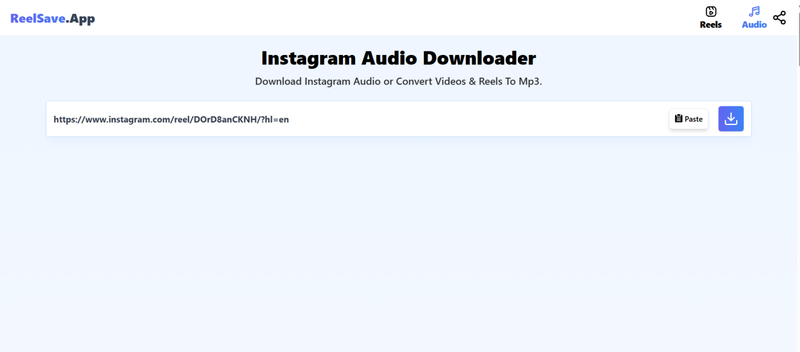
- Step 1: Copy your Instagram link and paste it directly into ReelSave.App via your browser.
-
Step 2:
Paste the link into the input box and tap Download to save your MP3.
-
Step 3:
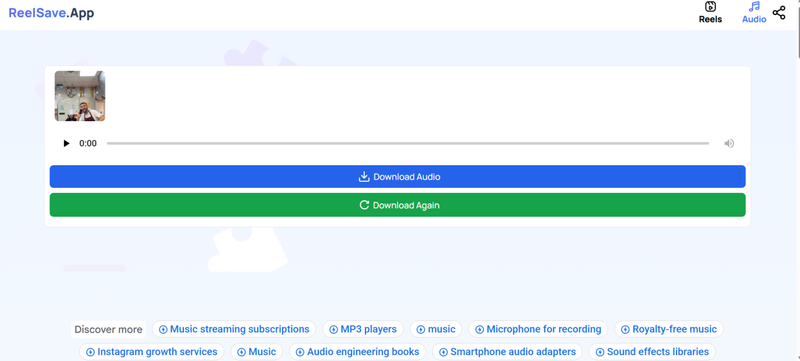
Next, click on
Download Audio
and save the MP3 file to your phone.


2. Toolzin
Toolzin is another browser-based audio downloader instagram users like for its clean interface and straightforward workflow. It focuses on speed and simplicity, making it easy to grab IG audio without installing apps or creating accounts. Toolzin supports most public Instagram videos and Reels, converting them into downloadable MP3 files in just a few taps. It’s useful when you want quick results on mobile, whether you’re collecting Reel sounds or saving music for offline use.
▼ Steps to Download Instagram Audio with Toolzin:
- Step 1: Copy your Instagram link and visit Toolzin in your mobile browser to get started.
-
Step 2:
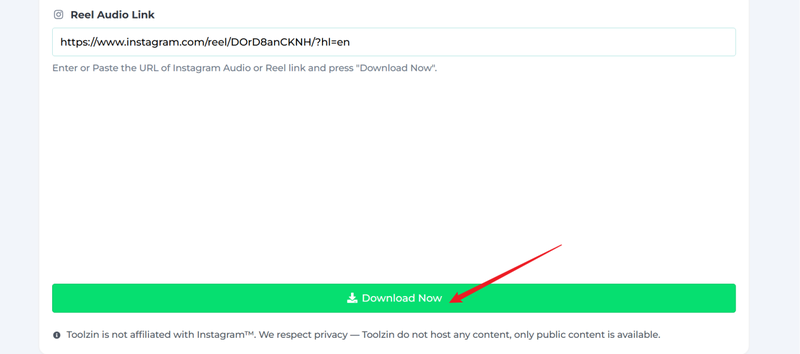
Paste the link into the box and click at
Download Now.
-
Step 3:
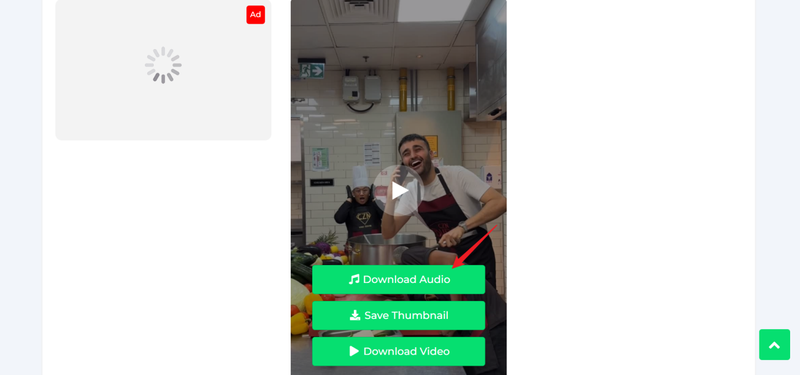
Next, click
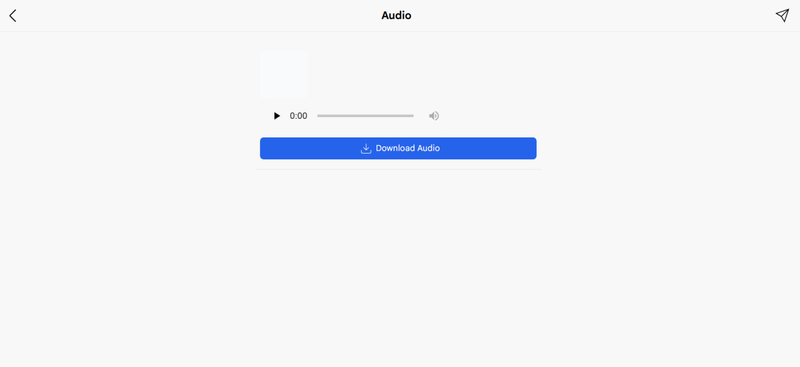
Download Audio.
The file will start downloading immediately.


3. SaveClip
SaveClip offers a clean mobile experience for ig audio download, letting you extract sound from Instagram videos in a few seconds. It supports Reels, posts, and standard videos, converting them into MP3 files without needing registration. The site loads quickly on phones and keeps the process simple: paste the link, download, and done. SaveClip is ideal for casual users who just want to save a Reel’s audio now and then.
▼ Steps to Download Instagram Audio with SaveClip:
- Step 1: Copy your Instagram link and open SaveClip in your browser.
-
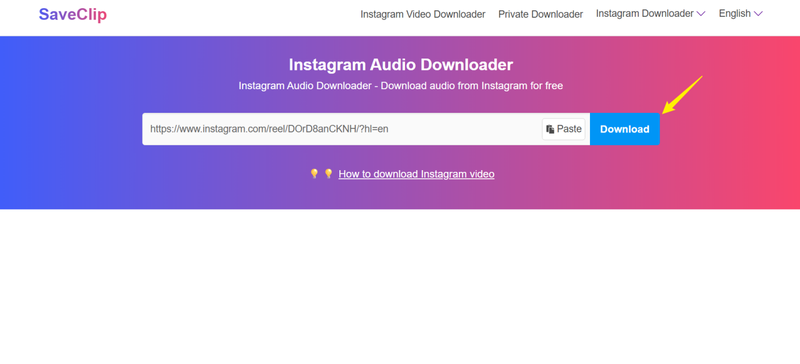
Step 2:
Paste the link into the search box and click
Download.
-
Step 3:
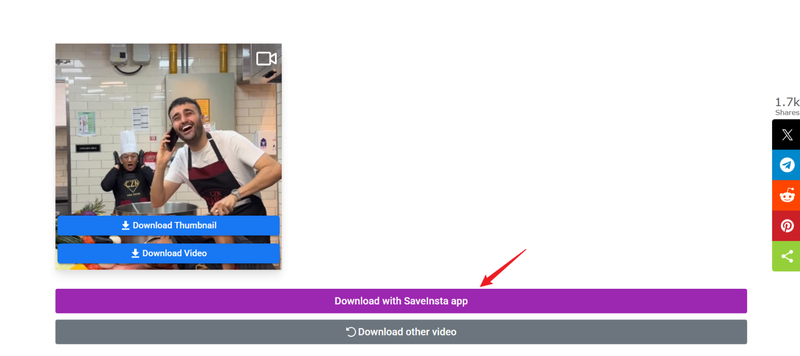
Next, click
Download with the SaveInsta app.
Your file will start downloading immediately.


4. AudioDropper.com
AudioDropper.com is a lightweight online Instagram audio downloader that supports multiple platforms, including Instagram. It’s built for quick audio extraction, making it easy to grab MP3 files from Reels and videos directly on mobile. The interface is minimal, which helps avoid confusion, and downloads usually start within seconds after pasting a link. AudioDropper works best for one-off downloads when you don’t need extra features like format selection or batch processing.
▼ Steps to Download Instagram Audio with AudioDropper.com:
- Step 1: Copy the Instagram URL and open AudioDropper in your mobile browser.
-
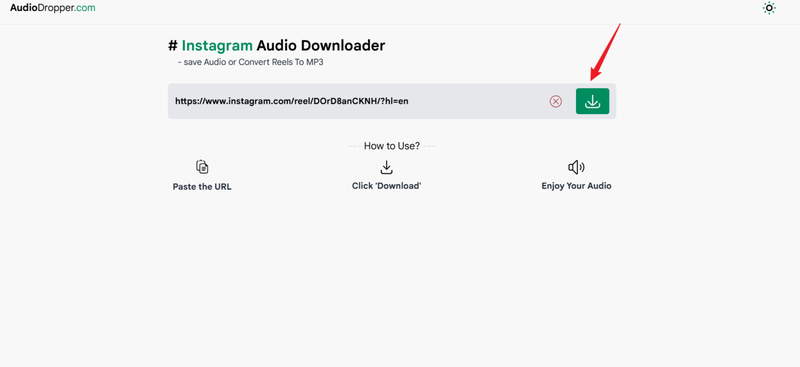
Step 2:
Paste the link into the input field and click download.
-
Step 3:
Next, click
Download Audio.
The audio will start saving to your phone.


FAQs
Q1. How to download audio from Instagram?
You can download Instagram audio by copying the Reel or video link and pasting it into an online ig audio downloader like ReelSave or Toolzin. For better quality and batch control, use FliFlik UltConv Video Downloader to extract Instagram audio as high-quality 320kbps MP3s.
Q2. Is it legal to save IG audio?
Saving Instagram audio for personal use is usually fine. However, reposting or using copyrighted sounds commercially without permission may violate copyright rules.
Q3. How can I download audio from IG Reels and Stories?
For Reels, simply copy the link and use a downloader. Stories are trickier because they expire, but desktop tools like UltConv Video Downloader can capture audio from supported IG content as long as it’s publicly accessible.
Conclusion
Downloading Instagram audio is simple, but the tools you choose determine the quality of your audio library. While browser tools like ReelSave or Toolzin offer a quick and easy way to save audio to your mobile device, they often come with annoying ads, unstable connections, and limited sound quality.
For a professional and convenient experience, FliFlik UltConv Video Downloader is a smarter and more reliable option. It offers crisp 320kbps MP3 audio, batch download, and supports thousands of platforms, all ad-free. If you value speed, security, and permanent offline access, UltConv is the ultimate tool for enjoying your favorite Instagram audio.
 Secure Download
Secure Download
Secure Download
Hello, I research and introduce useful solutions for AI videos, images, and audio tips in our daily life. If you learn these things, you can easily deal with the problems of the new era.

