

 6 minutes read


Ever stumbled upon a file with a .m4b extension and wondered how to open it? You’re not alone. M4B files are specifically designed for audiobooks and podcasts, but the downside is that many standard media players don’t support them natively.
In this guide, we’ll explain exactly what an M4B file is and show you how to play them on Windows and Mac using VLC Media Player. We also provide simple methods to convert M4B to MP3 using desktop software and free online.

Part 1. What is the M4B File format?
M4B is a file format commonly used for audiobooks and podcasts. It is similar to the more popular MP4 format but is specifically designed to store audio with extra features like chapter markers and bookmarking. This means you can pause your audiobook and resume right where you left off, which is why many audiobook apps and devices prefer M4B.
Unlike regular audio files, M4B files can also include metadata such as title, author, and cover art, making it easier to organize large audiobook collections. Understanding the M4B file format is the first step to playing or converting these files on your Windows or Mac computer.
Part 2. How to Play M4B Files on VLC Media Converter [Windows&Mac]

M4B files are not supported by every media player by default, but VLC Media Player can play them easily on both Windows and Mac. VLC is free, lightweight, and compatible with most audio and video formats, making it a reliable choice for audiobooks and podcasts in M4B format. Using VLC, you can play your files, use bookmarks, and even skip chapters if your M4B file includes them.
▼ Steps to Play M4B Files on VLC:
-
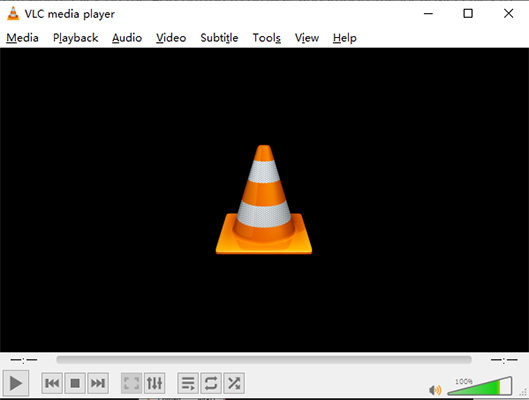
Step 1: Download and install VLC Media Player from the official website. Launch the program once installed.
-
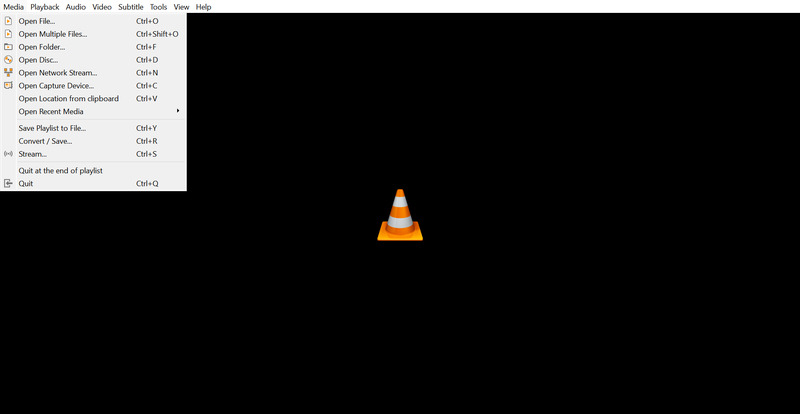
Step 2: Open VLC and click on Media in the top menu, then select Open File.
-
Step 3: Browse to the location of your M4B file, select it, and click Open.
-
Step 4: The M4B file will start playing. Use VLC’s playback controls to pause, resume, or navigate through chapters if available.
-
Step 5: Optionally, you can add the file to VLC’s playlist for continuous listening or create bookmarks for easy navigation.


Part 3. How to Convert M4B to MP4 with FliFlik UltConv
For a fast and reliable M4B to MP3 conversion, FliFlik UltConv Video Downloader is an excellent desktop solution for both Windows and Mac. It supports over 100 formats, including MP3, MP4, MKV, AVI and more, ensuring your audiobooks are compatible with any device or media player.
Beyond downloading from 10,000+ sites, it excels at batch-converting local files while preserving high-quality audio. With its high-speed performance and intuitive interface, FliFlik UltConv makes managing and converting large audiobook libraries both simple and efficient.

- Supports 100+ formats, including MP3, MP4 MKV, AVI etc.
- Works with 10,000+ websites, including Pinterest, Instagram, TikTok, Facebook, and YouTube
- High-quality downloads keep HD 1080p, 2K, and 4K resolution
- Batch conversion converts multiple M4B files at once
- Fast conversion speeds complete files quickly without waiting
▼ Steps to Convert MP4 to MP3 Using FliFlik UltConv:
-
Download and install FliFlik UltConv from the official website and complete the setup.
FREE DOWNLOAD![secure download]() Secure Download
FREE DOWNLOAD
Secure Download
FREE DOWNLOAD![secure download]() Secure Download
Secure Download
-
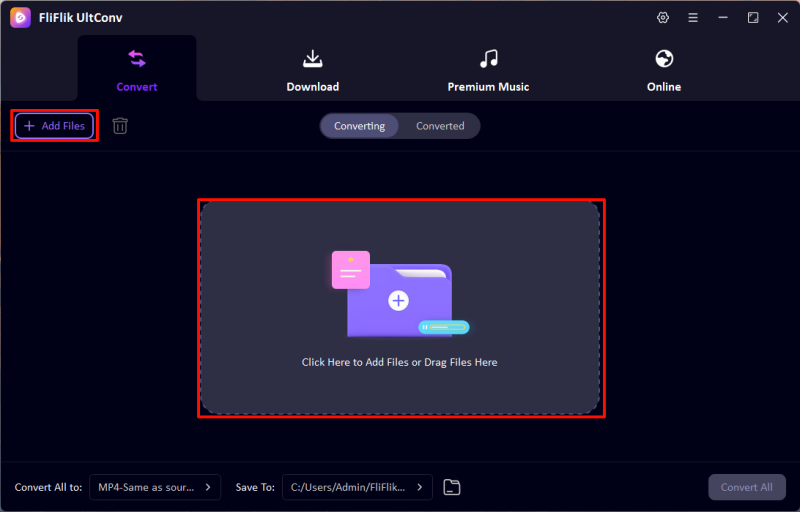
Now, open UltConv and go to the Convert section. Click Add File or drag your MP4 files into the program. You can add multiple files at once.
-
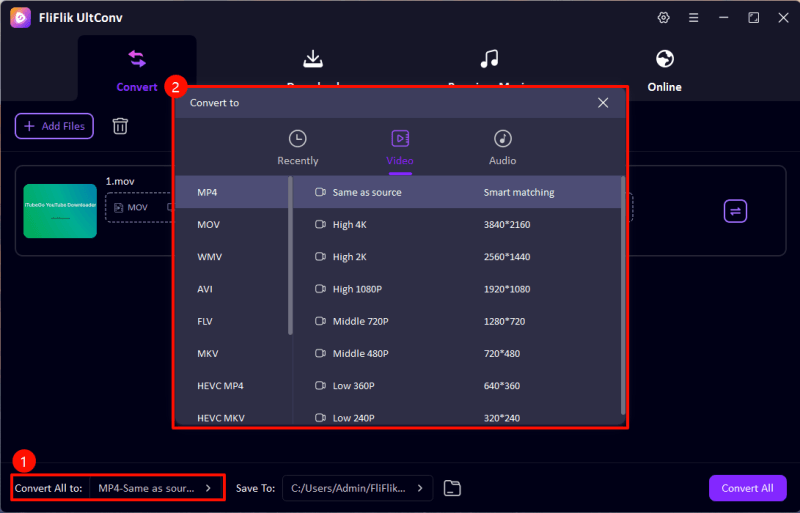
From the output format list, select MP3 as the target format.
-
Choose the folder where you want to save the converted files. Then click Convert All to start the process.
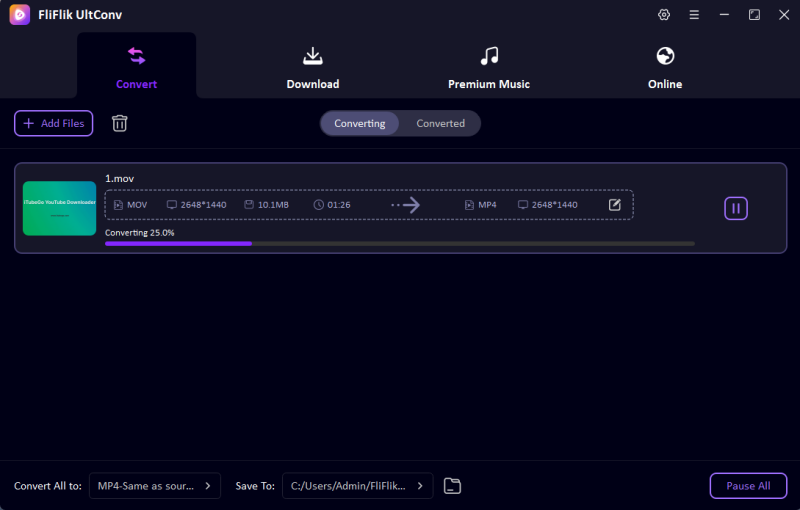


Once the conversion is complete, your M4B files will be saved as MP3 and ready to play on any device or media player.
Part 4. How to Convert M4B to MP3 with an Online Tool
If you don’t want to install software, FreeConvert is a simple online tool to convert M4B files to MP3. It works directly in your browser on Windows, Mac, or even mobile devices. FreeConvert supports multiple audio formats, preserves audio quality, and is perfect for quick conversions without any technical setup.
▼ Steps to Convert M4B to MP3 Using FreeConvert
-
Step 1:
Open FreeConvert M4B to MP3 in your browser.
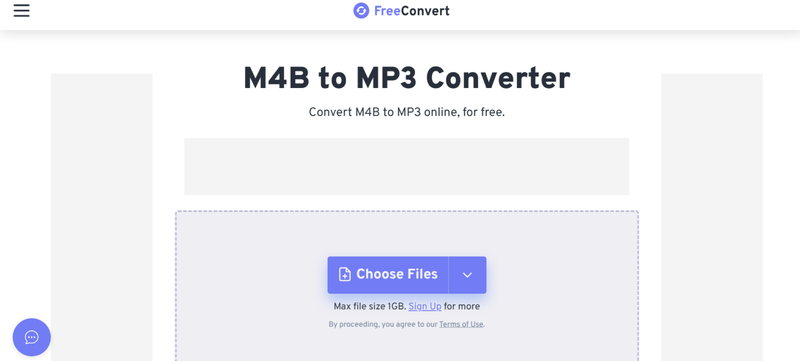
- Step 2: Click Choose Files and select the M4B file from your computer. You can also drag and drop the file into the upload area.
-
Step 3:
Make sure MP3 is selected as the output format. You can also adjust optional settings.
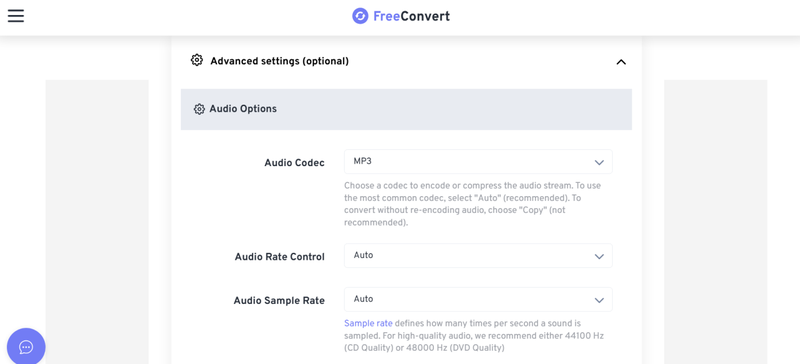
- Step 4: Click Convert to MP3 to start the conversion process.
- Step 5: Once the conversion is complete, click Download MP3 to save the file to your computer.


FAQs
Q1. What is the best M4B to MP3 converter?
FliFlik UltConv Video Downloader is one of the best options for converting M4B to MP3 because it works on both Windows and Mac, supports over 100 formats, preserves audio quality, and allows batch conversion.
Q2. What is the M4B format?
M4B is an audio file format mainly used for audiobooks and podcasts. It supports bookmarking, chapters, and metadata like author and title, which makes it ideal for organizing and navigating long audio content.
Conclusion
While M4B is a popular format for audiobooks, its compatibility issues can be frustrating. To solve this, VLC Media Player offers seamless playback on Windows and Mac, while FliFlik UltConv Video Downloader stands out as the premier conversion tool.
Unlike basic online converters, FliFlik provides superior speed, high-fidelity audio, and efficient batch processing. Using these tools ensures your audiobook collection is accessible on any device, completely free of playback restrictions.
 Secure Download
Secure Download
Secure Download
Hello, I research and introduce useful solutions for AI videos, images, and audio tips in our daily life. If you learn these things, you can easily deal with the problems of the new era.

