

 8 minutes read


If you use SoundCloud regularly, you’ve probably noticed how much effort artists put into their cover art. Sometimes you might want to save that artwork, whether it’s for inspiration, design reference, or simply to keep a copy of your favorite track’s image. The problem is that SoundCloud doesn’t offer a direct download option for cover images.
That’s where a SoundCloud cover art downloader extension can help. These browser tools make it easy to grab high‑quality cover art directly from a track page with just a click or two. In this article, we’ll look at seven useful extensions that can help you download SoundCloud cover images quickly and without complicated steps.
Best SoundCloud Downloader: Grab Songs and Covers at Once
If you’re mainly looking for a SoundCloud cover art downloader extension, browser tools can help you save artwork. But if you also want the actual music file along with the cover image, a downloader like FliFlik UltConv SoundCloud Downloader offers a more complete solution. Instead of downloading only the image, the software lets you grab the full track from SoundCloud and automatically keep the original cover art, song title, artist name, and other metadata. That means the downloaded MP3 file already contains the artwork and information needed for a well‑organized music library.
Another advantage is how flexible the downloading system is. UltConv SoundCloud Downloader can download tracks, playlists, albums, and channels from thousands of streaming sites and convert them into common formats like MP3 or FLAC. It also supports batch downloading, so you can save multiple songs at once instead of repeating the process track by track. With support for high‑quality audio up to 320kbps, a built-in browser for easier searching, and fast conversion speeds, it works as both a music downloader and a media converter for building an offline collection.

- Download music and videos from 10,000+ websites, including SoundCloud
- Convert audio to MP3, WAV, AAC, FLAC, and other formats
- Batch download playlists, albums, and multiple tracks
- Keep cover art, lyrics, and ID3 metadata automatically
- Support high-quality audio up to 320kbps
- Built‑in browser for direct searching and downloading
▼ Steps to Download a SoundCloud Playlist to MP3 with FliFlik UltConv
-
Download and install FliFlik UltConv Video Downloader on your computer. After installation, open the program.
FREE DOWNLOAD![secure download]() Secure Download
FREE DOWNLOAD
Secure Download
FREE DOWNLOAD![secure download]() Secure Download
Secure Download
-
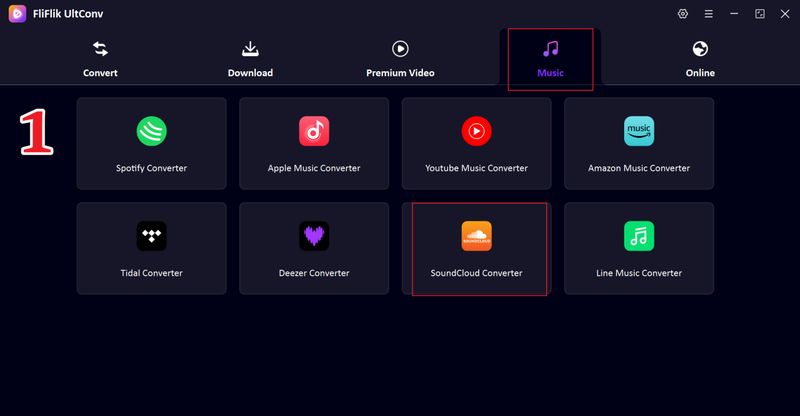
Launch the software and go to the Music section. From the list of supported platforms, select the SoundCloud option.
-
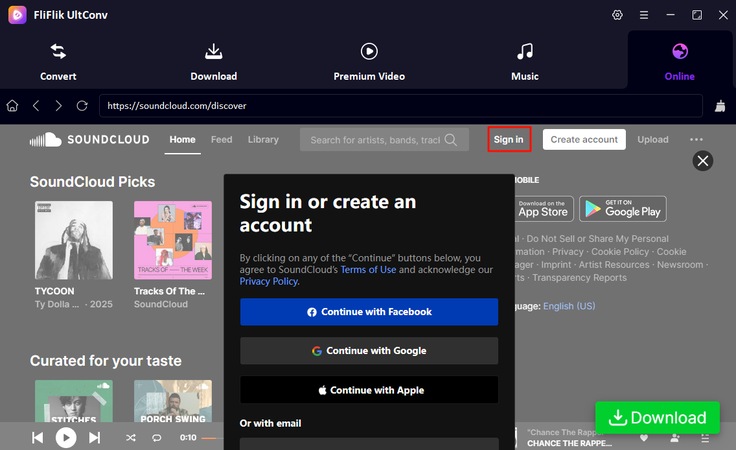
Sign in to your SoundCloud account inside the builtin browser so you can access your liked songs and playlists.
-
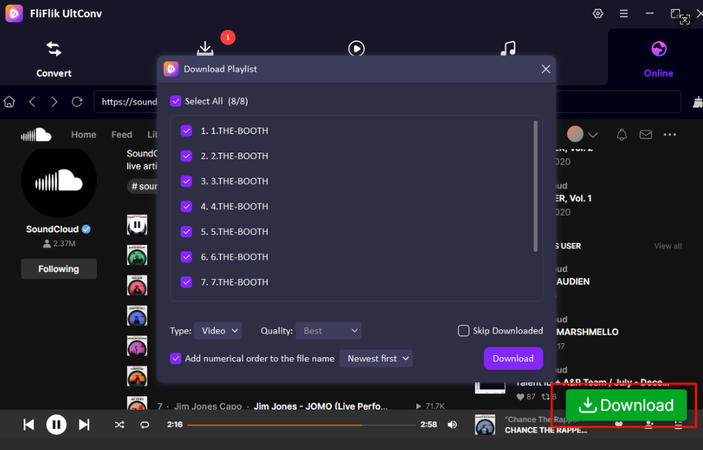
Browse your SoundCloud library, choose the playlist you want to download, and click the Download button.
-
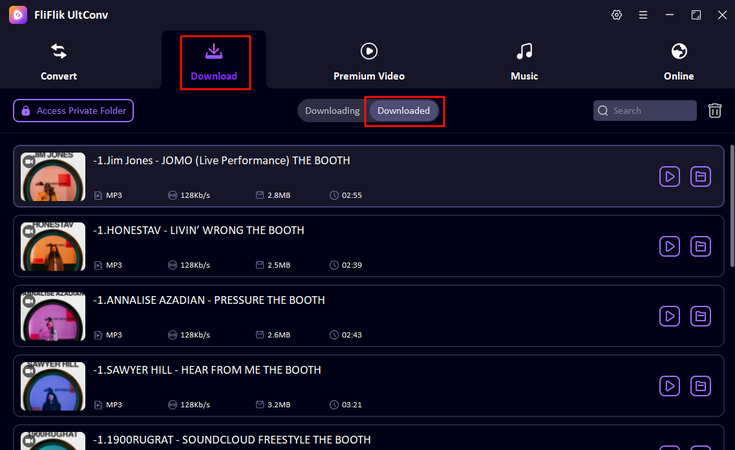
Once the download is complete, go to the Downloaded section in UltConv to view and play your saved playlist offline.


7 Working SoundCloud Cover Art Downloader Extensions
Now, if you want to use an extension instead of a downloader, 7 extensions below can work for you.
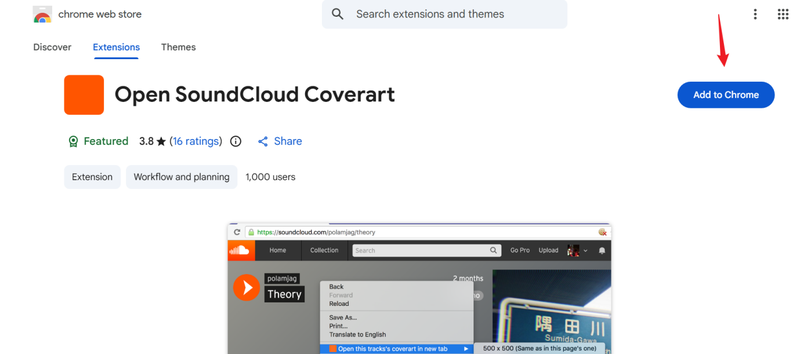
1. Open SoundCloud Coverart (Chrome)
Open SoundCloud Coverart is a simple Chrome extension built specifically for extracting artwork from SoundCloud tracks. When you open a song page, the extension detects the track’s cover image and allows you to view it in its original resolution. This is useful for users who want to save album artwork, collect cover images, or use them for personal playlists and music libraries. Since it focuses only on artwork extraction, the interface is clean and very easy to use.
▼ Steps to Use Open SoundCloud Coverart to Download SoundCloud Cover
-
Step 1:
Install the extension from the Chrome Web Store and add it to your browser.
- Step 2: Open the SoundCloud track that contains the cover art you want.
- Step 3: Click the Open SoundCloud Coverart icon in your browser toolbar.
- Step 4: The full‑size artwork will open in a new browser tab.
- Step 5: Right‑click the image and select Save Image As to download it.

- Very easy to use
- Opens artwork in full resolution
- Lightweight and fast
- Works only on SoundCloud webpages
- Requires manual saving of the image
- No extra downloading features
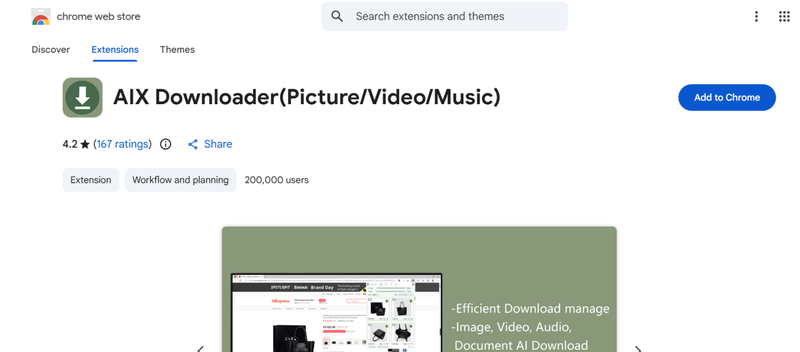
2. AIX Downloader (Chrome)
AIX Downloader is a multi‑functional browser extension designed to download media from many websites. It can detect images, videos, and music files directly from a webpage. When used on SoundCloud, it scans the page and lists available images, including the cover artwork of the track. Because it supports different file types, this extension can be useful for users who want more than just artwork downloading.
▼ Steps to Use AIX Downloader to Download SoundCloud Cover
-
Step 1:
Install AIX Downloader from the Chrome Web Store.
- Step 2: Visit the SoundCloud track page that contains the cover art.
- Step 3: Click the AIX Downloader icon in the browser toolbar.
- Step 4: The extension will scan the page and display all downloadable files.
- Step 5: Locate the cover image and click Download.

- Supports images, audio, and video downloads
- Works on many different websites
- Easy file detection
- Interface can feel cluttered
- May detect multiple unnecessary images
- Not designed specifically for SoundCloud
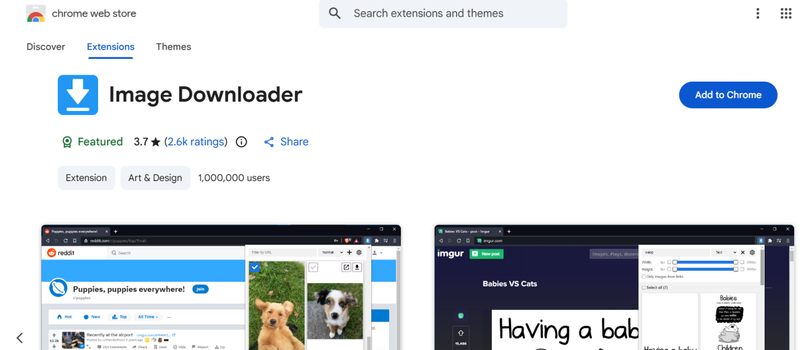
3. Image Downloader (Chrome)
Image Downloader is a popular Chrome extension that scans webpages and lists all images available on the page. While it is not specifically built for SoundCloud, it works well for extracting cover art because it allows users to preview images and download them instantly. You can also filter images by size, which makes it easier to locate the main artwork instead of smaller thumbnails.
▼ Steps to Use Image Downloader to Download SoundCloud Cover
-
Step 1:
Install the Image Downloader extension in Chrome.
- Step 2: Open the SoundCloud track page containing the artwork.
- Step 3: Click the Image Downloader icon in the browser toolbar.
- Step 4: The extension will display all images found on the page.
- Step 5: Identify the cover art and click Download.

- Works on almost any website
- Allows batch image downloads
- Includes image size filters
- Displays many images from the page
- Requires manually locating the cover art
- Not optimized specifically for SoundCloud
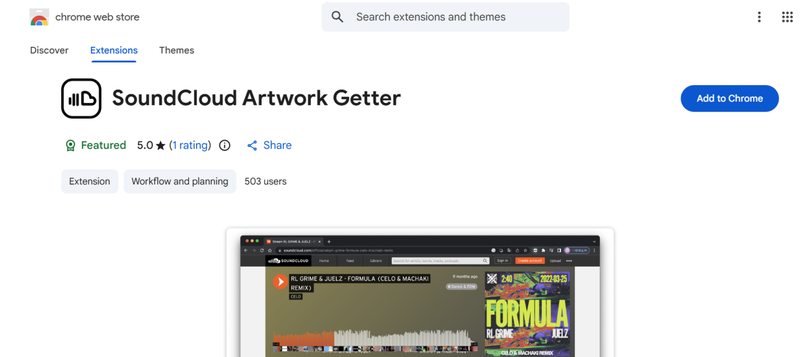
4. SoundCloud Artwork Getter (Chrome)
SoundCloud Artwork Getter is a lightweight Chrome extension designed to help users quickly access high‑resolution artwork from SoundCloud tracks. Instead of searching through page elements manually, the extension extracts the cover image and shows it in a separate window. This makes it convenient for users who want to collect album artwork or use the images for music library organization.
▼ Steps to Use SoundCloud Artwork Getter to Download SoundCloud Cover
-
Step 1:
Install the extension from the Chrome Web Store.
- Step 2: Open a track page on SoundCloud.
- Step 3: Click the SoundCloud Artwork Getter icon in the browser.
- Step 4: The full‑size cover image will appear in a new tab.
- Step 5: Save the artwork to your device.

- Designed specifically for SoundCloud artwork
- Simple interface
- Quick access to full‑size images
- Limited functionality
- Works only on SoundCloud
- Requires manual image saving
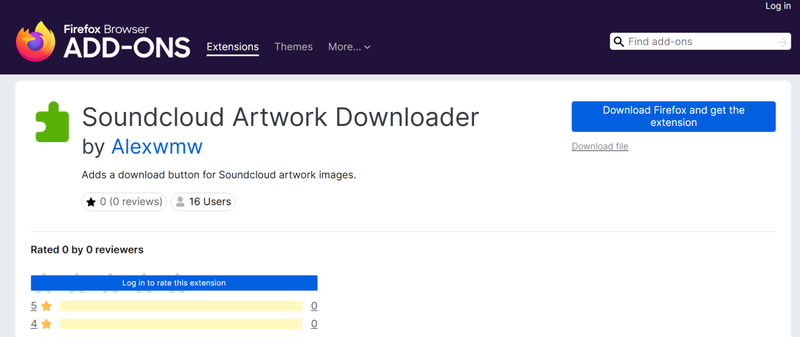
5. Soundcloud Artwork Downloader (Firefox)
Soundcloud Artwork Downloader is a Firefox add‑on built for users who want to quickly extract and download cover images from SoundCloud tracks. Once installed, the extension detects the artwork displayed on a track page and provides a simple option to download the image. It is especially useful for Firefox users who prefer a dedicated tool for saving album covers.
▼ Steps to Use Soundcloud Artwork Downloader to Download SoundCloud Cover
-
Step 1:
Install the extension from the Firefox Add‑ons store.
- Step 2: Open the SoundCloud track page that contains the artwork
- Step 3: Click the extension icon in the browser toolbar.
- Step 4: The cover image will appear with a download option.
- Step 5: Click Download to save the artwork.

- Designed for SoundCloud artwork
- Easy and quick to use
- Works smoothly in Firefox
- Firefox only
- Limited features
- Requires visiting each track page individually
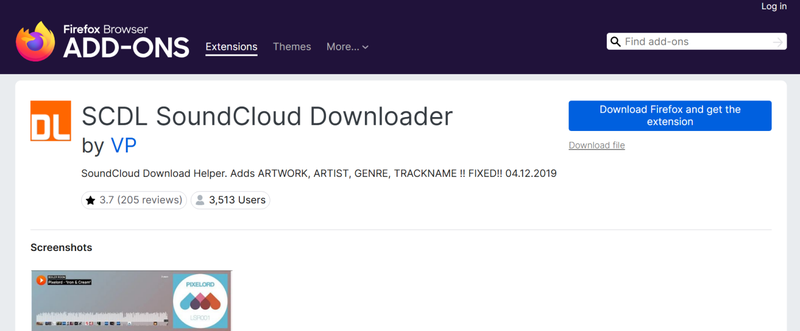
6. SCDL SoundCloud Downloader (Firefox)
SCDL SoundCloud Downloader is a more advanced Firefox extension that allows users to download media directly from SoundCloud pages. Besides downloading tracks, it can also retrieve artwork associated with those tracks. This makes it useful for users who want both the music file and its cover image for offline music collections.
▼ Steps to Use SCDL SoundCloud Downloader to Download SoundCloud Cover
-
Step 1:
Install the SCDL extension from Firefox Add‑ons.
- Step 2: Open the SoundCloud track page you want.
- Step 3: Click the SCDL extension icon in your browser.
- Step 4: Choose the option to download artwork or media.
- Step 5: Save the file to your device.

- Supports downloading both audio and artwork
- Simple browser integration
- Useful for offline collections
- Basic interface
- May not work with some tracks
- Limited customization
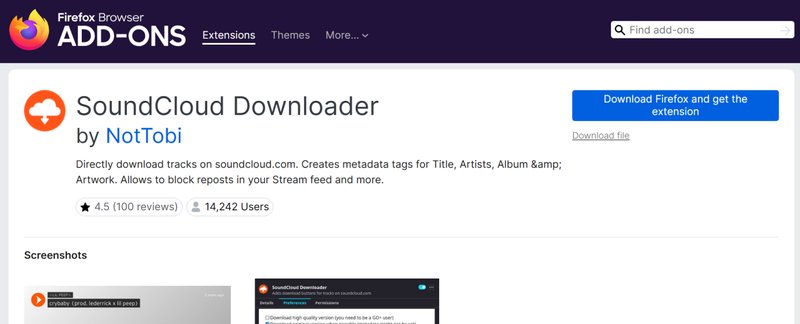
7. SoundCloud Downloader (Firefox)
SoundCloud Downloader is a Firefox browser extension that helps users download content directly from SoundCloud track pages. While its main purpose is to download audio files, it can also help retrieve the artwork associated with those tracks. The extension integrates directly into the browser, making the download process simple and quick.
▼ Steps to Use to SoundCloud Downloader to Download SoundCloud Cover
-
Step 1:
Install the extension from the Firefox Add‑ons page.
- Step 2: Visit the SoundCloud track you want.
- Step 3: Click the SoundCloud Downloader icon in your browser toolbar.
- Step 4: Select the artwork or media file from the available options.
- Step 5: Download the file to your computer.

- Simple and lightweight
- Works directly on SoundCloud pages
- Supports downloading track media
- Limited interface features
- Firefox only
- Download options may vary depending on the track
Comparison—Which is The Best SoundCloud Cover Downloader
Choosing the right SoundCloud cover downloader depends on what you need. Some browser extensions only help you grab artwork, while others can download songs or extra metadata. Tools like FliFlik UltConv go further by downloading tracks, cover art, and music information together. The table below compares eight popular options so you can quickly see the differences.
| Tool | Artwork Download | Songs Download | Metadata Download | Lyrics Download | Download Speed | Reliability | Rate |
|---|---|---|---|---|---|---|---|
| FliFlik UltConv | ✅ | ✅ | ✅ | ✅ | 10X Fast | Very Stable | ⭐⭐⭐⭐⭐ |
| Open SoundCloud Coverart | ✅ | ❌ | ❌ | ❌ | Fast | Stable | ⭐⭐⭐⭐ |
| AIX Downloader | ✅ | ❌ | ❌ | ❌ | Medium | Medium | ⭐⭐⭐ |
| Image Downloader | ✅ | ❌ | ❌ | ❌ | Fast | Stable | ⭐⭐⭐ |
| SoundCloud Artwork Getter | ✅ | ❌ | ❌ | ❌ | Fast | Stable | ⭐⭐⭐⭐ |
| Soundcloud Artwork Downloader | ✅ | ❌ | ❌ | ❌ | Medium | Medium | ⭐⭐⭐ |
| SCDL SoundCloud Downloader | ✅ | ✅ | ✅ | ❌ | Medium | Medium | ⭐⭐⭐ |
| SoundCloud Downloader | ✅ | ✅ | ✅ | ❌ | Medium | Medium | ⭐⭐⭐ |
From the comparison, most browser extensions focus only on downloading cover images from SoundCloud. If you also want the music file, metadata, and faster downloads, a dedicated downloader like UltConv SoundCloud Downloader offers more complete features.
Final Thoughts
In the end, yes, a Soundcloud cover art downloader extension is useful when you simply want to save track artwork directly from your browser. Extensions are quick to install and easy to use, but most of them only download images and nothing else. If you want a more complete solution that downloads songs, cover art, and metadata together, FliFlik UltConv SoundCloud Downloader is a stronger option. It supports downloading playlists, keeps artwork and music information intact, and works much faster than most extensions. Give UltConv SoundCloud Downloader a try if you want an easier way to build your offline SoundCloud music collection.
 Secure Download
Secure Download
Secure Download
Hey there! I am Maxwell Clark. I'm always looking for new tech tools that make a difference, from making visuals and audio better to making workflows better. I'm going to share tips and tricks for using AI tools for videos, audio, and images. I'm excited to help you navigate the digital world more efficiently and creatively!

