

 By
By  5 minutes read


HBO Max offers a huge collection of movies, TV shows, documentaries, and Max Originals that many people enjoy watching on the go. But if you’re planning a trip or expect to be without internet access, you may wonder: Can you download movies on HBO Max on a laptop?
The answer depends on the device and the method you use. While HBO Max provides an official download feature for certain devices, many users look for other ways to save movies and shows for offline viewing on a laptop. In this guide, we’ll share four different methods to download HBO Max content, including the official option and alternative solutions for watching offline anytime.

- Part 1. Can You Download HBO Max Shows and Movies Officially on a Laptop?
- Part 2. Best Way to Download HBO Max Movies or Shows on PC/Mac
- Part 3. Record HBO Max Shows on Laptop for Free
- Part 4. Use an Android Emulator to Download HBO Max Video on Laptop
- Part 5. Best 4 HBO Max Downloaders – Which is Best for Your Laptop?
- FAQs about Downloading HBO Max Movies on a Laptop
- Conclusion
Content Table:
Part 1. Can You Download HBO Max Shows and Movies Officially on a Laptop?
Many users ask, ” Can you download HBO Max movies and shows on a laptop for offline watching. Unfortunately, HBO Max does not officially support downloading movies or shows on Windows laptops, MacBooks, desktop computers, or web browsers. The official download feature is only available through the HBO Max mobile app on supported iPhone, iPad, Android, and Amazon Fire tablet devices.
This means that while you can stream HBO Max content on a laptop using a web browser, you won’t see a download button like you would on a supported mobile device. If offline viewing on a laptop is important to you, you’ll need to explore alternative methods, which we’ll cover later in this guide.
▼ How to Download HBO Max Shows and Movies in the Official App:
-
Step 1: Open the HBO Max app on a supported phone or tablet and sign in to your account.
-
Step 2: Find the movie or show you want to save for offline viewing.
-
Step 3: Tap the Download icon on the title page to start downloading the video.
-
Step 4: Wait for the download to finish, then open the Downloads section in the HBO Max app to watch it offline.

HBO Max Download Requirements and Limits
To use HBO Max’s official download feature, you need an active Standard or Premium subscription, a supported phone or tablet, a stable internet connection, and enough storage space on your device. However, this feature is only available in the HBO Max mobile app, which means you cannot officially download movies or shows on a laptop, desktop computer, or web browser.
- Device limit: Offline downloads are only supported on mobile and tablet apps, not on Windows laptops, MacBooks, Chromebooks, or desktop browsers.
- Download limit: Standard users can save up to 30 titles, while Premium users can save up to 100 titles.
- Expiration limit: Unwatched downloads usually expire after 30 days, and started downloads expire after 48 hours.
- Content limit: Not all HBO Max movies and shows are available for download, and some downloads may disappear if the title is removed from the platform.
- Playback limit: Downloaded videos can only be watched inside the HBO Max app and cannot be transferred to another device.
Part 2. Best Way to Download HBO Max Movies or Shows on PC/Mac
HBO Max doesn’t offer a download option for Windows or Mac, which is annoying if you want to watch something offline on your laptop. The app exists on mobile, but desktop users are pretty much left out. If you’ve been searching for how to download HBO Max movies on laptop, a dedicated downloader can help you save your favorite movies and shows directly to your computer for offline viewing.
One of the most popular options is FliFlik UltConv HBO Max Downloader. Unlike the official HBO Max app, it allows you to download HBO Max content to your PC or Mac and save videos in widely supported MP4 or MKV formats. You can keep high-quality video, multiple audio tracks, subtitles, and metadata while enjoying fewer restrictions. Whether you want to watch during travel, save entire seasons, or build an offline collection, FliFlik UltConv HBO Max Downloader provides a convenient solution for downloading HBO Max content on a laptop.

- Download HBO Max movies and shows directly to PC and Mac.
- Save videos in MP4 or MKV format for offline playback.
- Download content in up to 1080p or 4K quality.
- Keep multi-language audio tracks, subtitles, and metadata.
- Batch download full seasons at up to 10× faster speed.
▼ How to Download HBO Max Movies on a Laptop with FliFlik UltConv HBO Max Downloader:
-
Download and install FliFlik UltConv HBO Max Downloader on your Windows PC or Mac. Once the installation is complete, launch the program.
-
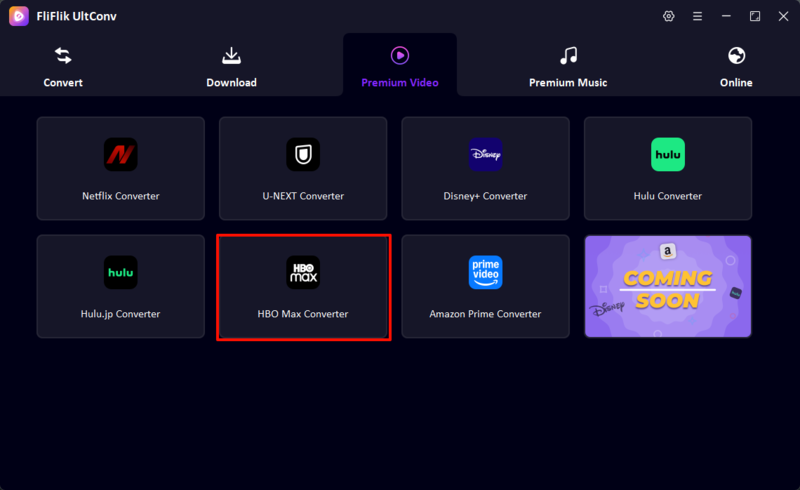
On the home screen, select Premium Video and then choose HBO Max Downloader from the list of supported streaming services.
-
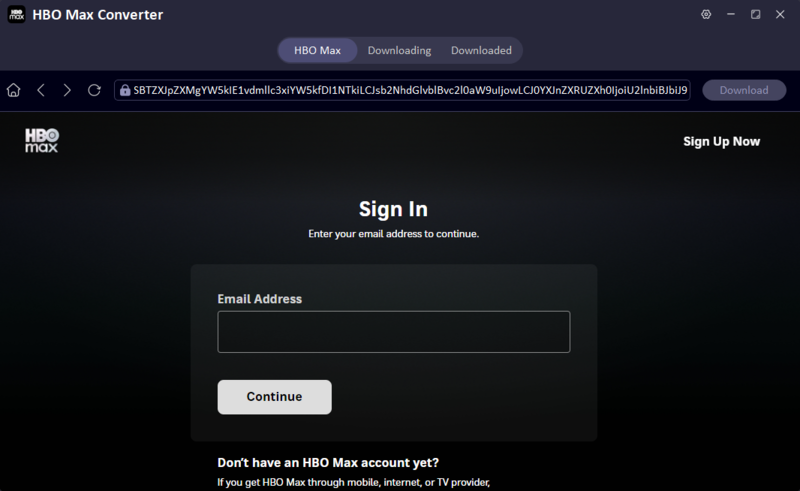
Sign in to your HBO Max account within UltConv using your email address and password. After logging in, you’ll be able to browse the HBO Max library directly inside the software.
-
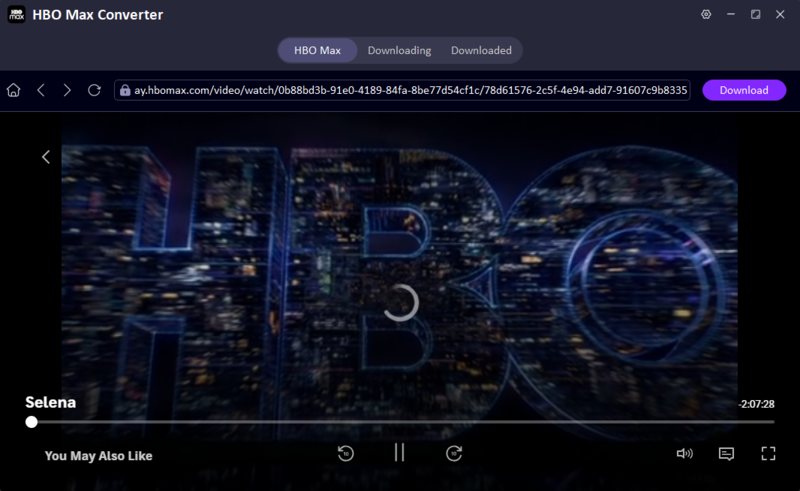
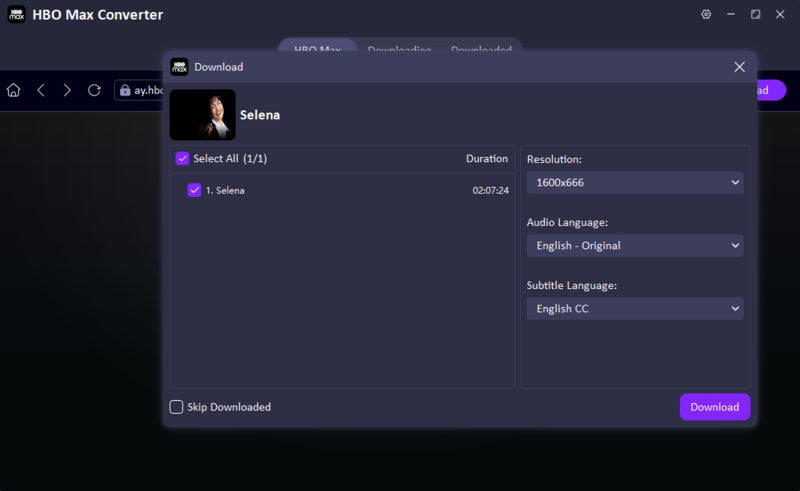
Search for the movie or TV show you want to save. Select your preferred video quality, audio, and subtitle settings, then click the Download button.
-
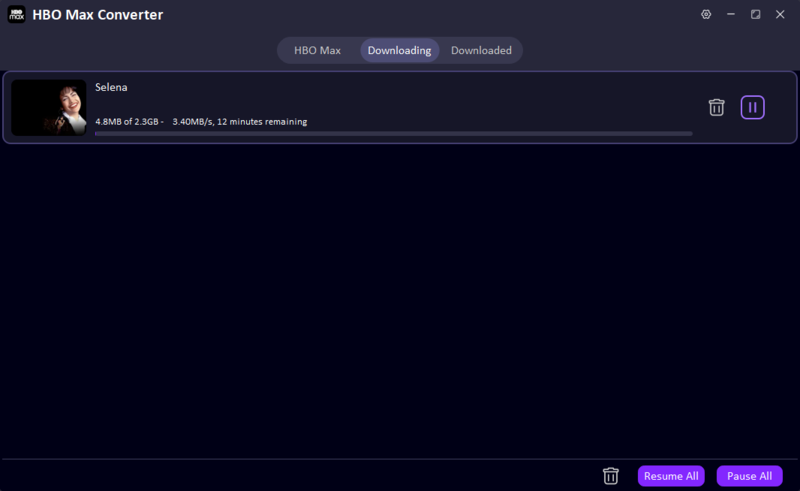
Wait for the download to finish. You can monitor the progress in the Downloading section and find completed videos under Downloaded. Once finished, you can watch them offline anytime or transfer them to other devices for convenient viewing.


Part 3. Record HBO Max Shows on Laptop for Free [No Installation]
If you’re looking for a simple way to save HBO Max content without installing any software, screen recording can be a practical option. FliFlik Online Screen Recorder is a browser-based tool that lets you record HBO Max movies and shows directly from your laptop. Since it works online, there’s nothing to download or install. It also supports screen recording with system audio and webcam capture, making it useful for both personal viewing and content demonstrations.
Before recording, make sure HBO Max can play normally in your browser. If HBO Max keeps buffering, shows a black screen, or fails to load, check this guide on how to fix HBO Max not working first.

- Completely free to use
- No software installation required
- No account registration needed
- Records screen, audio, and webcam together
- No watermark on exported recordings
- Recording happens in real time
- Video quality depends on your screen resolution and internet connection
- Requires playback of the entire movie or episode while recording
▼ Steps to Record HBO Max Shows with FliFlik Online Screen Recorder:
-
Open FliFlik Online Screen Recorder in your browser and click Start Recording.
-
Select the HBO Max browser window you want to capture. Enable system audio and webcam recording if needed, then click Record.
![select hbo max browser window for recording fliflik screen recorder]()
-
Play the HBO Max movie or show and let the recorder capture the content in real time. When you’re finished, click Stop Recording and preview the recorded video.
![record hbo max show online fliflik screen recorder]()


Part 4. Use an Android Emulator to Download HBO Max Video on Laptop
Another way to watch HBO Max offline on a laptop is by using an Android emulator. This method works by creating a virtual Android device on your computer, allowing you to install the HBO Max mobile app and use its official download feature. In simple terms, it brings the mobile version of HBO Max to your laptop so you can access downloads just like you would on a phone or tablet.
- Uses the official HBO Max mobile app
- Allows access to built-in download feature
- No need for extra video conversion tools
- Works on both Windows and Mac via emulator
- Requires installation of a heavy emulator software
- Can slow down low-end laptops
- Performance depends on system specifications
- Not as smooth as using a real mobile device
▼ Steps to Download HBO Max Video Using an Nox Player Android Emulator:
-
Download and install a trusted Android emulator such as Nox Player on your laptop. Launch the emulator after installation.
![android emulator home screen on laptop]()
Open the Google Play Store inside the emulator and sign in with your Google account.
Search for the HBO Max app and install it within the emulator.
Open HBO Max, log in to your account, and browse for the movie or show you want to download.
Tap the Download button on supported titles and wait for the content to save inside the app.


Part 5. Best 4 HBO Max Downloaders – Which is Best for Your Laptop?
Here’s a quick look at the most common ways to save HBO Max content on a laptop, so you can pick whatever works best for your situation.
| Method | Supports Site | Compatible Device | Quality & Resolution | Output Format | Batch Support | Transferable | Best For |
|---|---|---|---|---|---|---|---|
| Official HBO Max download | HBO Max app only | Mobile & tablet only (not laptops) | Up to HD (varies by device) | Encrypted in-app format | Yes | No | Offline viewing on mobile devices |
| FliFlik UltConv | HBO Max + 1,000+ sites | Windows / Mac | Up to 4K / 1080p | MP4, MKV | Yes | Yes | Full offline downloads with flexibility |
| Screen recording | Any playable content | Windows / Mac | Depends on the screen quality | MP4 / video file | No | Yes | Free manual recording without tools |
| Android Emulator | HBO Max mobile app | Windows / Mac (via emulator) | Same as mobile app quality | In-app downloaded files | Limited | No | Using official mobile download on laptop |
FAQs about Downloading HBO Max Movies on a Laptop
Conclusion
So, to answer the question directly, no, HBO Max doesn’t let you download content on a laptop. The offline feature is mobile only, which leaves desktop users with limited options if they want to watch without an internet connection. That said, there are workarounds. Screen recording, Android emulators, or a tool like FliFlik UltConv HBO Max Downloader all get the job done in different ways.
If you just need something quick and simple, screen recording works. If you want proper quality with subtitles and audio tracks preserved, FliFlik UltConv HBO Max Downloader is the more practical choice. It really comes down to how often you need offline access and how much quality matters to you.
 Secure Download
Secure Download
Secure Download
