

 By
By  7 minutes read


SSYouTube is a simple online tool people use to download videos by pasting a link. Nothing complicated, no setup, just copy, paste, and save. At least, that’s how it’s supposed to work. But recently, things haven’t been that smooth. Many users find its service is permanently available. That means that SSYouTube has been closed permanently. The problem is, there isn’t one fixed reason behind it. It leaves you stuck, especially when you’re in a hurry. So instead of guessing what went wrong, finding better alternatives is more important. Let’s find 6 alternatives to SSYouTube that work flawlessly.

Part 1. Does SSYouTube Still Work Now?
SSYouTube, for a long time, was one of the easiest shortcuts around to download YouTube videos. But now things aren’t so stable. In many cases, ssyoutube.com either redirects to blocked pages, fails to load, or gets flagged by browsers and ad blockers. Users find the official link redirect to warning pages or broken redirects like the one explained on its blocked notice page, as the screenshot shows below. That inconsistency is really the main issue.

You’ll also see mixed discussions online, including threads like “ssyoutube.com not working” and “ssyoutube blocked,” where users report the same thing: it works one day, fails the next, or behaves differently depending on region and browser settings. So, does it still work? No. And that’s the real problem.
Part 2. 6 Best SSYouTube Alternatives in 2026 [Free & Working]
Below, we have compiled a list of the 6 best SSYouTube alternatives in 2026.
1. FliFlik UltConv Video Downloader
Our first recommendation is FliFlik UltConv Video Downloader. If SSYouTube keeps breaking or refusing to load, this is the kind of tool that removes that frustration completely. Instead of relying on unstable online pages, you install it once on your system and handle everything from there. It’s not limited to one site, and it doesn’t depend on browser tricks or redirects. You can download videos from 10,000+ websites, save them in formats like MP4 or MP3, and even grab full playlists or channels in one go. It also supports HD all the way up to 4K and 8K, which matters if quality is a priority. On top of that, it can convert video to audio without losing quality, and even handle live streams directly instead of recording them. Everything runs inside one tool, including a built-in browser so you don’t have to keep switching tabs.

- Download from 10,000+ websites, YouTube, TikTok, Instagram, etc.
- Save videos in MP4, MP3, MKV, and 100+ formats
- Batch download playlists, channels, and albums
- Support HD, 1080p, 2K, 4K, and 8K quality
- Convert video to audio without quality loss
- Download live streams directly in real time
- Built-in browser for easy searching and downloading
- Up to 10x faster download speed
▼ How to Download YouTube Videos to MP4 with FliFlik UltConv Video Downloader?
Saving videos from YouTube as MP4 files is easy with FliFlik UltConv Video Downloader. After installing the software on your computer, the process only takes a few simple steps.
-
Click the Download tab and then click ” Download to” option at the bottom of the UltConv window to open output settings.
FREE DOWNLOAD![secure download]() Secure Download
FREE DOWNLOAD
Secure Download
FREE DOWNLOAD![secure download]() Secure Download
Secure Download

-
From the format list, choose MP4 as your output format.

-
Open YouTube in your browser, select the video you want, and copy its link from the address bar.

-
Go back to UltConv, let it detect the copied link automatically, or paste it if needed, then click the Download button.

-
Wait while UltConv processes and downloads the video to your system.

-
Once finished, open the output folder and play your saved MP4 file anytime offline.


2. Keepvid
Keepvid has been around for a while, and a lot of people land on it when tools like SSYouTube stop behaving. It’s one of those straightforward, browser-based downloaders. No setup, no installs. You just paste a link and hope it does its job. In most cases, it works fine for basic downloads. You can grab videos in common formats, and the process feels familiar if you’ve used similar tools before. But it’s not always consistent. Some videos process quickly; others just don’t load at all. And then there are the ads, which can get in the way if you’re not careful.
- Easy to use, no installation needed
- Supports multiple formats
- Works across devices
- Can fail with certain videos
- Ads can interrupt the process
- Limited control over quality
▼ Steps to Use:
- Step 1: Open Keepvid in your browser and wait for the homepage to fully load.
- Step 2: Go to YouTube, find the video you want to download, and copy its link from the address bar.
-
Step 3:
Return to Keepvid and paste the copied link into the input box on the page.
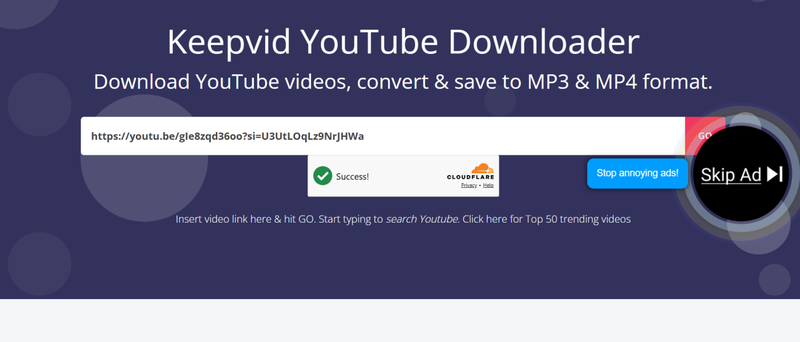
- Step 4: Wait for the tool to process the link, then select your preferred format and quality.
- Step 5: Click the Download button and save the file to your device.

3. SaveFrom
SaveFrom feels familiar to anyone who has used SSYouTube. It works in almost the same way, even supporting the shortcut method. That’s why many users switch to it without thinking too much. When it works, it’s fast and simple. But sometimes it gets blocked or redirects you to other pages, which can be frustrating. It’s reliable enough for quick downloads, just not always consistent.
- Fast and simple process
- Supports shortcut download method
- No installation required
- Can be blocked in some regions
- Pop-ups and redirects may appear
- Limited format control
▼ Steps to Use:
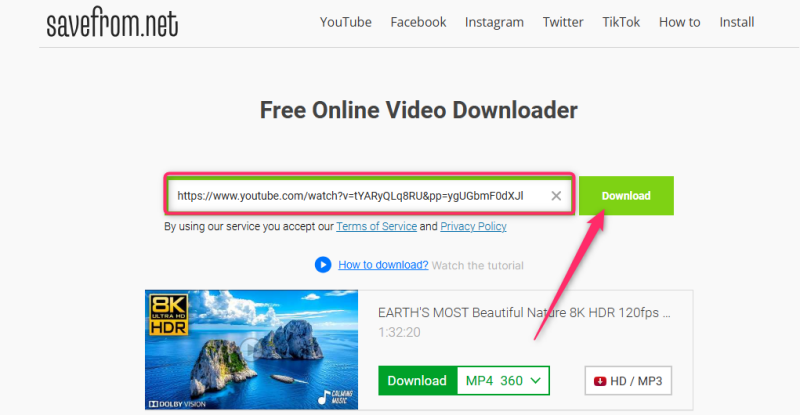
- Step 1: Open the SaveFrom website in your browser and wait for it to load properly.
- Step 2: Copy the YouTube video URL from your browser’s address bar.
- Step 3: Paste the link into the search box on the SaveFrom homepage.
- Step 4: Wait for the tool to generate download options, then choose your preferred format and quality.
-
Step 5:
Click the Download button and save the video file to your device.

4. YT1S
YT1S is a minimal tool focused on speed. It doesn’t offer too many features, but that’s also why it feels quick and easy to use. If you just want a fast MP3 or MP4 download, it usually does the job. That said, the simplicity comes with limits. You don’t get many format options, and sometimes downloads depend on the video itself.
- Fast and lightweight
- Simple interface
- Good for MP3 and MP4 downloads
- Limited features
- Quality options may vary
- Ads can appear
▼ Steps to Use:
-
Step 1:
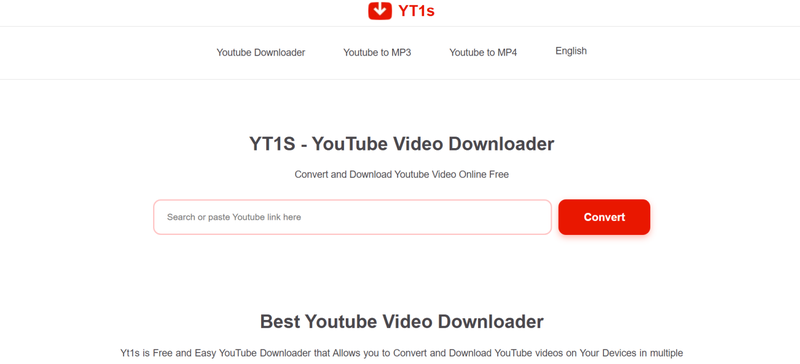
Open the YT1S website in your browser and wait for the page to load.
- Step 2: Copy the YouTube video link you want to download.
- Step 3: Paste the link into the input field on the YT1S homepage.
-
Step 4:
Choose whether you want to download the video as MP4 or convert it to MP3.
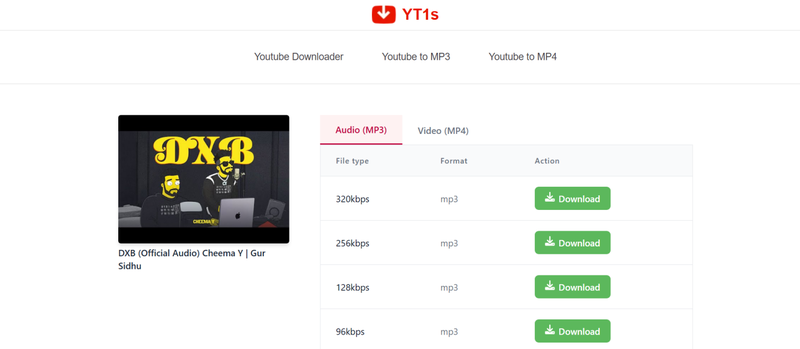
- Step 5: Click the Download button and save the file once processing is complete.


5. YT1D
YT1D keeps things simple and clean. It doesn’t overwhelm you with options, which makes it easier to use, especially for beginners. The process feels smooth when it works, but like most online tools, it’s not always perfect. Some links download instantly, others don’t respond. So it’s useful, just not something you rely on every time.
- Clean and simple interface
- Quick download process
- No installation required
- Limited format options
- Not always consistent
- Depends on internet stability
▼ Steps to Use:
- Step 1: Visit the YT1D website in your browser and let the page fully load.
- Step 2: Copy the YouTube video URL from the address bar.
- Step 3: Paste the copied link into the input field on the site.
-
Step 4:
Wait for the tool to process the video and display format options.
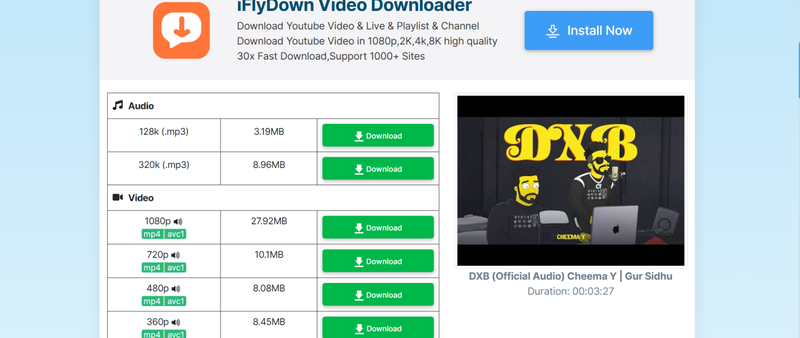
- Step 5: Select your desired format and click Download to save the file.

6. Publer
Publer is a bit different. It’s mainly a social media tool, but it also includes a YouTube downloader feature. The interface feels cleaner compared to many free tools, which makes the experience less frustrating. It works well for basic downloads, though it’s not as feature-heavy as dedicated tools. Still, it’s more stable than many ad-heavy websites.
- Clean and modern interface
- More stable than many free tools
- Fewer ads
- Limited advanced features
- Not dedicated only to downloading
- Requires internet connection
▼ Steps to Use:
- Step 1: Open the Publer YouTube downloader tool in your browser.
- Step 2: Copy the YouTube video link you want to download.
-
Step 3:
Paste the link into the input field on the Publer page.
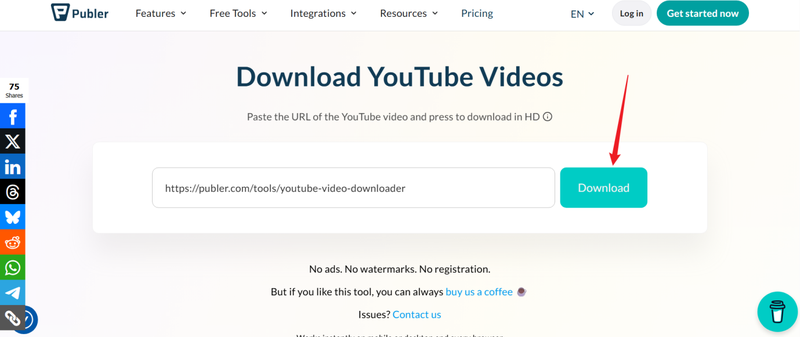
- Step 4: Wait for the tool to process the video and show download options.
- Step 5: Click Download and save the video to your device.

Part 3. Comparison Table of 6 SSYouTube Alternatives
At this point, you’ve probably noticed something. Most tools feel similar on the surface, but when you look a little closer, the differences start to matter. Especially, the differences between speed, quality, and ads all affect the experience more than you expect. Here’s a side-by-side comparison to make things clearer:
| Tool | Supported Sites | Output Formats | Max Quality | Download Speed | Batch Download | Ad-Free |
|---|---|---|---|---|---|---|
| FliFlik UltConv | 10,000+ websites | MP4, MP3, WAV, FLAC, 100+ formats | Up to 8K | Very Fast (10x) | ✅ | ✅ |
| Keepvid | Limited (mostly YouTube) | MP4, MP3 | Up to 1080p | Medium | ❌ | ❌ |
| SaveFrom | YouTube + few others | MP4, MP3 | Up to 1080p | Medium | ❌ | ❌ |
| YT1S | YouTube only | MP4, MP3 | Up to 1080p | Fast | ❌ | ❌ |
| YT1D | YouTube only | MP4 | Up to 720p–1080p | Medium | ❌ | ❌ |
| Publer | YouTube mainly | MP4 | Up to 1080p | Medium | ❌ | ❌ |
Conclusion
When tools like SSYouTube are not working, it usually feels like you’re stuck going in circles, trying different sites that all behave a bit differently. Some load, some don’t, and most of them come with limits like ads, slow speed, or missing format options. If you want a smoother experience without the guesswork, FliFlik UltConv Video Downloader is a solid option. It lets you download videos in high quality, supports multiple formats, and handles large downloads without the usual interruptions. At the end of the day, it’s about saving time and avoiding frustration. If SSYouTube isn’t working for you anymore, switching tools is simply the easier path forward.
 Secure Download
Secure Download
Secure Download
FAQs about SSYouTube
Q1. Is SSYouTube safe to use?
SSYouTube is generally used for quick downloads, but safety can vary depending on the mirror site you access. Since it’s a third-party tool, users should be careful with pop-ups, ads, and fake versions that may appear similar to the original.
Q2. Is ssyoutube legit?
SSYouTube works as a third-party downloader, but it is not an official YouTube service. Using it may violate YouTube’s Terms of Service and ignore copyright laws.