

 By
By  5 minutes read


Roku is a popular streaming platform for watching movies, TV shows, live channels, and free entertainment content. Many users enjoy streaming through The Roku Channel because it offers a large collection of free and premium videos in one place. However, one common problem is that Roku does not provide a built-in option to download videos for offline viewing .
That means if you want to watch your favorite content during travel, on a slow internet connection, or without buffering, you’ll need a separate Roku video downloader. In this guide, we’ll explain how Roku video downloaders work and the best tools you can use to download Roku videos offline. We’ll also compare features like video quality, subtitle support, batch downloading, and supported formats to help you choose the right downloader for your needs.

Part 1. Can You Download Videos from the Roku Channel?
Officially, Roku does not offer a native download feature for content available on The Roku Channel. Unlike some streaming platforms that allow offline viewing inside their apps, Roku mainly focuses on online streaming through internet-connected devices. This means you usually need an active internet connection to watch movies, TV shows, or live content on Roku.
Because of this limitation, many users look for alternative ways to save Roku videos offline. A Roku video downloader can help you download movies or shows directly to your computer so you can watch them later without buffering or internet access. Some tools also support HD quality downloads, subtitles, and batch downloading, making offline viewing much more convenient. Below, we will explain how to choose the best one.
Part 2. How to Choose the Best Roku Video Downloader in 2026?
Choosing the right Roku video downloader depends on what you actually need from your offline viewing experience. Some tools focus on high video quality, while others are better for fast batch downloads. That’s why it’s important to compare key factors like resolution, format support, subtitles, and device compatibility before picking a tool. Below is a simple comparison to help you choose the best Roku video downloader based on your needs.
Roku Video Downloader Comparison Table
| Tool | Supported Sites | Quality & Resolution | Output Format | Subtitle Support | Batch Download | Compatibility | Price |
|---|---|---|---|---|---|---|---|
| FliFlik UltConv ⭐ Best Pick | 10,000+ sites | HD, 1080p, 2K, 4K, 8K | MP4, MP3, 100+ formats | ✅ Yes | ✅ Yes | Windows, Mac, Android | From $9.95 |
| StreamFab | Major streaming sites | Up to 1080p | MP4, MKV | ✅ Yes | ✅ Yes | Windows, Mac | Paid plans vary |
| KeepStreams | Popular streaming sites | HD, 1080p | MP4, MKV | ✅ Yes | ✅ Yes | Windows, Mac | Paid plans vary |
| CleverGet | Common video sites | HD, 1080p | MP4, MKV | ✅ Yes | ✅ Yes | Windows only | Paid plans vary |
| Online Screen Recorder | Any site shown on screen | Depends on screen | MP4 | ❌ No | ❌ No | Browser-based | Free / limited |
Part 3. 5 Best Roku Video Downloaders to Save Videos Offline
Below, we’ll look at some of the best Roku video downloader tools in 2026, including their features, pricing, and what each tool is best suited for.
Option 1: FliFlik UltConv Roku Video Downloader ⭐ Top Pick
FliFlik UltConv Roku Downloader is one of the most reliable tools for downloading Roku videos offline in 2026. It is designed for users who want a simple way to save movies, TV shows, live streams, and online videos without dealing with buffering or internet limits. FliFlik UltConv supports downloads from more than 10,000+ websites, including YouTube, Netflix, TikTok, and many other streaming platforms. It also supports multiple output formats like MP4 and MKV, making playback easy on phones, laptops, tablets, and smart TVs. With batch downloading, high-quality 4K support, fast download speeds, and a built-in browser, UltConv offers a smooth and beginner-friendly experience for offline video watching.

- Download videos from 10,000+ websites like YouTube, TikTok, and Vimeo
- Save videos in MP4, MP3, MOV, and 100+ other formats
- Download videos in HD, 1080p, 2K, 4K, and even 8K quality
- Batch download multiple Roku videos or playlists together
- Built-in browser for easier searching and downloading
- 10x faster download speed with simple one-click downloading
▼ How to Download Roku Videos with FliFlik UltConv Roku Downloader?
Download Roku videos downloaded and saved as MP4 files by installing FliFlik UltConv Roku Downloader on your computer. Then proceed with the steps below after setup.
 Secure Download
Secure Download
Secure Download
- Step 1: Open UltConv Video Downloader and go to the Download tab. Click the “Download to” option.
- Step 2: Choose MP4 as your output format for the best playback quality.
- Step 3: Open Roku in your browser, find the video you want to save, and copy the video link from the address bar.
- Step 4: Return to UltConv and paste the Roku video link into the search bar. If the software detects the link automatically, simply click Download.
- Step 5: Wait for the download to finish. Your Roku video will then be saved in MP4 format and ready for offline viewing anytime.


- Best For: Users who want the most complete Roku video downloader for saving movies, shows, and videos offline in MP4 with batch downloads, subtitles, and a built-in browser.
- Price: 1 Month Plan — $19.95
Option 2: StreamFab Roku Channel Downloader
StreamFab Roku Channel Downloader is another popular tool for saving Roku Channel videos offline. It allows users to download movies, TV shows, and live content directly from Roku in up to 1080p quality. The software also supports MP4 and MKV formats along with AC3 5.1 surround audio for better sound quality. Its interface is simple enough for beginners, and the built-in browser makes browsing Roku content easier before downloading.
▼ How to Download Roku Videos with StreamFab?
-
Step 1:
Launch StreamFab and open the Roku Channel Downloader section.
![open streamfab roku channel downloader]()
-
Step 2:
Browse Roku Channel inside the software and select the movie or TV show you want to download.
![browse roku videos in streamfab]()
-
Step 3:
Play the video and wait for the download window to appear. Choose your preferred resolution, audio, and format. Click Download Now to save the Roku video offline without ads.
![download roku video with streamfab]()


- Best For: Users who already use StreamFab and want a basic option for saving Roku Channel videos in common formats.
- Price: 1 Month License — $54.99
Option 3: KeepStreams for Roku Channel
KeepStreams for Roku Channel is designed for users who want a simple way to download Roku movies, TV shows, live news, and sports content for offline viewing. One useful feature is its support for batch downloading, which allows you to save multiple videos at once instead of downloading them individually. The software also supports high-quality downloads and automatic ad removal for a smoother playback experience.
▼ How to Download Roku Videos with KeepStreams?
-
Step 1:
Launch KeepStreams and log in to your Roku account.
![log into roku account in keepstreams]()
-
Step 2:
Search for the Roku video you want to download and customize the video, audio, and subtitle settings.
![customize roku download settings in keepstreams]()
-
Step 3:
Click “Download Now” to start downloading the Roku movie or show, or add it to the queue for later.
![download roku videos with keepstreams]()


- Best For: Users who prefer KeepStreams and need a standard Roku Channel downloading option with basic format and subtitle settings.
- Price: Monthly Plan — USD $34.99/month
Option 4: CleverGet Roku Channel Downloader
CleverGet Roku Channel Downloader is a Windows-based tool that allows users to download movies, TV shows, and full episodes from Roku for offline viewing in high quality. It is designed for users who want fast downloads with support for multiple episodes or full seasons at once. The tool works by parsing video URLs and letting you choose your preferred download settings before saving content to your device.
▼ How to Download Roku Videos with CleverGet?
-
Step 1:
Open CleverGet and set your download preferences.
![set download preferences in cleverget roku downloader]()
-
Step 2:
Copy the Roku Channel video URL and paste it into CleverGet.
![paste roku video url into cleverget]()
-
Step 3:
Let the software analyze and parse the video link.
![cleverget parsing roku video link]()
-
Step 4:
Select video quality and click download to start saving the video.
![download roku video with cleverget downloader]()


- Best For: Windows users who want another desktop option for saving Roku movies or episodes for offline viewing.
- Price: 1 Year License — $49.95
Option 5: FliFlik Online Screen Recorders (Free Alternative)
Unlike a Roku video downloader that saves the original video file, a screen recorder captures the video playing on your screen in real time. It is more flexible when direct downloading does not work, but it may take longer and may not keep the original quality, subtitles, or audio tracks as well as a dedicated downloader.
FliFlik Online Screen Recorder is a free browser-based option for recording Roku Channel videos in HD without installing software. If you prefer this method, check our detailed guide on how to record on Roku for more step-by-step recording tips.
▼ How to Record Roku Videos with an Online Screen Recorder
-
Step 1:
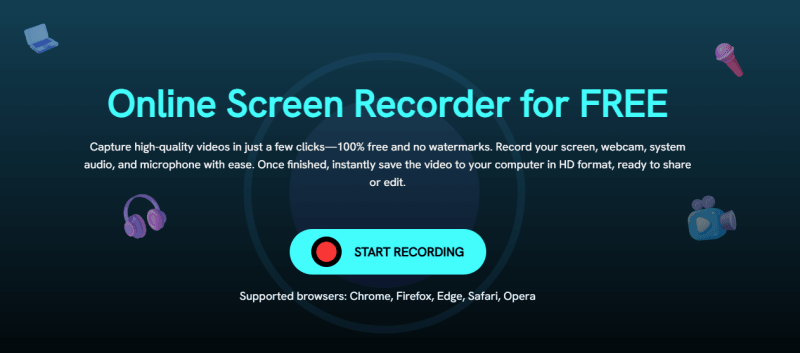
Open the screen recorder and click “Start Recording” on the homepage.
-
Step 2:
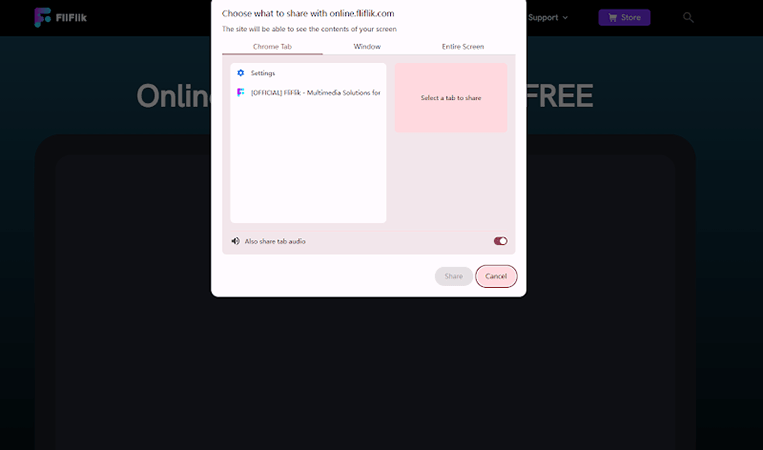
Select the screen/window you want to record, enable audio or webcam if needed, then click Record after the countdown.
-
Step 3:
Play the video on Roku while recording in the background.
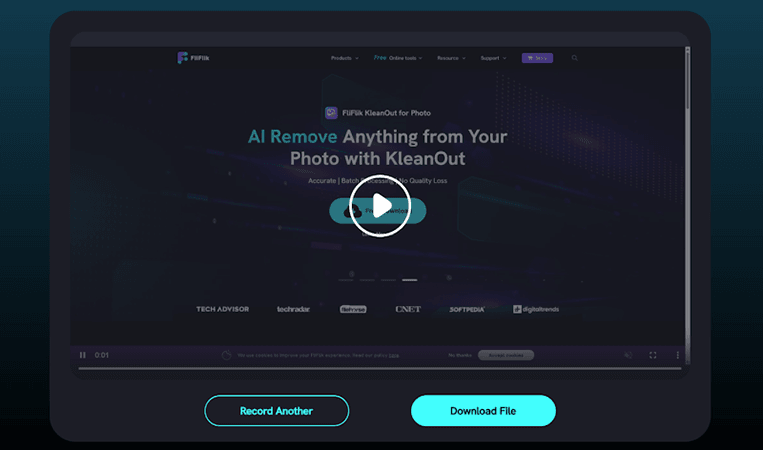
- Step 4: Click Stop when finished, then preview and save your recorded video in HD format.


- Best For: Users who only need a simple recording workaround when direct downloading is not available.
- Price: Free (100% no watermark, browser-based tool)
FAQs About Roku Video Downloaders
Q1. Can I download free Roku Channel content — not just stuff I paid for?
Yes, content on Roku includes both free and paid titles, but the ability to download depends on the tool you are using and the content’s restrictions. Tools like FliFlik UltConv Roku Downloader can download content for offline watching.
Q2. What is the difference between downloading and screen recording?
Downloading saves the original video file directly from the source in high quality, while screen recording captures what is playing on your screen like a video recording. Downloading usually gives better quality, smaller file size, and subtitle support, while screen recording is more flexible but may reduce quality and take longer.
Conclusion
To wrap things up, watching content on Roku is easy, but downloading it for offline viewing requires extra tools since Roku does not offer a built-in download feature for most videos. Among the options above, FliFlik UltConv Roku Downloader is the most complete choice for users who want MP4 output, high-quality downloads, batch saving, subtitle support, and a built-in browser in one tool. Other tools can work as alternatives, but UltConv is easier to recommend for most users who want a simple and flexible Roku video downloader.
Secure Download
Secure Download