

 By
By  7 minutes read


If you are using Hulu’s ad-supported plan, you have probably noticed that offline downloads are not included, which can be frustrating when you want to watch shows without an internet connection. This limitation is the main reason many users start searching for how to download Hulu shows, especially when traveling or dealing with unstable networks. While Hulu officially restricts downloads to certain plans, there are still practical ways to access content offline depending on your device and tools. In this article, we will clearly explain what is possible, what is restricted, and the most effective methods people use in 2026 to save Hulu shows for offline viewing.

Part 1. Can I Download Shows on Hulu with an Ad Plan?
Short answer: No, you can’t download shows on Hulu directly if you’re using the ad-supported plan. Downloads are only available on specific ad-free plans, so without upgrading, the feature isn’t accessible. Even with the right plan, Hulu still has a few requirements you need to follow.
Subscription plan: Must be an ad-free plan that supports downloads
Device requirement: Downloads only work on supported mobile devices, not on desktop, TV, or gaming consoles. It works on the following:
- Amazon Fire tablets like Fire 7
- Fire HD 8
- Fire HD 10
- Fire Max 11
- Android devices running Android 7.1 or higher
- iPhone and iPad running iOS 16.4 or newer
Also, if you switch from a plan that supports downloads to one that doesn’t, all your saved content will be removed automatically.
Part 2. How to Download Shows on Hulu [Official Way]
If you’re on a plan that supports downloads, Hulu makes the process pretty straightforward. Everything happens inside the app, and once you know where to tap, it’s quick.
▼ Steps to Download Shows on Hulu
-
Step 1:
Open the Hulu app and tap the Search icon at the bottom of the screen to start browsing content.

- Step 2: Tap on the Downloadable option, then select See what’s downloadable to view all shows and movies available for offline viewing.
-
Step 3:
Choose the show you want, then tap the
Download
icon next to each episode. For movies, tap the Download button below the play option.

- Step 4: Wait for the download to complete. Once finished, you can find your saved content in the Downloads section of the app.


- Expiration: You have 30 days to start watching a downloaded title
- Watch window: Once you press play, the content expires within 48 hours
- Limit of download number: Maximum of 25 downloads at a time
- Device limit: Downloads can be stored on up to five supported mobile devices
- Content availability: Not all shows and movies are available for download
- Device restriction: Downloads only work on mobile devices, not on desktop or TV
So while the official method works well, it comes with clear limits that can feel restrictive depending on how you watch content.
Part 3. How to Download Show from Hulu with an Ad Plan
If you are on Hulu’s ad plan, the main issue is simple: there is no built-in download option for offline viewing. That’s exactly why many users look for a more flexible solution like FliFlik UltConv Hulu Downloader, a tool designed to bypass platform limits and let you download Hulu shows and movies in up to 4K quality, convert them into MP4 or MKV formats, remove ads for clean playback, download full seasons in bulk, and save subtitles and audio tracks for offline use across any device. Instead of being restricted by plan type or device rules, you get full control over how your content is stored and watched.
What makes it more useful is that it focuses on real usability. You are not just saving videos; you are preserving them in a way that works long term. That includes keeping original quality, supporting multiple languages, and making sure files can be played anywhere without depending on the Hulu app or internet connection.

- Download Hulu Shows and Movies in Up to 1080p and 4K Quality
- Convert Hulu Videos to MP4 or MKV for Universal Device Support
- Remove Ads and DRM limits for Uninterrupted Offline Viewing
- Batch Download Full Seasons or Multiple Episodes at Once
- Save Subtitles in SRT or VTT Formats with Multi-Language Options
- Keep Original Audio Tracks Including Dolby Atmos Support
▼ Steps to Download Hulu Shows with UltConv Hulu Downloader
If you are trying to figure out how to download Hulu shows on a laptop, this is where UltConv becomes useful because it works directly on Windows and Mac, letting you save Hulu content without relying on the official app limits.
-
Download and install FliFlik UltConv Video Downloader from the official website on your laptop.
FREE DOWNLOAD![secure download]() Secure Download
FREE DOWNLOAD
Secure Download
FREE DOWNLOAD![secure download]() Secure Download
Secure Download
-
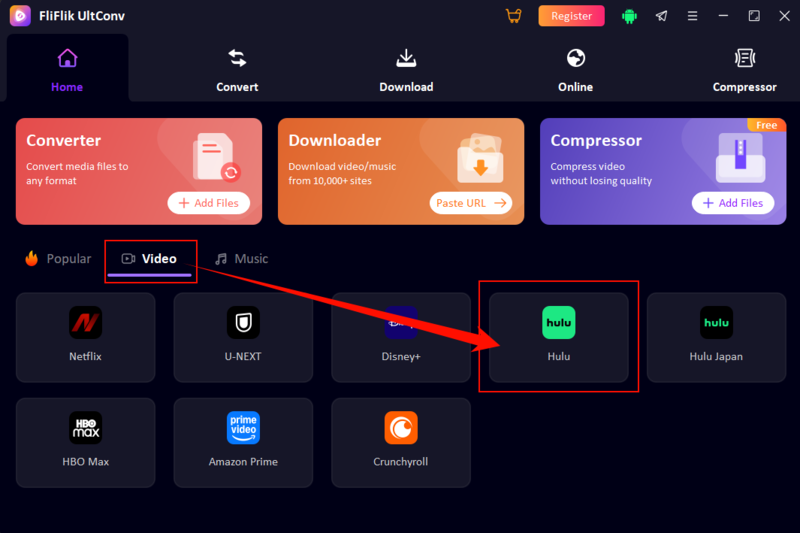
Open the software, under the Home section, switch to the Video tab and select the Hulu Converter option.
-
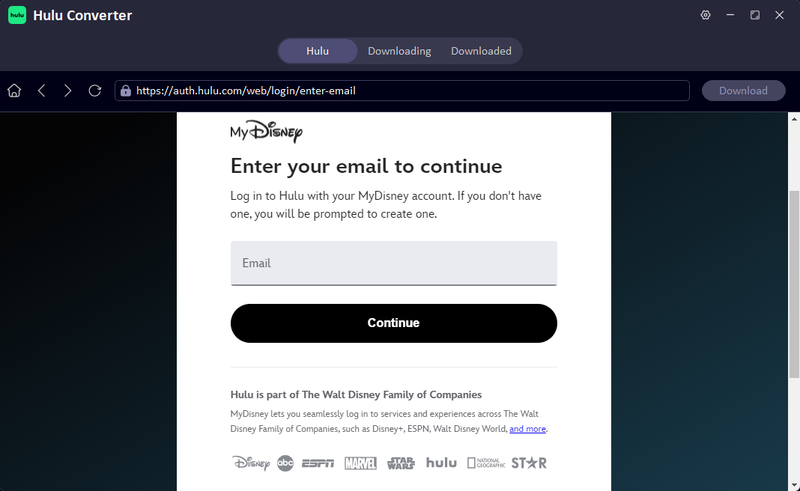
Log in to your Hulu account inside UltConv. Once logged in, your full Hulu library including shows and movies will be available.
-
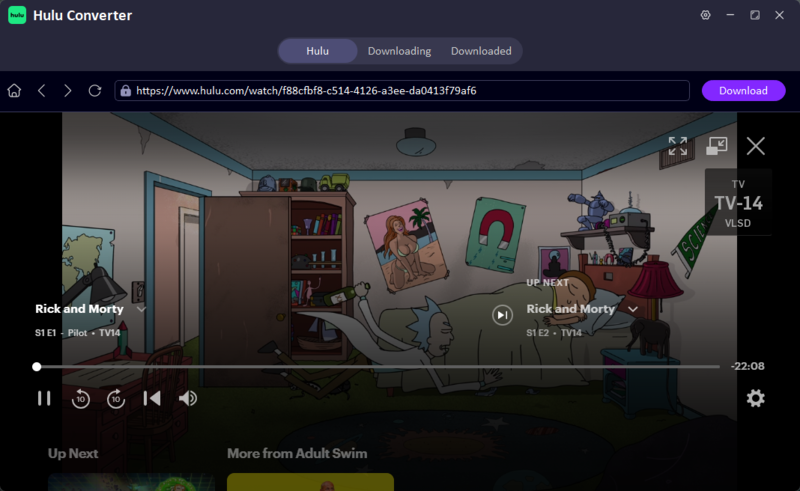
Search or browse for the video you want to download. When you find it, click the Download button next to the title and choose your preferred resolution and format.
-
UltConv will process the file and save it to your computer, maintaining the quality and format you selected.

-
The file will be processed and saved directly to your laptop while keeping the selected quality intact.


Conclusion
So in the end, how to download Hulu shows is not as straightforward as most people expect. Hulu keeps offline downloads locked behind specific plans and device rules, and even then, you’re working around limits like expiration times, storage caps, and what content is actually available to save. It works, but it feels restricted once you start using it regularly. If you want something that feels less limited and more flexible, FliFlik UltConv Hulu Downloader is a solid alternative. It gives you more control over saving content, better format options, and a smoother offline experience without constantly running into platform restrictions.
 Secure Download
Secure Download
Secure Download
FAQs about Hulu
Q1. Why can’t I download Hulu shows on my phone?
You usually can’t download Hulu shows on your phone because you are either on the ad-supported plan or using an unsupported device. Hulu only enables downloads for select ad-free plans and compatible mobile devices, so if your setup doesn’t meet those requirements, the option won’t appear.
Q2. Do all Hulu plans allow downloads?
No, not all Hulu plans include downloads. Only specific ad-free plans offer offline viewing. If you downgrade or stay on an ad-supported plan, the download feature remains unavailable even if you are using a supported device.
Q3. Can I watch Hulu offline on a plane?
Yes, you can watch Hulu offline on a plane, but only if you have already downloaded the content beforehand on a supported mobile device. You can download with FliFlik UltConv Hulu Downloader; once downloaded properly, you don’t need internet access during your flight.
