

 By
By  8 minutes read


Trying to find someone on Fansly can be tricky if you do not know their exact username. Fansly does have a built-in search, but creators may use a different display name, change their username, or share their profile mainly through other social platforms.
Fortunately, there are several ways to find a Fansly creator. You can search by username or display name, open a direct profile link, check their social media accounts, or use Google and Bing to look for public Fansly pages. Below, we’ll walk through the most reliable methods and explain what to try when a creator does not appear in search.

- Part 1. Can You Search for a Fansly Creator?
- Part 2. How to Find Someone on Fansly?
- Part 3. How to Find a Fansly Creator From Another Platform?
- Part 4. Best Fansly Search Methods Compared
- Part 5. How to Download Fansly Videos for Offline Viewing?
- Part 6. FAQs About Finding Someone on Fansly
- Conclusion
Content Table:
Part 1. Can You Search for a Fansly Creator?
Yes. Fansly has a working search bar that can find creators by username and display name. The search is designed for creator accounts. Regular user accounts that are not set up as creators usually do not appear. New accounts can take time to show up in results. Private, restricted, or deleted profiles may also be missing.
If the search returns nothing, the username may be misspelled, the account may be new, or the profile may not be publicly searchable. In those cases, a direct profile link or a link from social media is often more reliable.
Part 2. How to Find Someone on Fansly?
In this part of our article, we will share 6 methods to find someone on Fansly.
Method 1. Search by Fansly Username
This is the fastest and most reliable method when you already know the handle. Go to Fansly and use the search bar at the top. Type the username with or without the @ symbol. Fansly can match exact and partial usernames, so a short version of the name may still return results.
You can also test the direct URL. Fansly profiles use the format fansly.com/username. Paste the username after the domain in your browser. If the account exists and is public, the profile page will load. Double-check the spelling, including numbers and special characters. A small difference is enough to search to fail.

Method 2. Use a Fansly Profile Link
If someone has shared their profile link, this is the simplest option. Click or paste the full link. It usually looks like https://fansly.com/username. A direct link bypasses search limitations and takes you straight to the public part of the profile. This is often the method creators recommend when search does not work.
Profile links are sometimes shared with extra characters after the username, such as tracking parameters (like ?ref= or utm_ codes) or a trailing slash. These usually don’t break the link, but if you’re retyping it by hand, it’s safer to strip everything after the username and just use the plain fansly.com/username format. Links are also often shared as shortened URLs through link-in-bio tools, group chats, or messaging apps. If a shortened link doesn’t open, ask whoever shared it to send the full fansly.com address instead, since shortened links can expire or get flagged over time.
Method 3. Find a Fansly Creator Through Social Media
Many creators share their Fansly page through public social profiles. If you know their handle on X, Instagram, Reddit, TikTok, or a link-in-bio service, check those accounts for a direct Fansly link. See Part 3 below for platform-specific tips.
Method 4. Search Fansly Using a Creator Name
You can also search by display name. The display name is the name shown on the profile and does not have to match the username. Results are less precise than a username search because display names are not unique. Adding extra details such as a niche or location can help narrow the results. Searching only a common first name usually returns too many unrelated profiles.
Method 5. Check Public Profile Images
Public profile images can help confirm that you have found the correct creator account. Compare the Fansly profile photo, username, bio details, and branding with the creator’s public social profiles. Use images only as a supporting check, since profile photos can change or be reused and are not a reliable identifier on their own.
Method 6. Search Fansly Profiles with Google or Bing
Search engines can help when Fansly’s own search does not return the profile. Try the creator’s public name or known username together with the word “Fansly,” or use a site search such as site:fansly.com username. This works best for public pages that have been indexed by the search engine, so it may not surface new, private, restricted, or unavailable profiles.
Why Can’t I Find a Fansly Account?
If a Fansly account does not appear in search, the problem is often related to the username or the account’s current status. Common reasons include:
- Wrong username spelling.
- The creator changed their username.
- The creator uses a different display name.
- The account is new, restricted, private, deleted, or otherwise unavailable.
- The person does not have a Fansly creator account.
 Secure Download
Secure Download
Secure Download
Part 3. How to Find a Fansly Creator From Another Platform?

If your favorite creator is also on another platform, the information below will help you find a Fansly creator from another platform.
From X / Twitter
Search for the person’s name or known handle. Check the bio for a Fansly link. Many creators also post the link in tweets. You can search for their username plus the word “fansly” to find older posts that mention it.
From Instagram
Look at the bio and any link-in-bio tools. Creators often list Fansly alongside other platforms. Matching profile photos and usernames across Instagram and Fansly can also help confirm you have the right person.
From Reddit or Link-in-Bio Pages
Search Reddit for the name or username together with “fansly.” Promotion posts and comment histories sometimes include the direct profile link. Link-in-bio pages (Linktree, Beacons, and similar tools) often collect all of a creator’s platforms in one place, including Fansly.
If you are trying to find the same creator on other subscription platforms, you can also learn how to find someone on OnlyFans without a username.
How to Verify a Fansly Account Is Authentic
To check whether you have found the creator’s authentic Fansly account, compare the profile with their established public presence.
- Check whether the username matches the creator’s official social media accounts.
- Look for consistent branding, profile links, bio details, and posting history.
- Be cautious of accounts that ask for payments outside the official Fansly platform.
Part 4. Best Fansly Search Methods Compared
Now, let’s have a quick look at how reliable the above methods are when compared to each other.
| Method | Reliability | What You Need | Best For |
|---|---|---|---|
| Fansly Username Search | High | Exact or partial username | Fastest when you know the handle |
| Fansly Profile Link | Very high | Direct URL | Direct access to a known profile |
| Social Media Search | Medium–high | Other platform accounts | Finding the link from X, IG, etc. |
| Display Name Search | Medium | Display name | When username is unknown |
| Search Engines (Google/Bing) | Medium | Name + “fansly” or site: | Broader web search |
| Public Profile Image Check | Lower | Public profile image | Confirming a public creator profile |
Part 5. How to Download Fansly Videos for Offline Viewing?
Once you’ve found and confirmed you’re looking at the right Fansly account, you might wonder how to save videos or other media so you can watch offline later. That’s where tools like FliFlik UltConv Fansly Downloader come in. It’s a simple desktop downloader to help you save Fansly content to your device in common formats like MP4/MKV. Besides Fansly, it also works with OnlyFans, LoyalFans, JustForFans, YouTube, TikTok, and many other streaming sites, so you do not need to switch between different tools.
You can choose video quality such as 720p/1080p, and even 4K, depending on what the tool supports. Another convenience feature is one-click downloading for message videos, plus bulk downloads using a “multiple URLs” option so you can grab more than one video without repeating the same steps again and again. It also has DRM removal to make the downloaded files easier to play on more devices. Another best feature is that UltConv Fansly Downloader also lets you download profile images and other media from your favorite creators.

- Download Fansly videos in MP4 up to 4K quality.
- One-click saving for Fansly message videos.
- Bulk download using multiple URLs to grab many videos at once.
- Remove DRM from Fansly videos to play on more devices.
- Download Fansly profile images and media from a creator’s page.
- Support Fansly, OnlyFans, LoyalFans, YouTube, and 10,000+ sites.
▼ Steps to Download Fansly Videos with UltConv:
-
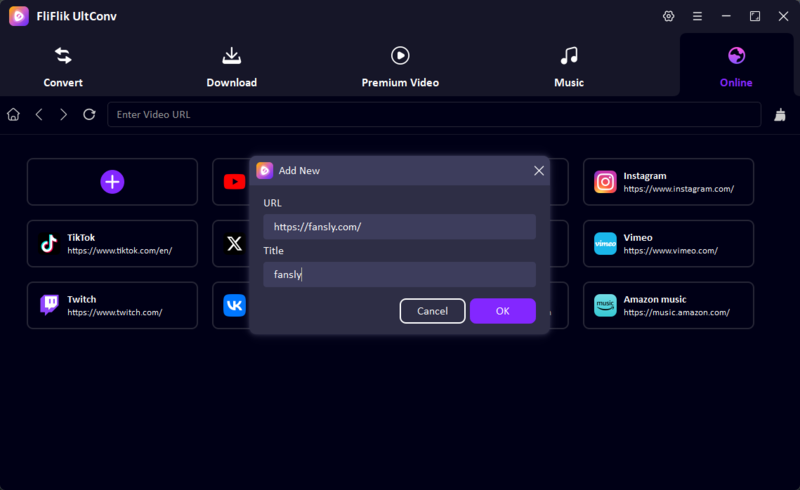
Step 1: Install and launch UltConv, then open the app’s Online section (the built-in browser area).
-
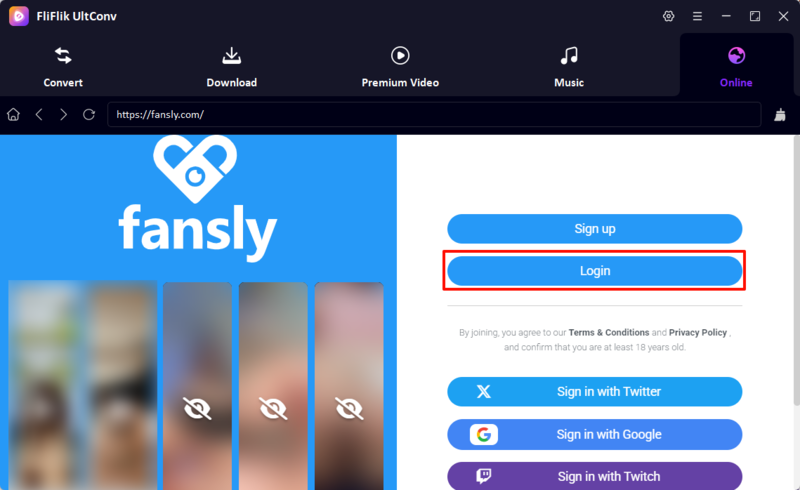
Step 2: Paste or open the Fansly link inside the Online section, and then log in to your Fansly account.
-
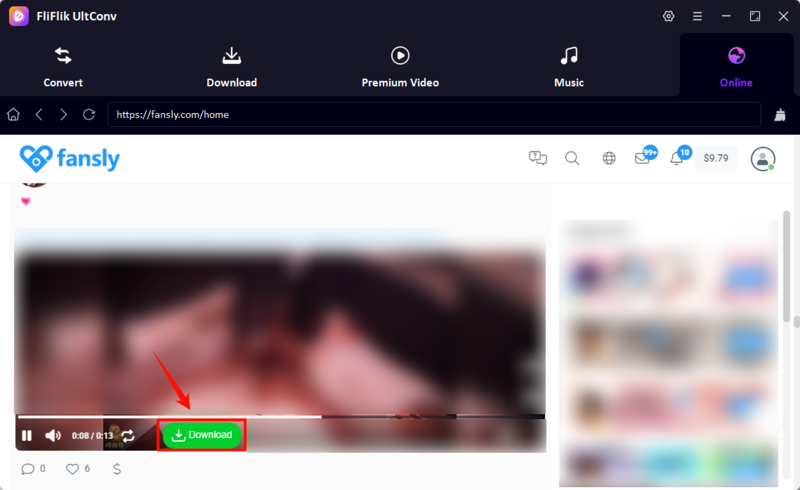
Step 3: Find the specific Fansly video you want to save for offline viewing and look for the green Download button.
-
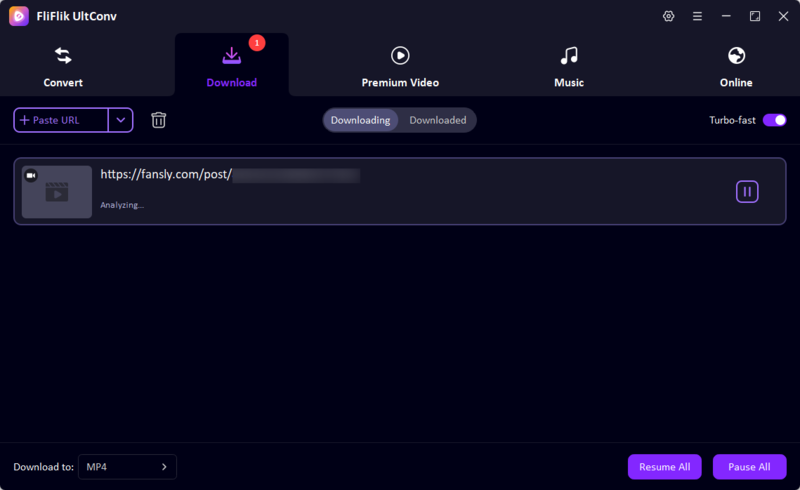
Step 4: Click the Download button, and the tool will start analyzing the video immediately.
-
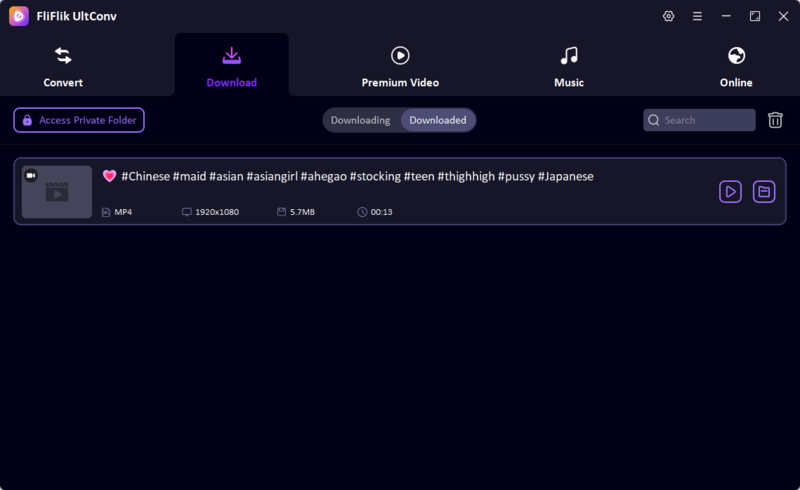
Step 5: Wait for the download to complete, and then open the saved file to watch offline on your device.


If you have seen websites or posts claiming to offer leaked Fansly content, you can also read our guide to Fansly leaks to understand what these sites are and the risks involved.
Part 6. FAQs About Finding Someone on Fansly
Conclusion
We hope this guide gives you a clear answer on how to find someone on Fansly. It’s easy when you have the username or a direct profile link. The built-in search works for many creators, and the URL format fansly.com/username gives a quick way to test a handle. When you only have a name or a photo, start with social media. Most creators share their Fansly link on X, Instagram, Reddit, or a link-in-bio page. And, if you want to save Fansly videos for offline viewing, UltConv Fansly Downloader is a simple option to try. It lets you download supported Fansly videos in HD and keep them on your device for later. You can also use UltConv Fansly Downloader to download videos from other platforms, so you do not need a separate downloader for each site. Happy Searching, and Downloading.
Secure Download
Secure Download