

 By
By  8 minutes read


Watching movies online is convenient, but many users also want a way to save videos for offline viewing. That’s why tools like a 123movies downloader have become popular in recent years. Whether you want to watch movies without an internet connection, avoid buffering, or keep your favorite content on your device, a good downloader can make the process much easier.
In this article, we’ll look at the 5 best 123Movies downloaders you can use in 2026. We’ll compare their main features, ease of use, and download quality to help you choose the right option for quickly and safely saving free movies.

Part 1. Does 123Movies Have a Built-in Download Feature?
Yes, some 123Movies websites do include a built-in download feature, but it is usually not very reliable. In many cases, the download button either redirects users to ads, opens multiple pop-up pages, or simply fails to download the movie. Since 123Movies operates through different mirror sites, the download experience can also vary a lot depending on which version of the site you are using.

Another common issue is that many 123Movies sites require users to install a browser extension or use a third-party video downloader before the download option works correctly. Even when the built-in feature is available, users may still face problems like slow download speed, limited video quality, broken links, or unsupported formats.
Because of these limitations, most users prefer using dedicated 123Movies downloaders instead of relying on the site’s own download button. A separate downloader usually provides a more stable experience, better video quality, faster downloads, and fewer interruptions from ads or redirects.
Part 2. 5 Best Recommended 123Movies Downloaders in 2026
Moving on, below, we’ll look at 5 popular 123Movies downloaders in 2026 to help you find the right option for offline movie watching.
1. FliFlik UltConv 123Movies Downloader
If you regularly watch movies on streaming websites and want to save them for offline viewing, FliFlik UltConv Video Downloader is one of the more reliable tools available in 2026. Many online downloaders and browser extensions often come with problems like fake download buttons, constant redirects, slow speeds, or poor video quality. However, UltConv Video Downloader is designed to make movie downloading much simpler and smoother.
The tool supports downloads from over 10,000+ websites and lets users save movies directly to their PC in formats like MP4/MKV. It also supports high-quality downloads up to 4K and 8K, which is useful for users who want better picture quality for offline watching. Features like batch downloading, fast download speed, and the built-in browser make it easier to download multiple movies without opening extra tabs or using several tools at once. Compared to many free movie downloaders, UltConv Video Downloader offers a more stable experience with fewer interruptions and better overall download quality.

- Download videos from 10,000+ websites, 123Movies, YouTube, Netflix, Prime Video
- Save movies in 1080p, 2K, 4K, and even 8K quality
- Batch download multiple videos at 10X faster speed
- Convert videos to MP4, MP3, and 100+ formats
- Built-in browser for easier video & music downloads
- Supports music conversion and DRM removal for streaming music platforms
▼ Steps to Download 123Movies Downloader with UltConv Video Downloader
-
Download and install UltConv Video Downloader on your Windows or Mac computer. After installation, launch the program.
FREE DOWNLOAD![secure download]() Secure Download
FREE DOWNLOAD
Secure Download
FREE DOWNLOAD![secure download]() Secure Download
Secure Download
-
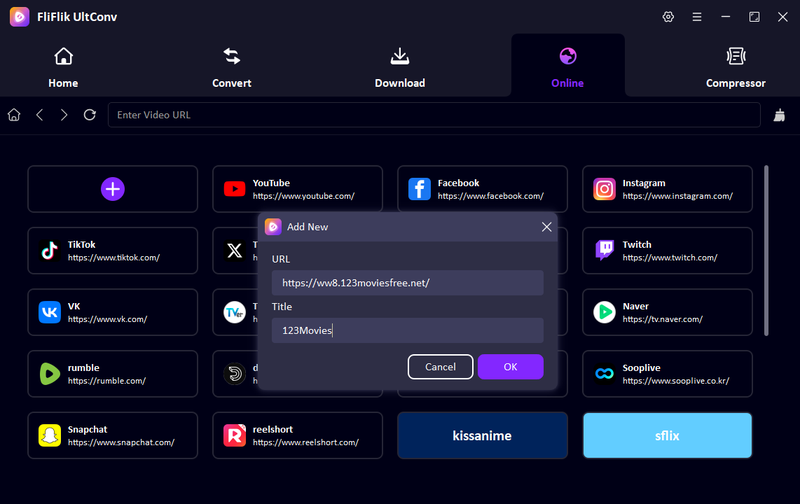
Open UltConv and click the + tab of the Online section. Paste the 123Movies video link into the pop-up window, then add Title, then click OK.
-
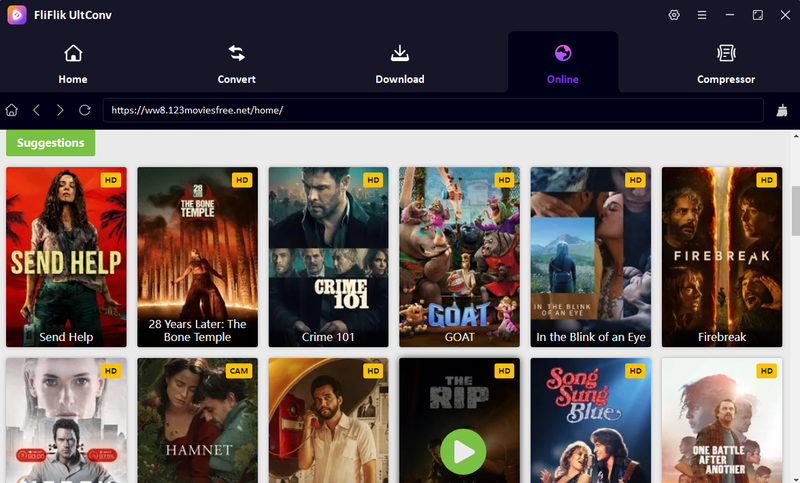
The 123Movies page will open inside UltConv’s built-in browser, allowing you to browse movies directly within the software.
-
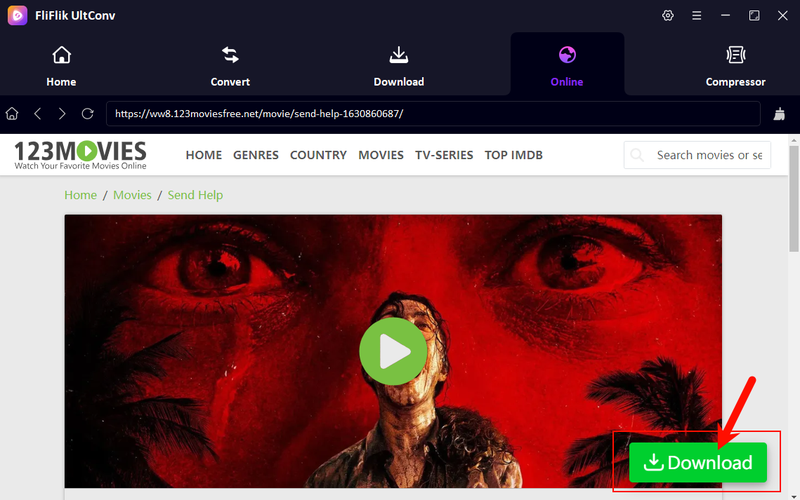
Find and play the movie you want to save, then click the Download button.
-
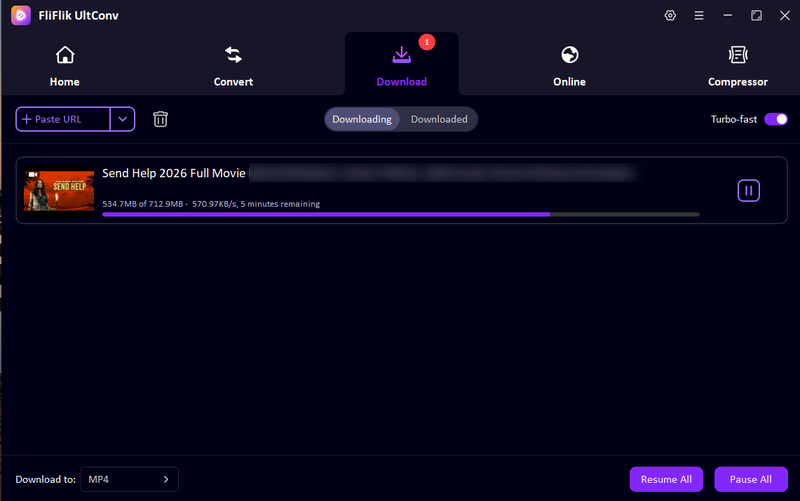
UltConv will start downloading the movie automatically. Once finished, go to the Downloaded section to watch your movie offline anytime.


2. Video DownloadHelper (Browser Extension)
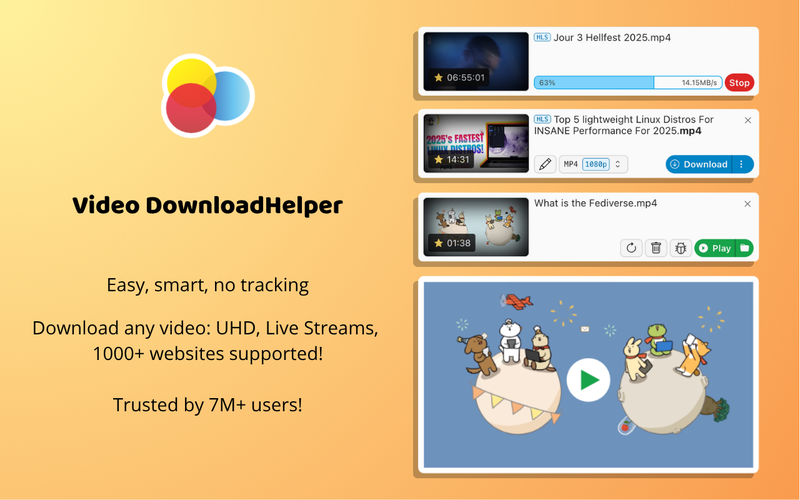
Video DownloadHelper is another popular browser extension used by many people as a quick 123movies downloader Chrome solution. It works directly inside browsers like Chrome and Firefox, allowing users to detect and download streaming videos without installing heavy software. This makes it a convenient option for users who want a fast and lightweight way to save online movies. However, while it is easy to use, its performance can depend on the website you are downloading from. Some streaming pages may not be fully supported, and download quality or speed can vary.
➥ In case this extension is not working, you can check some Video DownloadHelper alternatives here.
- Easy to install and use in Chrome or Firefox
- Lightweight browser extension, no extra software needed
- Quickly detects playable videos on many streaming sites
- Good for small or quick downloads
- Not all streaming websites are supported
- Download quality may vary depending on the source
- Can be affected by browser updates or restrictions
- Sometimes struggles with full movies or playlists
▼ How to Download from 123Movies using Video DownloadHelper?
-
Step 1:
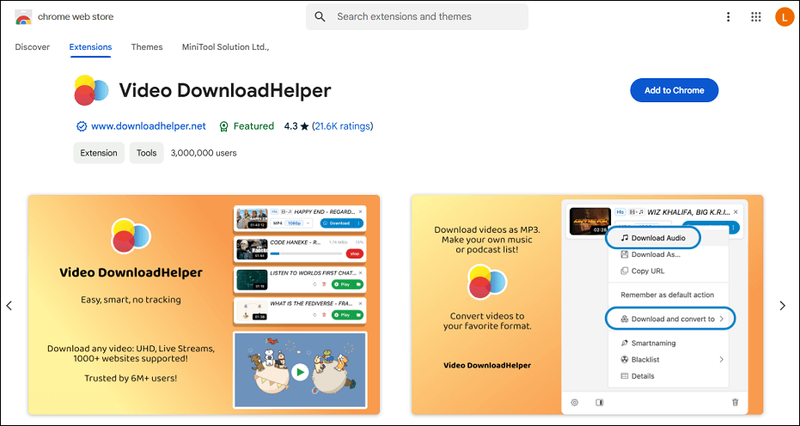
Install the Video DownloadHelper extension on your Chrome browser.
- Step 2: Open the 123Movies website and play the movie you want to download.
-
Step 3:
Click the Video DownloadHelper icon in your browser toolbar.
- Step 4: Wait for the tool to detect available video files.
- Step 5: Select your preferred quality and click Download.
- Step 6: Once completed, the movie will be saved to your device for offline viewing.


3. Cococut (Browser Extension)
Cococut is another simple browser extension often used as a 123Movies online downloader. It works directly in Chrome and helps users detect and save streaming videos while they are playing on a website. However, like many browser-based tools, its performance can vary depending on the streaming site. Some videos may not be detected properly, and download options can sometimes be limited.
- Easy to install and use in the Chrome browser
- Lightweight and works directly in the browser
- Can detect and download videos from many streaming sites
- Simple interface for quick downloads
- Not always reliable for all streaming websites
- May fail to detect some video streams
- Limited control over video quality options
- Can be affected by browser or site updates
▼ How to Download from 123Movies using Cococut?
-
Step 1:
Install the Cococut extension on your Chrome browser.

- Step 2: Open the 123Movies website and play the movie you want to download.
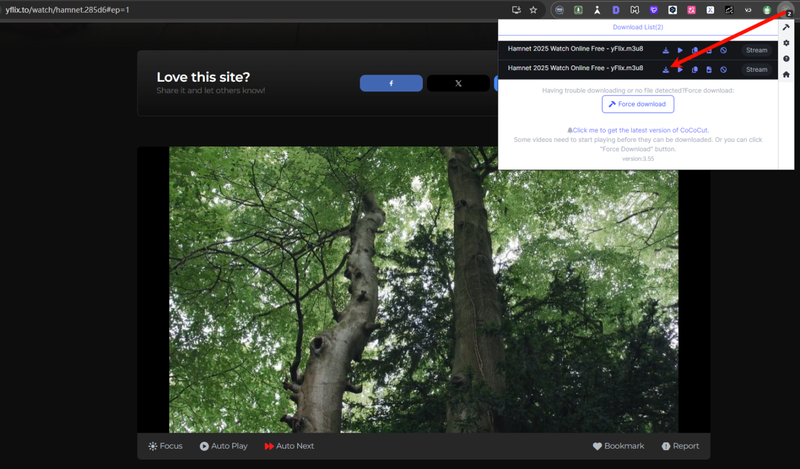
- Step 3: Click the Cococut icon in the browser toolbar and wait for Cococut to detect the available video file.
-
Step 4:
Choose the video quality and click
Download.
- Step 5: Once completed, the movie will be saved on your device for offline viewing.


4. 123Movies Video Downloader
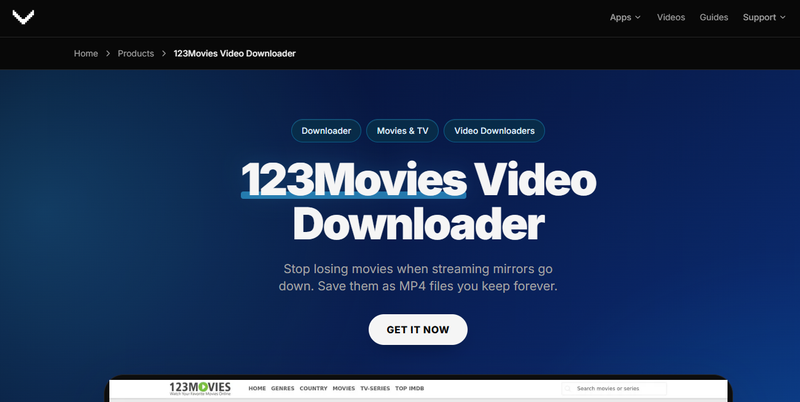
The 123Movies Video Downloader browser extension works across different 123Movies mirrors and domain variations. You simply press play, click the extension icon, choose your preferred quality, and the video downloads straight to your device. It is designed to handle full-length movies reliably, with smart retry support that helps keep long downloads running even if your internet connection drops. There is no need for extra software, command-line tools, or screen recording workarounds.
- Works directly in the browser across 123Movies mirrors
- No installation or extra software required
- Includes 3 free trial downloads
- Limited free downloads before upgrade
- Only works in supported browsers
- Full features need a subscription
▼ How to Download Movies from 123Movies Extensions?
-
Step 1:
Add
123Movies Downloader
to your browser (Chrome, Edge, Firefox, Brave, or Opera) and complete the quick email OTP sign-in process.
- Step 2: Visit a supported 123Movies page that contains the video you want to watch or download.
- Step 3: Press play so the extension can detect the active video source and load available download options.
- Step 4: Choose your preferred video quality or let the tool auto-select the best option, then download the file to your device.

5. TubeNinja
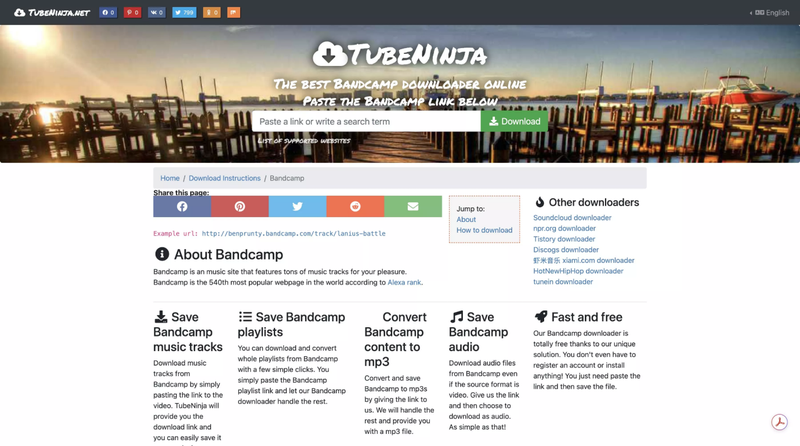
TubeNinja is another popular web-based downloader used as a 123Movies downloader online free option. It allows users to download videos by simply pasting a URL, without installing any extension or software. It is commonly used for quick downloads from streaming and video-sharing sites, such as YouTube and TikTok. However, like many online tools, it does not always support every video source, and some downloads may not work depending on the website restrictions.
- Works directly in browser, no installation needed
- Simple and beginner-friendly interface
- Supports multiple video platforms
- Free to use
- Not reliable for all streaming sites
- May fail on protected or restricted videos
- Limited quality and format options
- Can be slow during peak usage
▼ How to Download from 123Movies using TubeNinja?
-
Step 1:
Go to the official
TubeNinja
website in your browser.
- Step 2: Open 123Movies, find the movie you want, and copy its video URL from the address bar.
- Step 3: Paste the copied 123Movies link into the TubeNinja input box.
- Step 4: Click the download button so TubeNinja can analyze the video and generate available options.
- Step 5: Select your preferred video quality or format, then download and save the movie to your device.

Part 3. Quick Comparison of 5 Best 123Movies Downloaders
Since we’ve already looked at each tool’s features, pros, cons, and how they work, it’s now easier to compare them side by side. The table below gives a clear overview of the best downloader for 123movies, so you can quickly see differences in speed, quality, formats, and overall performance before choosing the right one for your needs.
| Tool | Support Platform | Formats | Download Speed | Max Quality | Batch Download | Rate |
|---|---|---|---|---|---|---|
| FliFlik UltConv | Windows, Mac | MP4, MP3, 100+ formats | 10 Faster | 4K–8K | Yes | ⭐⭐⭐⭐⭐ |
| Video DownloadHelper | Chrome, Firefox | MP4, MKV | Medium | HD | Limited | ⭐⭐⭐⭐ |
| Cococut Extension | Chrome, Firefox | MP4 | Medium | HD | No | ⭐⭐⭐ |
| 123Movies Video Downloader | Chrome, Firefox | MP4 | Medium | HD | No | ⭐⭐⭐ |
| TubeNinja | Browser (Online) | MP4 | Medium | HD | No | ⭐⭐ |
Final Words
To sum it up, finding a reliable 123Movies downloader depends on what you need. Some tools are quick and simple, while others offer better quality, faster speed, or batch downloading for full movies. Browser extensions and online tools can work for basic use, but they often come with limits like unstable performance or restricted features. If you want a more complete and stable solution for downloading movies in high quality, FliFlik UltConv 123Movies Downloader is a strong choice. It supports fast downloads, multiple formats, and even 4K/8K video quality, making it ideal for saving movies for offline viewing without interruptions.
 Secure Download
Secure Download
Secure Download
