

 By
By  8 minutes read


Twitter, now called X, has become one of the go-to platforms for live broadcasts, gaming streams, sports clips, interviews, and breaking news. The problem is that these videos don’t always stick around. Streams get removed, links expire, or you just want to watch something later without burning through your data. That’s why having a reliable Twitter broadcast downloader matters.
In this article, we cover the best online Twitter broadcast downloaders that actually work in 2026, comparing their features, download quality, and ease of use, so you can find the one that fits your needs.

Part 1. Top 5 Twitter (X) Broadcast Downloaders Online
Below, we have compiled a list of some of the best tools that can help you download Twitter broadcasts in HD quality directly from your browser.
1. X (Twitter) Broadcast Downloader

X Downloader is a simple browser-based tool made specifically for downloading Twitter (X) broadcasts and videos. One of the biggest advantages of this tool is that it does not require software installation or account registration, making it convenient for users who want fast downloads directly from their browser. It also supports HD quality downloads in many cases, which is useful for saving live streams, gaming broadcasts, interviews, and other content from X.
2. FetchFile

FetchFile supports Twitter (X) broadcast downloads, along with videos from many other websites. The platform focuses on simplicity and compatibility, allowing users to download videos in different resolutions without installing extra software. One useful feature is that it works across devices, including Windows, Mac, Android, and iPhone browsers. FetchFile also provides multiple quality options depending on the original broadcast source, helping users choose between smaller file sizes or higher-quality downloads.
3. sssTwitter

sssTwitter is a widely used Twitter video downloader known for its quick download process and easy-to-understand interface. It works well for saving short videos, clips, GIFs, and some Twitter broadcasts without needing any registration. The tool is especially useful for people who want a fast and lightweight solution without complicated settings. Since it is entirely web-based, it can be used from almost any device with a browser.
4. Publer Twitter Video Downloader

Publer Twitter Video Downloader offers a clean and modern Twitter video downloader that focuses on simplicity and reliable downloads. Unlike many cluttered online tools, Publer’s downloader has a professional-looking interface that makes the process straightforward even for beginners. The tool works directly in the browser and does not require creating an account. It is especially useful for downloading social media clips, broadcasts, and promotional videos for offline viewing or content research.
5. SnapDownloader

SnapDownloader is known for offering both online tools and desktop downloading solutions for social media videos. Its Twitter video downloader helps users save X videos and broadcasts in high quality with minimal effort. The platform supports downloading videos in different resolutions and is designed to keep the original quality whenever possible. One thing that makes SnapDownloader stand out is its focus on faster processing and support for larger videos compared to many basic web tools.
Part 2. Why Choose FliFlik UltConv Over Online Downloaders
Online Twitter downloaders get the job done for quick saves, but they come with trade-offs: ads, slow speeds, and unreliable downloads for longer videos or livestreams. FliFlik UltConv Video Downloader is a desktop alternative that handles all of that without the frustration.
It supports downloads from 10,000+ websites, including Twitter, YouTube, TikTok, Instagram, and Twitch, and saves videos in MP4, MP3, and 100+ other formats. You can download in HD, 2K, 4K, or 8K quality, and batch download entire playlists or channels in one go.

- Download videos and music from 10,000+ websites
- Save files in MP4, MP3, and 100+ formats
- Download Twitter broadcasts in HD, 2K, 4K, and 8K quality
- Batch download playlists, channels, and multiple videos at once
- Convert video to audio without losing quality
- Built-in browser for quick searching and downloading
▼ Steps to Download a Twitter Video with FliFlik UltConv Video Downloader
-
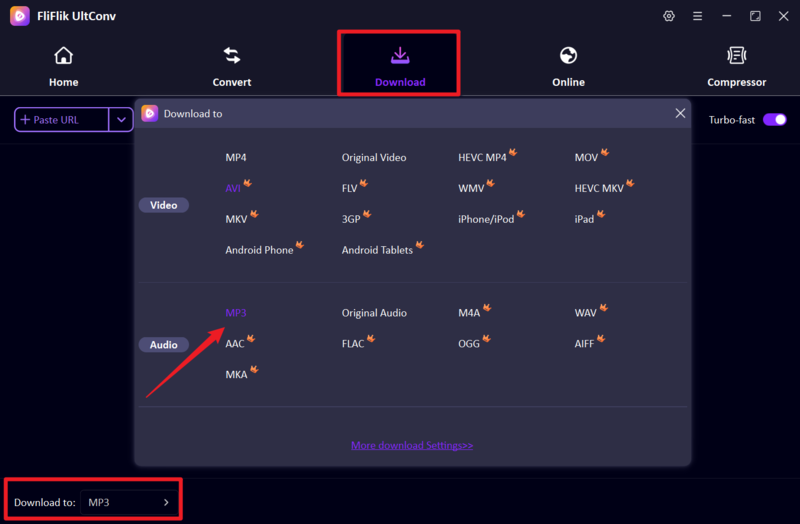
Download FliFlik UltConv Video Downloader from its official website and install it on your computer. In the “Download” section, click “Download to” in the bottom-left corner to select your desired video output format.
FREE DOWNLOAD![secure download]() Secure Download
FREE DOWNLOAD
Secure Download
FREE DOWNLOAD![secure download]() Secure Download
Secure Download
-
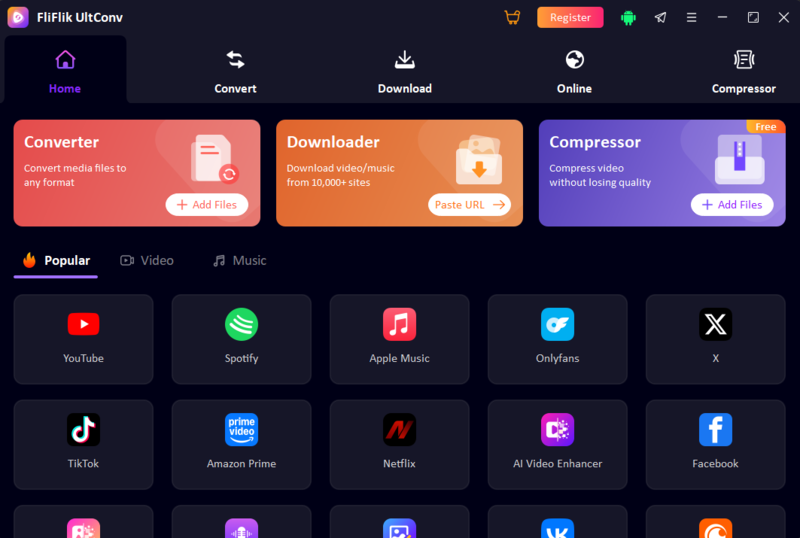
Then, open the UltConv software, find the website entry on the home page, and click to enter.
-
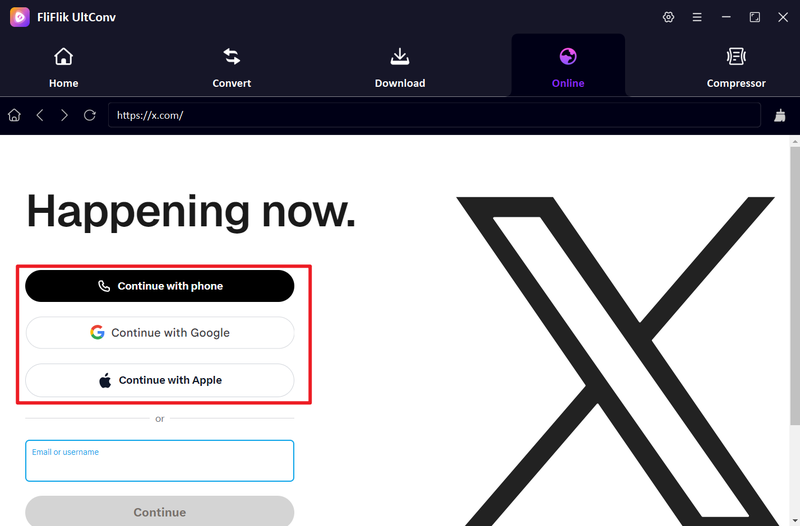
You can choose an appropriate method to log in to your x account based on your own circumstances.
-
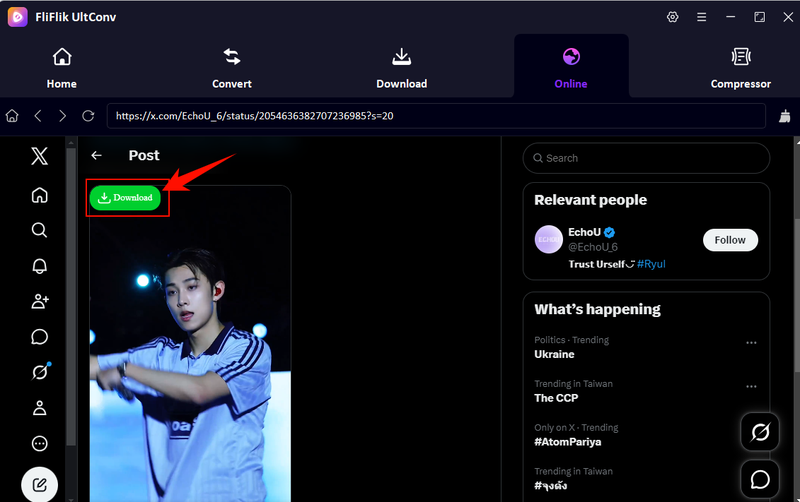
After logging in, click on the video you want to download on the x website. You will see a green download icon in the upper-left corner. Please click on it.
-
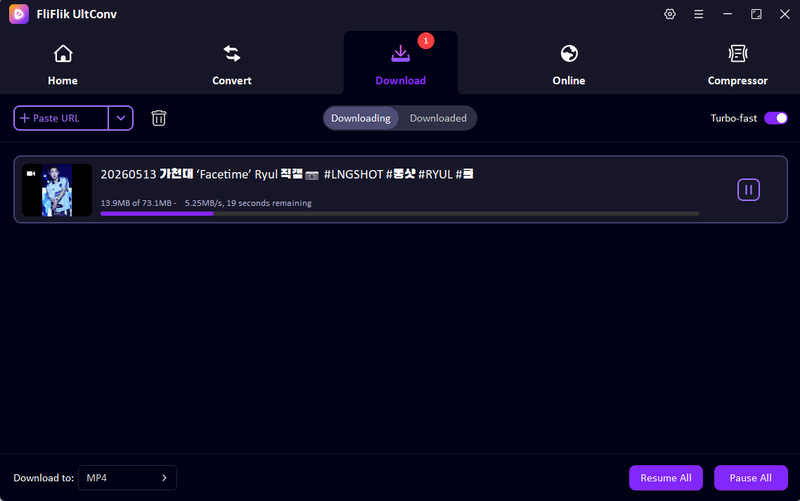
Finally, you can view the download progress on the download page. After a short wait, you’ll be able to watch the downloaded videos offline in the “Downloaded” tap.


Bonus Tip. How to Record a Twitter Broadcast in Real Time
If a Twitter (X) broadcast cannot be downloaded directly, screen recording can be a useful alternative. FliFlik Online Screen Recorder is a free browser-based tool that lets you record live broadcasts, streams, meetings, and online videos without installing software. It supports screen, webcam, microphone, and system audio recording directly from your browser. Another advantage is that it works without sign-up and saves recordings without watermarks, making it convenient for quick recordings.
▼ Steps to Record Twitter Broadcast with FliFlik Online Screen Recorder
-
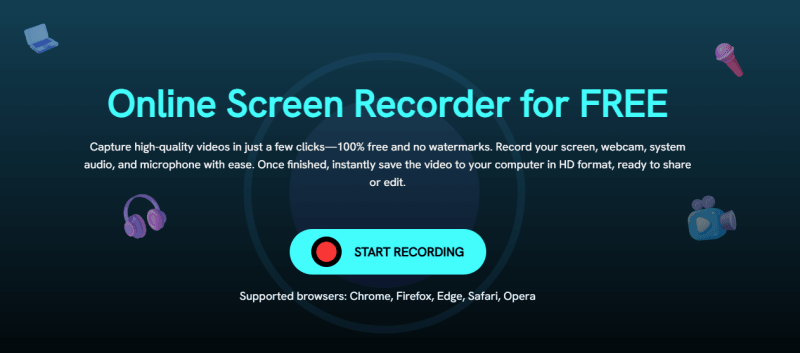
Step 1: Open the FliFlik Online Screen Recorder website and click the “Start Recording” button on the homepage.
-
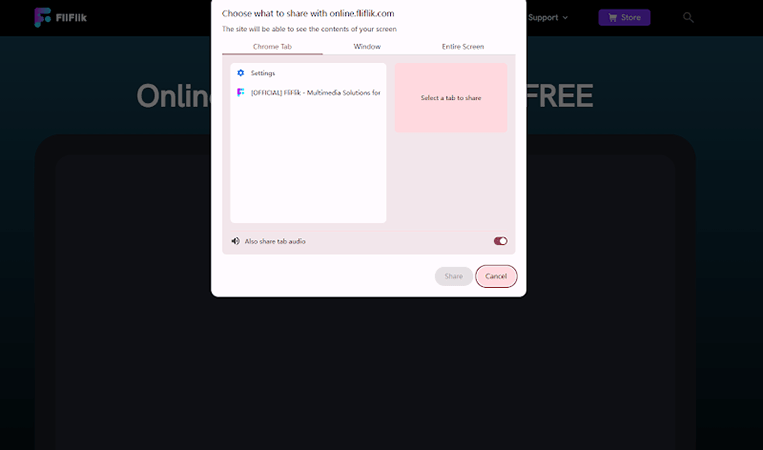
Step 2: Choose the screen or browser window you want to capture, then enable audio or webcam options if needed before starting the recording.
-
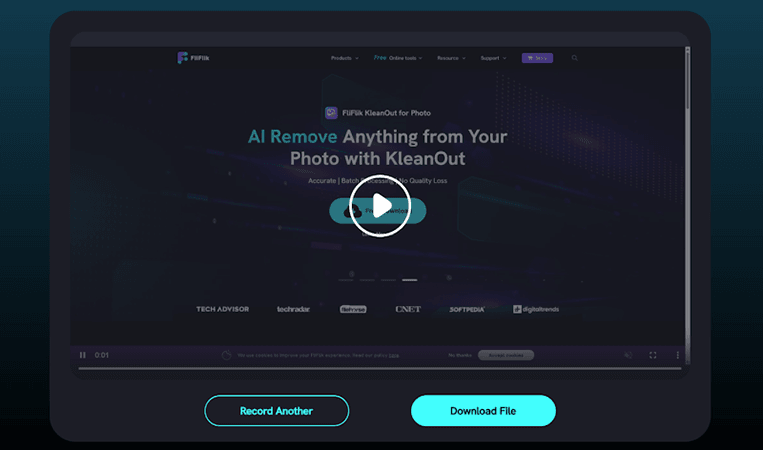
Step 3: Start playing the Twitter broadcast and let the recorder capture the stream in real time. When finished, click Stop, preview the recording, and save the video to your computer.


FAQs
Q1. How can I download Twitter videos for free?
You can download Twitter (X) videos for free using online downloaders or desktop tools like FliFlik UltConv Video Downloader. Simply copy the tweet link, paste it into the downloader, and save the video in your preferred format, such as MP4.
Q2. Is it legal to download Twitter videos?
Downloading Twitter videos for personal offline viewing is generally allowed in many cases, but redistributing, reposting, or using copyrighted content commercially without permission may violate copyright laws or platform policies.
Conclusion
Finding a reliable Twitter (X) broadcast downloader can make it much easier to save live streams, trending clips, and important videos for offline viewing. While online tools are useful for quick downloads, they often come with limitations in quality, speed, and stability.
For a smoother and more powerful experience, FliFlik UltConv Video Downloader is a great option. It supports downloads from over 10,000 websites, offers high-quality formats up to 4K and 8K, and includes useful features like batch downloading and built-in browser support.
 Secure Download
Secure Download
Secure Download
